8-94 Set ETH Function
GGS-000547-01E iPASOLINK EX Advanced: SET NETWORK AND SYSTEM PROVISIONING
8.7.3 MSTP Port
8.7.3.1 Modify MSTP Port
NOTES:
1. MSTP and ERP do not operate simultaneously on the same system. (To
enable MSTP, ERP should be disabled.)
2. All VLANs belong to IST by default.
3. In the IEEE 802.1ad mode, MSTP operation is disabled on ports that are
assigned to C-Access or C-Bridge.
4. Default values for Timers and Hops are recommended to use. [Default
values for timers are compliant with the recommendations.]
5. VLANS that are assigned to instances and that are to ports are not
interdependent. VLANs should be assigned to all ports that are associated
with the MSTP equipment. If not, signals may not be transmitted through the
path though it is concluded by the protocol.
Procedure 8-29
1. Launch and log in to WebLCT.
2. In the MENU frame on the left, expand Provisioning, then its submenu ETH
Function Setting
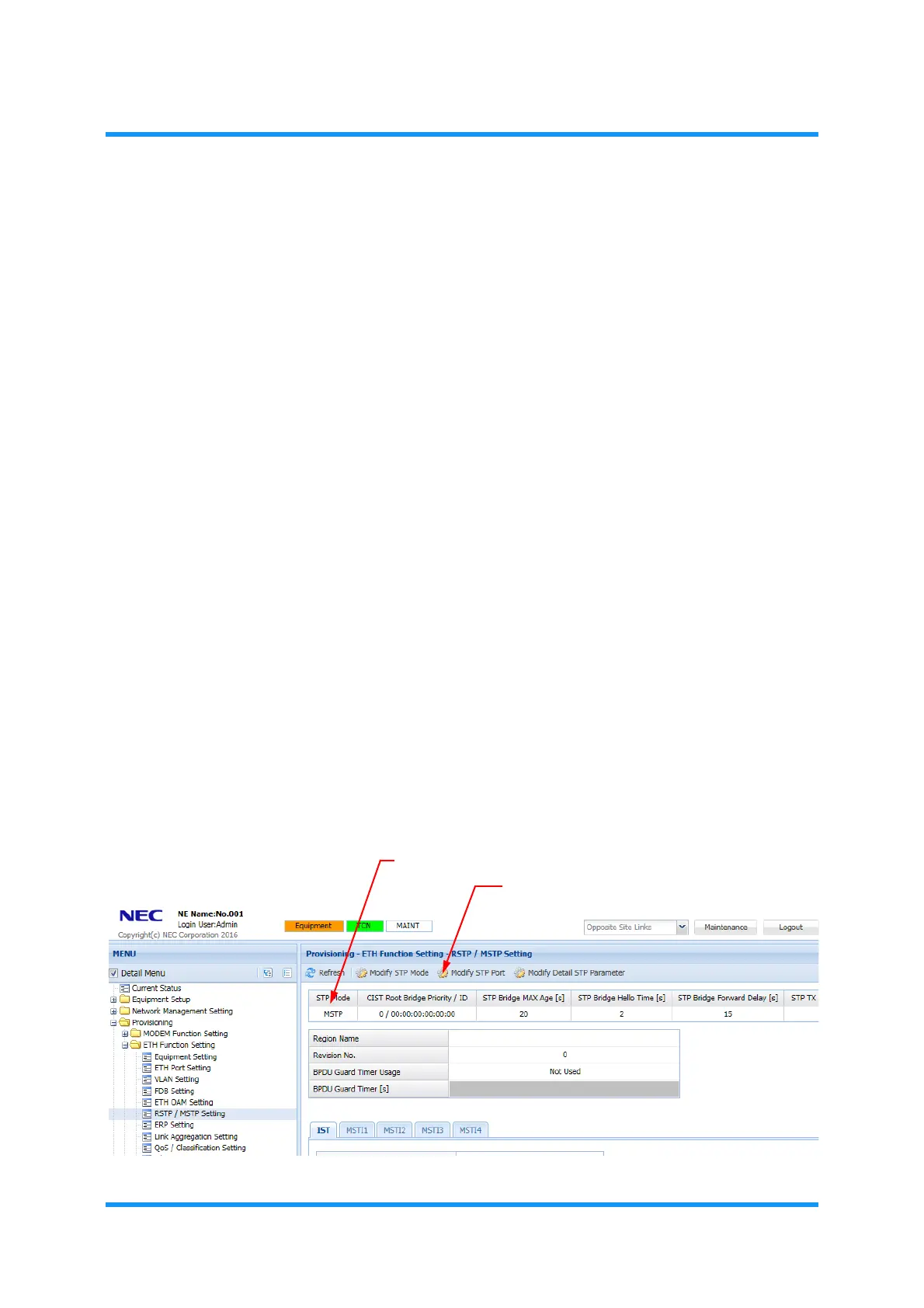
to select RSTP/MSTP Setting. The RSTP/MSTP Setting
window appears.
3. Check if the indicating mode is MSTP, then click Modify STP Port tool button.
If the indicated STP Mode is not MSTP, change the mode using procedure in
8.7.1 Select STP Mode for Setting Procedure.
Figure 8-133 RSTP / MSTP Setting Window (for MSTP Mode)
Indicates MSTP
Modify STP Port button



 To Next Page