8-86 Set ETH Function
GGS-000547-01E iPASOLINK EX Advanced: SET NETWORK AND SYSTEM PROVISIONING
8.7 RSTP/MSTP Setting
STP: Spanning Tree Protocol
RSTP: Rapid Spanning Tree Protocol
MSTP: Multiple Spanning Tree Protocol
NOTE: STP/RSTP Tunnel function cannot be enabled on a port if it enables RSTP.
8.7.1 Select STP Mode for Setting Procedure
The setting windows for RSTP Mode and MSTP Mode differ. Select the appropriate
window for the mode using the following steps before starting the setting procedures.
Procedure 8-26
1. Launch and log in to WebLCT.
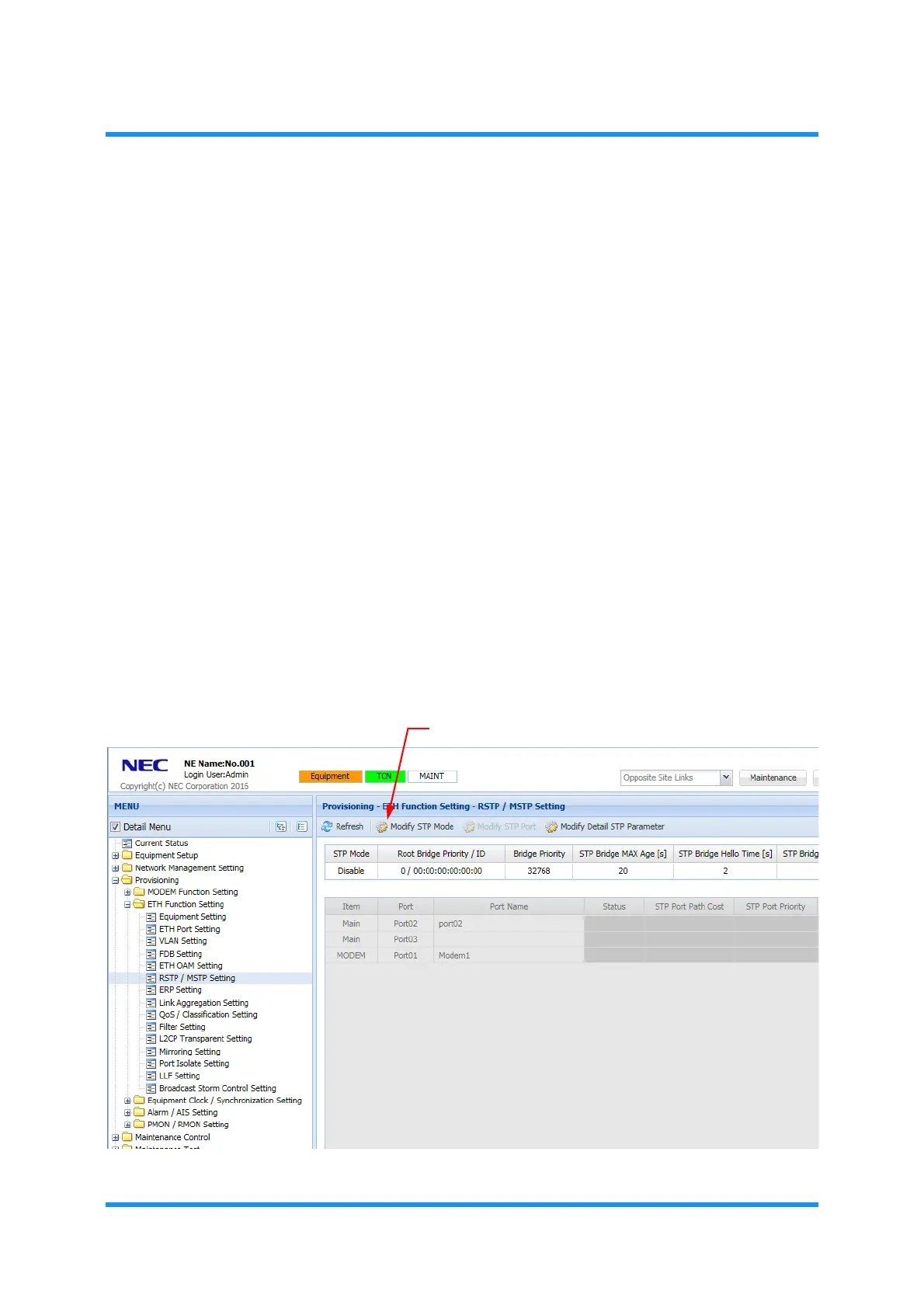
2. In the MENU frame on the left, expand Provisioning, then its submenu ETH
Function Setting
to select RSTP/MSTP Setting. The RSTP/MSTP Setting
window appears.
3. Click Modify STP Mode button.
Figure 8-121 RSTP / MSTP Setting Window



 To Next Page