CONTROL ITEMS 4-65
iPASOLINK EX Advanced: OPERATION & MAINTENANCE GGS-000548-01E
4.9.1 Backup Database [Export (NE --> Storage) Utility]
Procedure 4-21
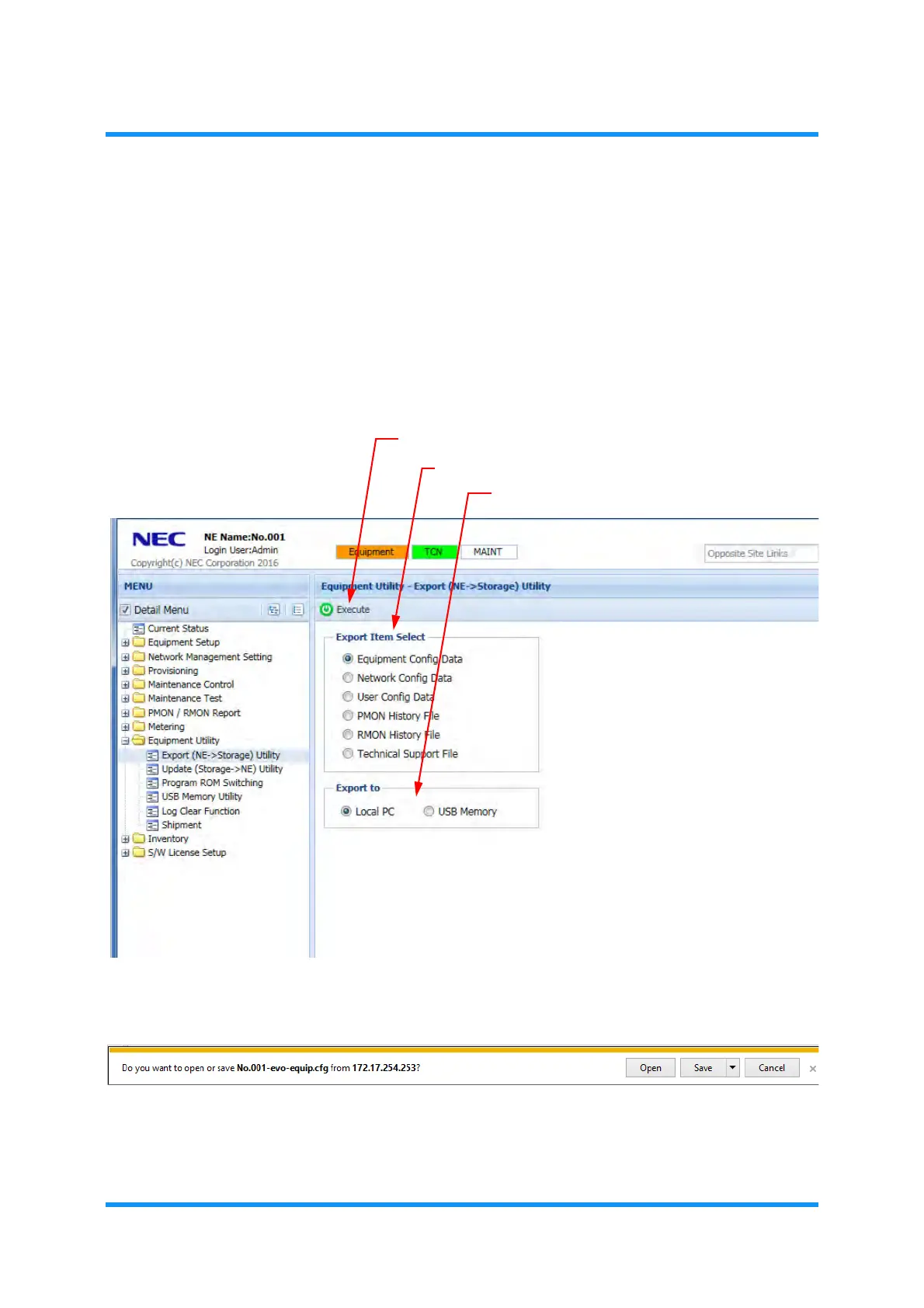
1. In the MENU frame on the left, expand the Equipment Utility to select Export
(NE->Storage) Utility
. The Export (NE->Storage) Utility window appears.
2. Select the Config Data and a storage tool (Local PC or USB Memory) by
clicking their radio buttons, then click the
Execute tool button.
Figure 4-101 Export (NE->Storage) Utility Window
3. Following inquiry message appears. Click the Save button.
Figure 4-102 Inquiry Message
Save As
window appears.
select data to export
Execute tool button
select storage tool



 To Next Page