Set ETH Function 8-33
iPASOLINK EX Advanced: SET NETWORK AND SYSTEM PROVISIONING GGS-000547-01E
8.4.5 VLAN Setting (802.1ad Mode)
Procedure 8-9
1. Launch and log in to WebLCT.
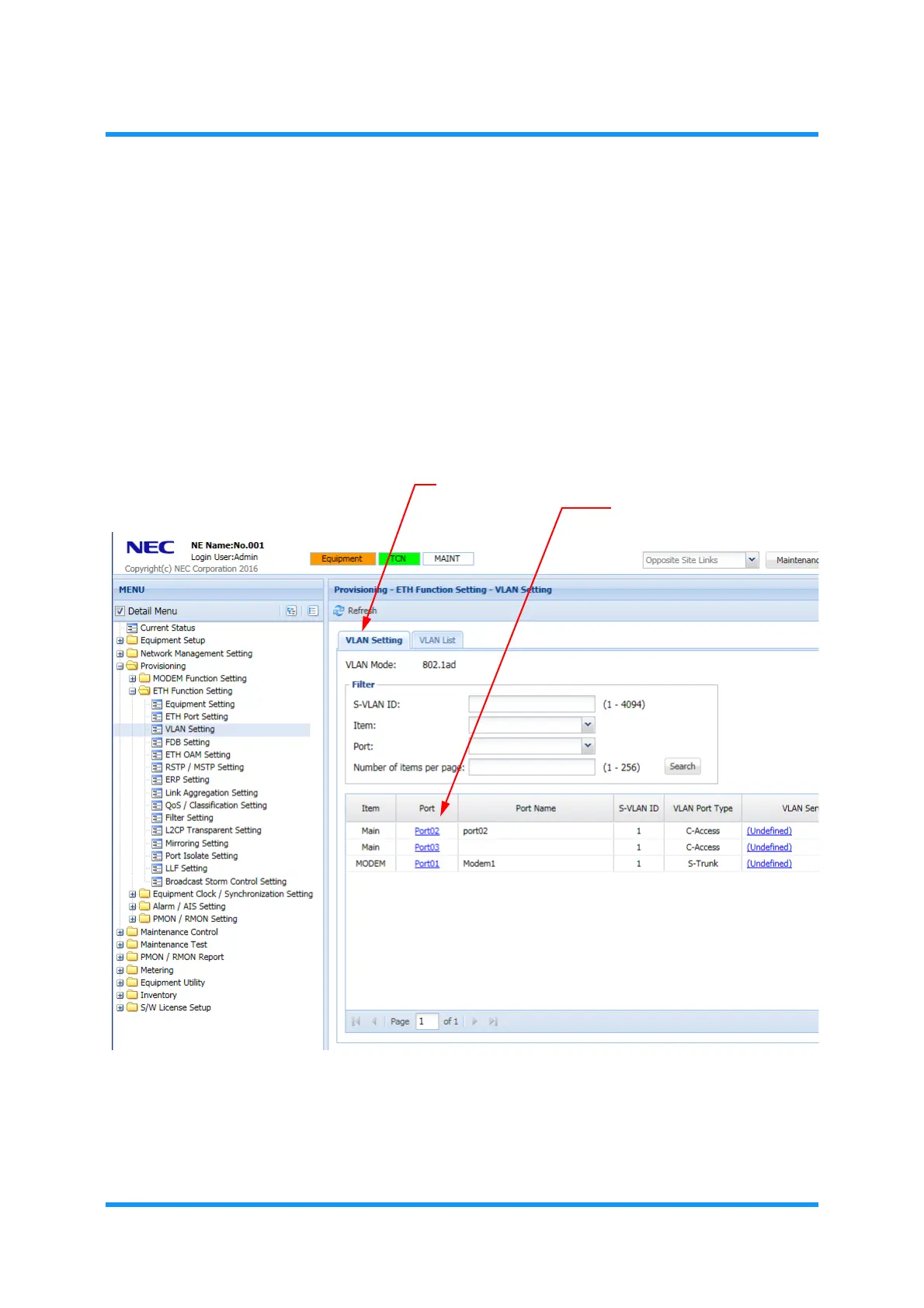
2. In the MENU frame on the left, expand Provisioning, then expand ETH Function
Setting
to select VLAN Setting. The VLAN Setting window appears.
3. In the VLAN Setting tabbed page, click a port number (listed under the Port) to
register VLAN settings.
Figure 8-40 VLAN Setting Window — VLAN Setting Tab
VLAN Setting
option window appears.
VLAN Setting tab
Port Numbers



 To Next Page