8-60 Set ETH Function
GGS-000547-01E iPASOLINK EX Advanced: SET NETWORK AND SYSTEM PROVISIONING
8.6.1.2 Modify MEG Index
Procedure 8-17
1. Launch and log in to WebLCT.
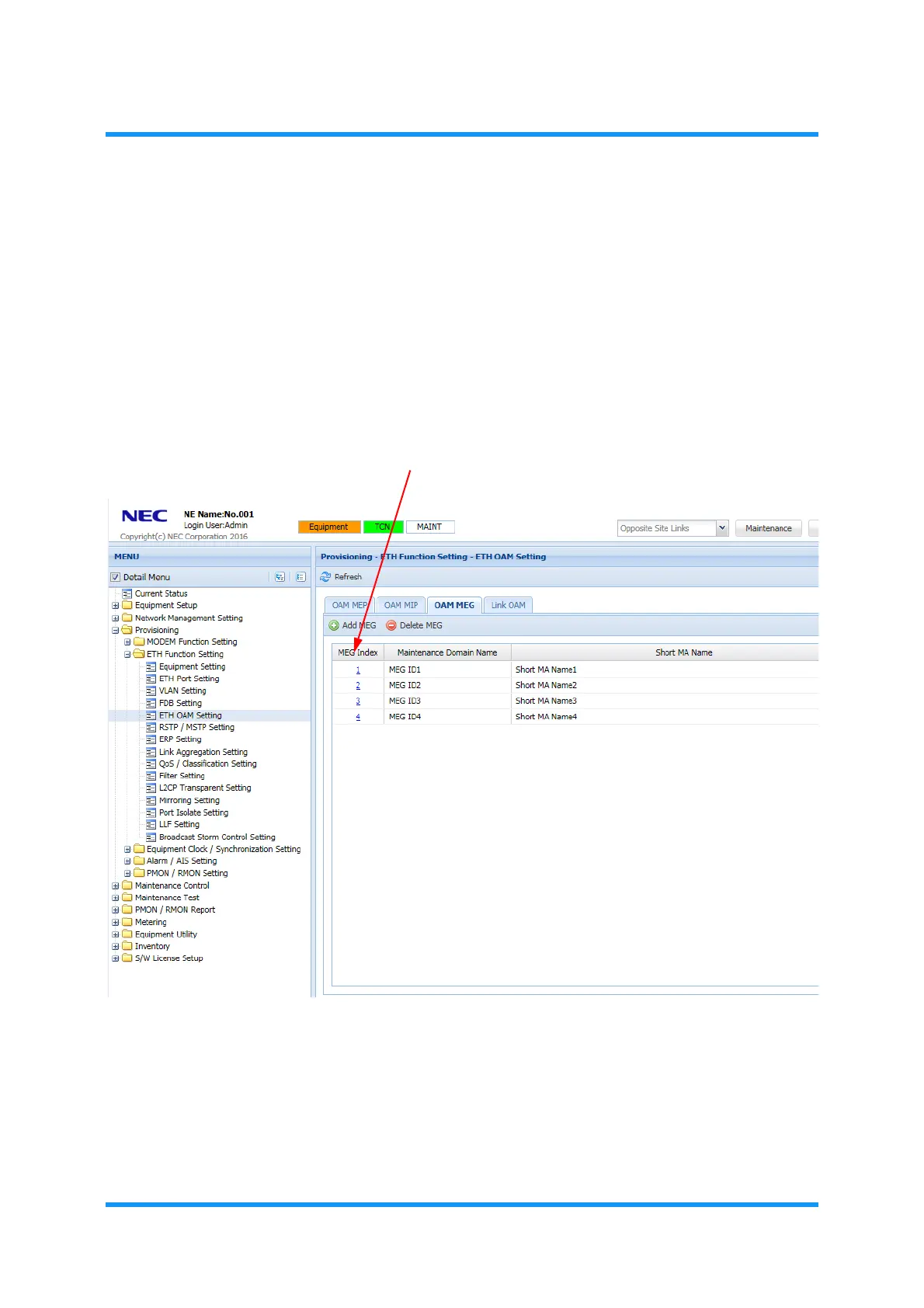
2. In the MENU frame on the left, expand Provisioning, then its submenu ETH
Function Setting
to select ETH OAM Setting. The ETH OAM Setting window
appears.
3. In the OAM MEG tabbed page, click the MEG Index number.
Figure 8-78 ETH OAM Setting Window — OAM MEG Tab
OAM MEG Setting (Modify)
option window appears.
4. Assign the appropriate value to each parameter:


 To Next Page