Set ETH Function 8-103
iPASOLINK EX Advanced: SET NETWORK AND SYSTEM PROVISIONING GGS-000547-01E
8.8 ERP Setting
NOTES:
1. ERP (ETH-Ring Protection) and MSTP cannot be enabled simultaneously.
(To enable ERP, MSTP should be disabled.)
2. ETH-Ring Protection can be configured by the Ethernet Ports whose VLAN
Port Type is the Trunk (802.1Q) or S-Trunk (802.1ad).
8.8.1 Configure ERP
Procedure 8-31
1. Launch and log in to WebLCT.
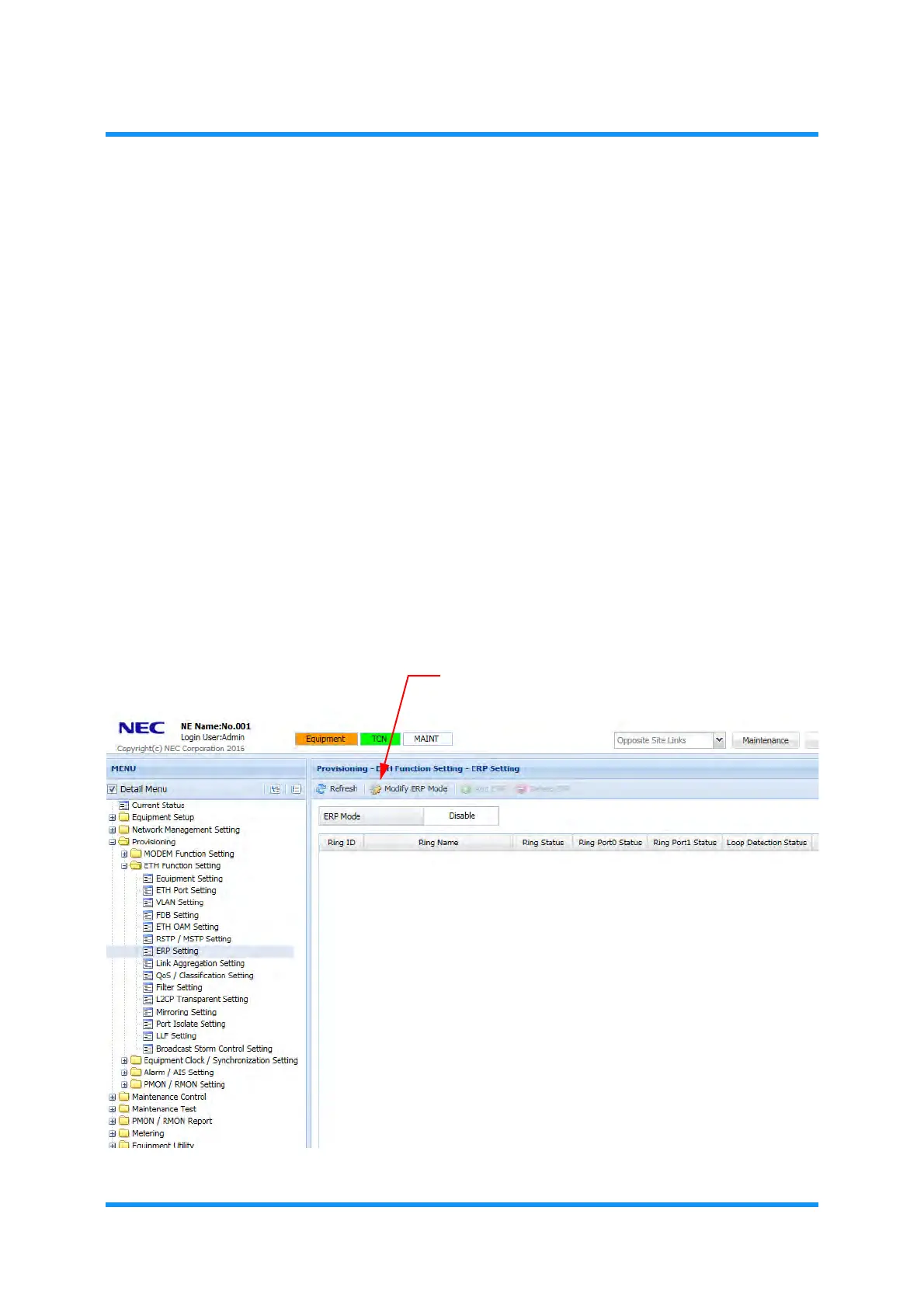
2. In the MENU frame on the left, expand Provisioning, then its submenu ETH
Function Setting
to select ERP Setting. The ERP Setting window appears.
3. Click the Modify ERP Mode tool button.
Figure 8-143 ERP Setting Window
Modify ERP Mode tool button



 To Next Page