Set ETH Function 8-183
iPASOLINK EX Advanced: SET NETWORK AND SYSTEM PROVISIONING GGS-000547-01E
8.11.2.3 Delete Profile List
Procedure 8-56
1. Launch and log in to WebLCT.
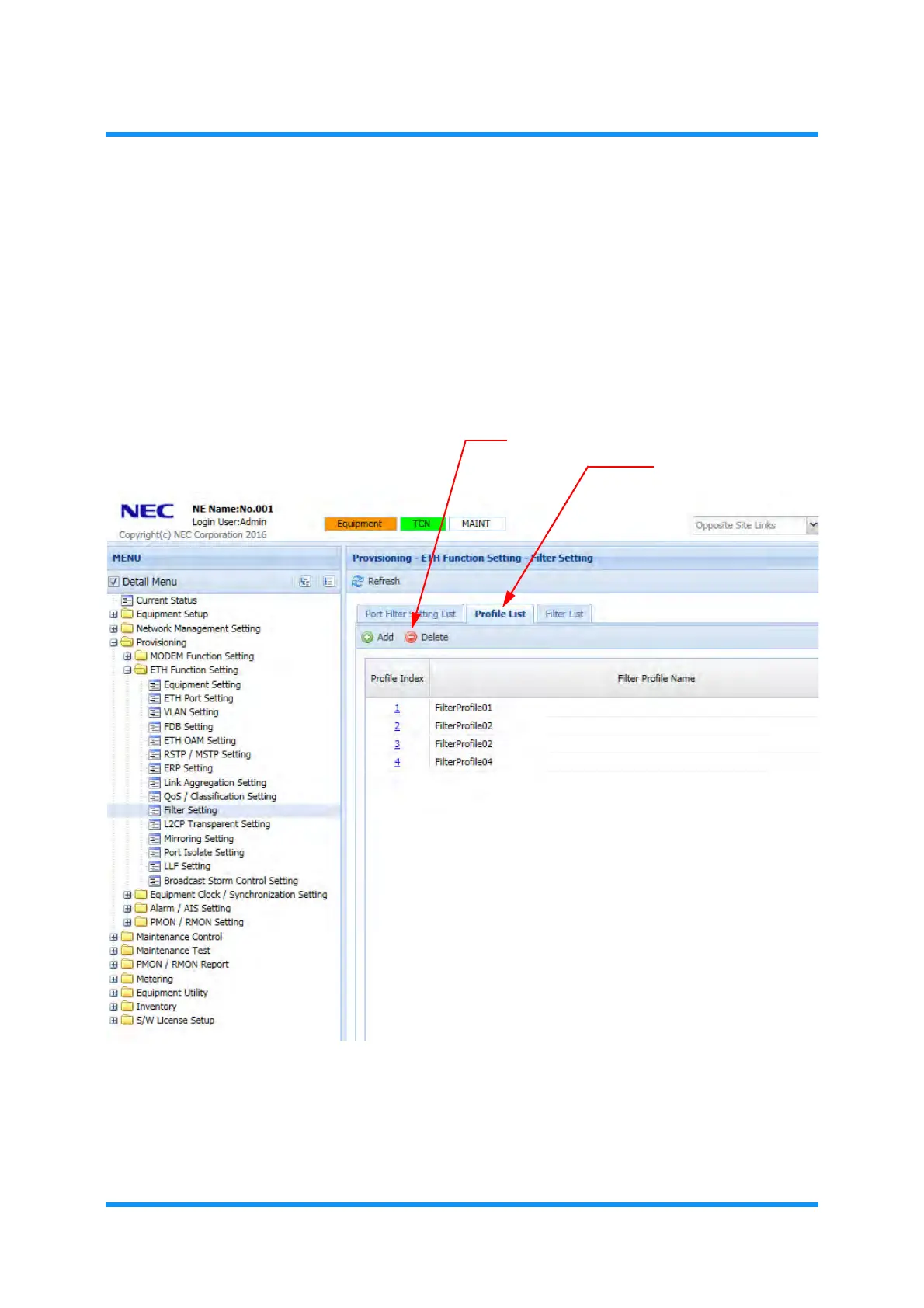
2. In the MENU frame on the left, expand Provisioning, then expand ETH Function
Setting
to select Filter Setting. The Filter Setting window appears.
3. Click the Profile List tab, then click the Delete tool button.
Figure 8-253 Filter Setting Window — Profile List Tab
Delete
Filter Entry option window appears.
Profile List tab
Delete tool button


 To Next Page