4-42 CONTROL ITEMS
GGS-000548-01E iPASOLINK EX Advanced: Operation & Maintenance
4.5.4 Carrier Search
iPASOLINK EX/A searches.fixes the available band by executing the Carrier
Search function.
Procedure 4-14
1. Click the Maintenance tool button on the tool bar of the WebLCT to put the
system into the Maintenance Mode. The
MAINT indicator on the tool bar
changes to orange.
2. In the
MENU frame on the left, expand the Maintenance Control to select
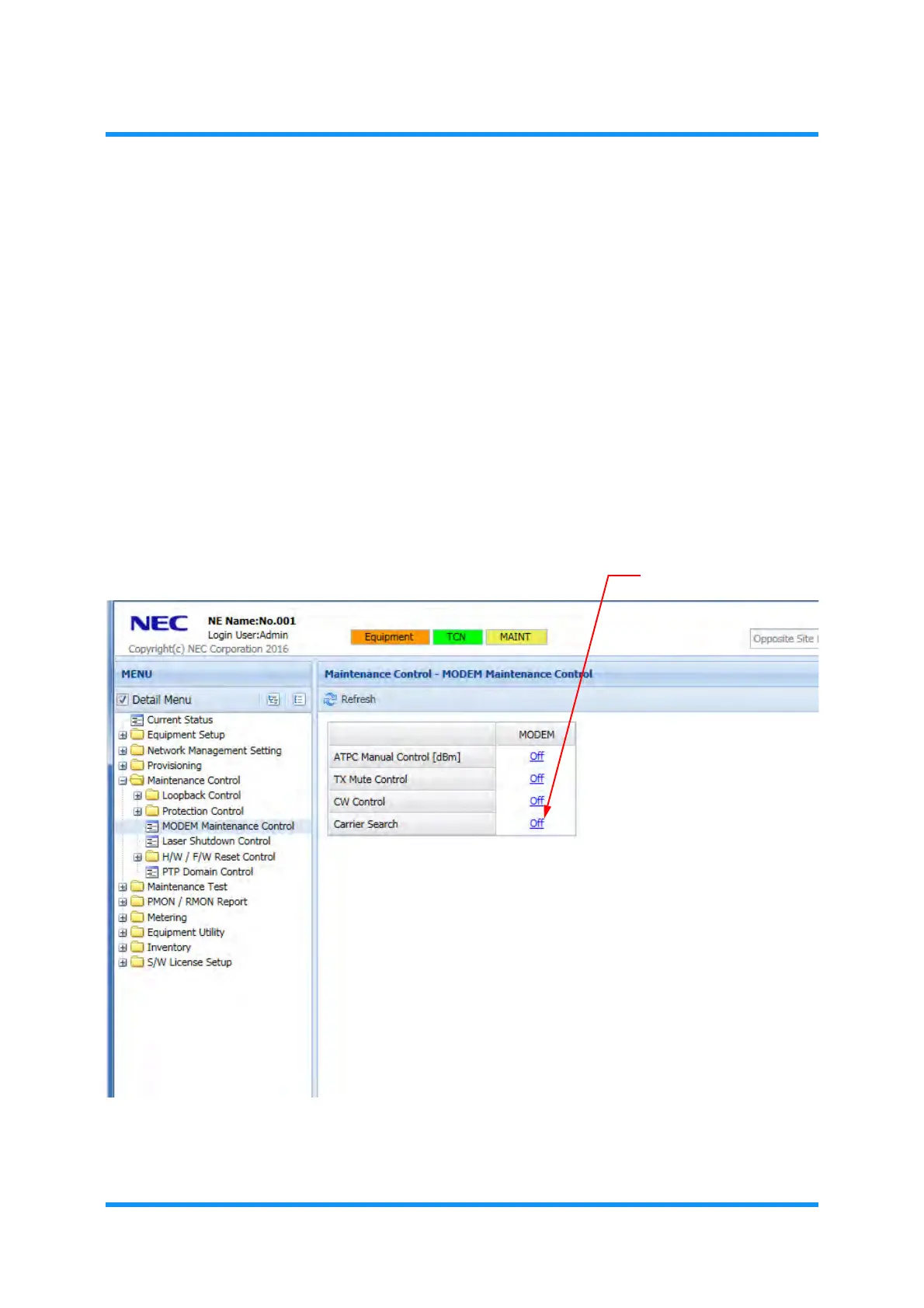
MODEM Maintenance Control. The MODEM Maintenance Control window
appears.
3. Select
Off in the Carrier Search option.
Figure 4-63 MODEM Maintenance Control Window
The Carrier Search option window appears.



 To Next Page