NETWORK MANAGEMENT 5-21
iPASOLINK EX Advanced: SET NETWORK AND SYSTEM PROVISIONING GGS-000547-01E
5.5 Routing Setting
This operation specifies the static route for the particular network or IP Address.
5.5.1 Routing Protocol Usage
Procedure 5-7
1.
Launch and log in to WebLCT.
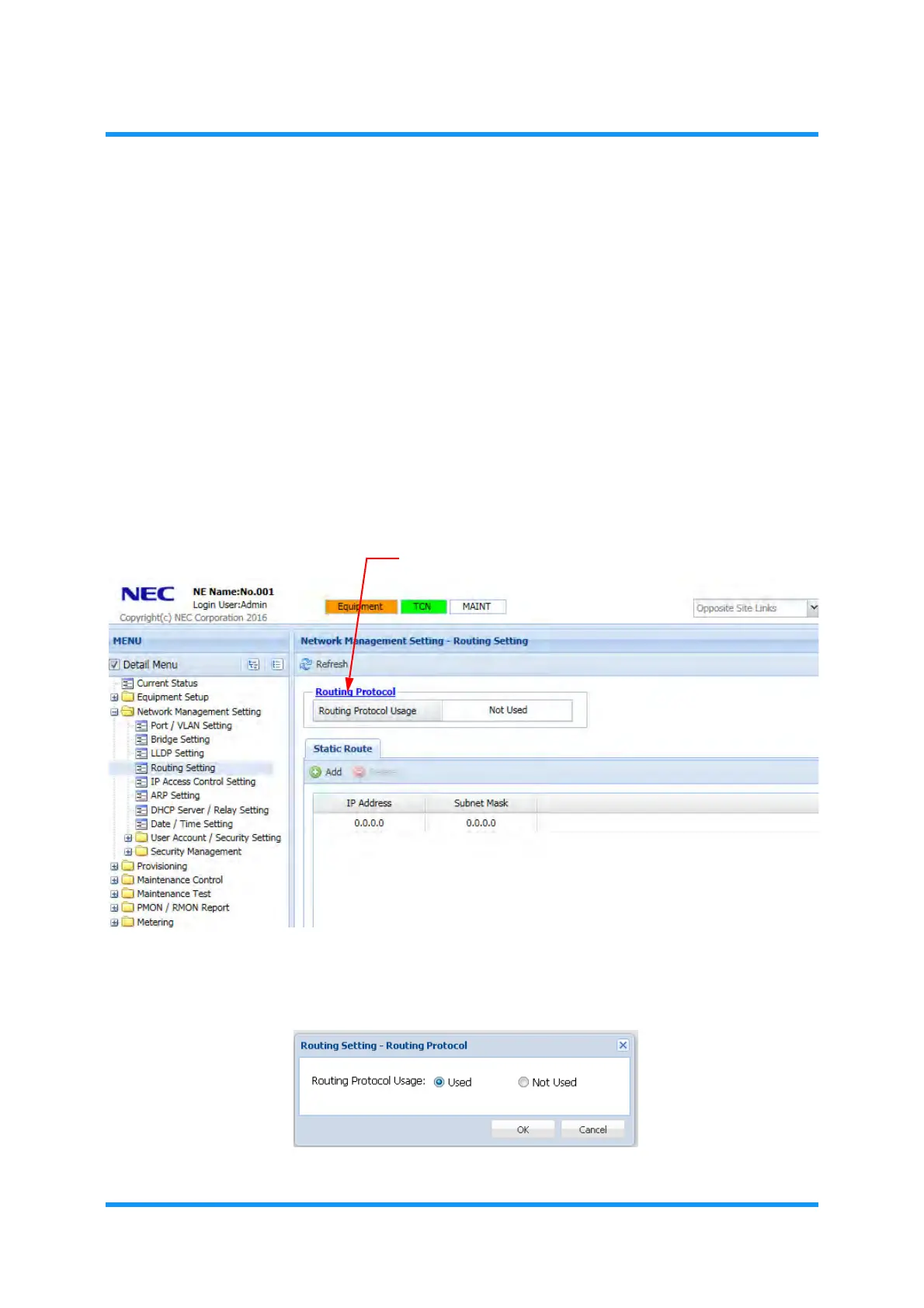
2. In the MENU frame on the left, expand Network Management Setting to select
Routing Setting. The Routing Setting window appears.
3. Click a link of Routing Protocol.
Figure 5-28 Routing Setting Window
4. Routing Setting — Routing Protocol option window appears. Select Used or
Not Used by clicking its radio button, then click the OK button.
Figure 5-29 Routing Setting — Routing Protocol Option Window



 To Next Page