5-20 NETWORK MANAGEMENT
GGS-000547-01E iPASOLINK EX Advanced: SET NETWORK AND SYSTEM PROVISIONING
5. When completed, click the OK button.
6. Information dialog box appears. Click the OK button to proceed.
Figure 5-26 Information Dialog Box
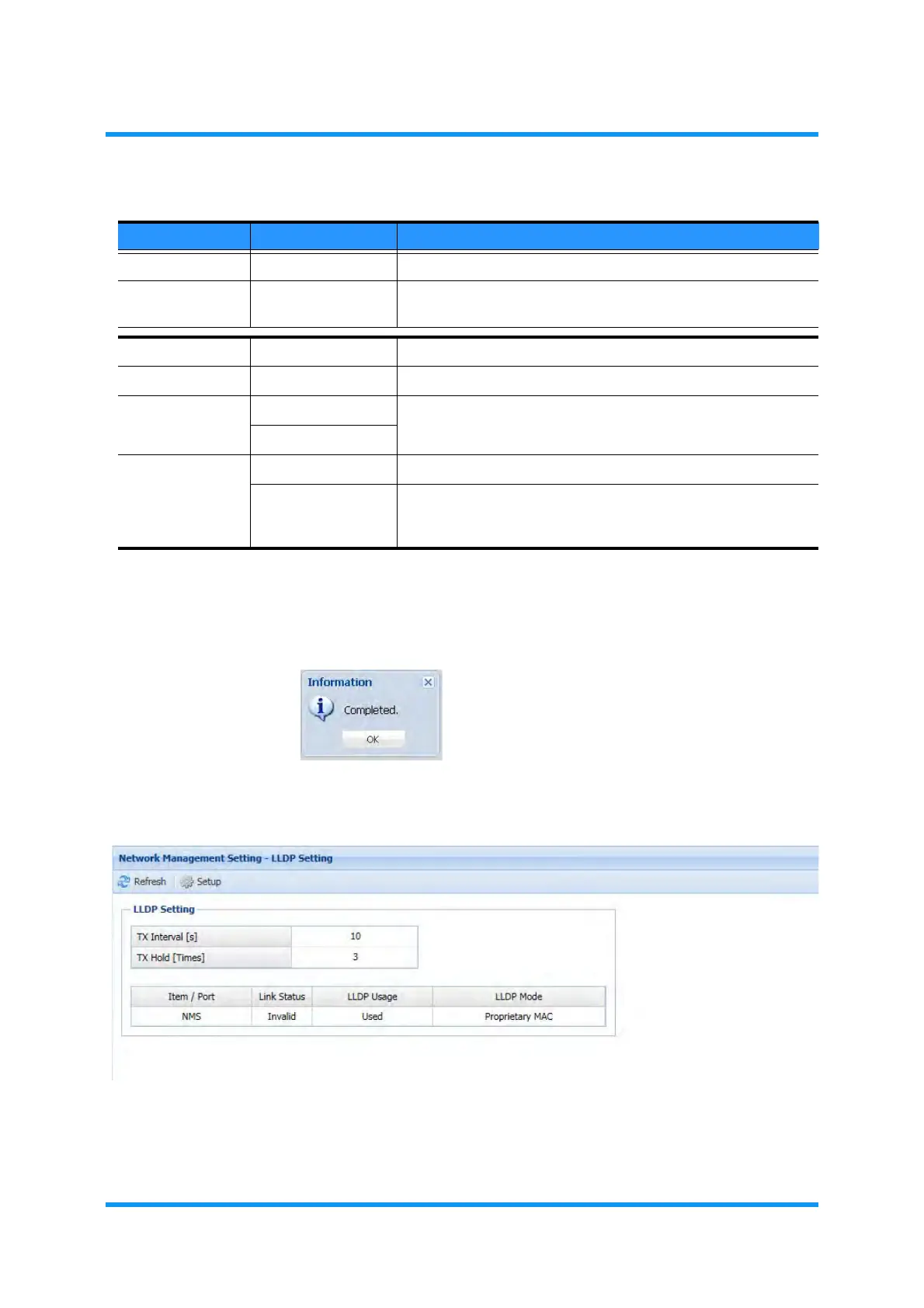
7. LLDP Setting window updates the information. Verify the displayed information.
Figure 5-27 LLDP Setting Window
This step ends the procedure.
Table 5-6 LLDP Setting Parameters
Parameter Value Description
TX Interval 5 to 32767 Specify the transmission interval. [unit: second]
TX Hold 2 to 10 Specify the time-to-live value expressed as a multiple of TX
Interval. [unit: times]
Item / Port NMS ——
Link (read only) Indicates the current state.
LLDP Usage Used Select to set Use or Not to Use the Link Layer Discovery Protocol.
Selecting Used enables the LLDP Mode option below.
Unused
LLDP Mode Standard Enables to run the standard LLDP MAC.
Proprietary MAC Enables to run NEC proprietary LLDP MAC. This option is helpful
to locate an iPASOLINK where an L2SW discarding standard
LLDP frames is in between two iPASOLINKs’ management ports.



 To Next Page