4-20 CONTROL ITEMS
GGS-000548-01E iPASOLINK EX Advanced: Operation & Maintenance
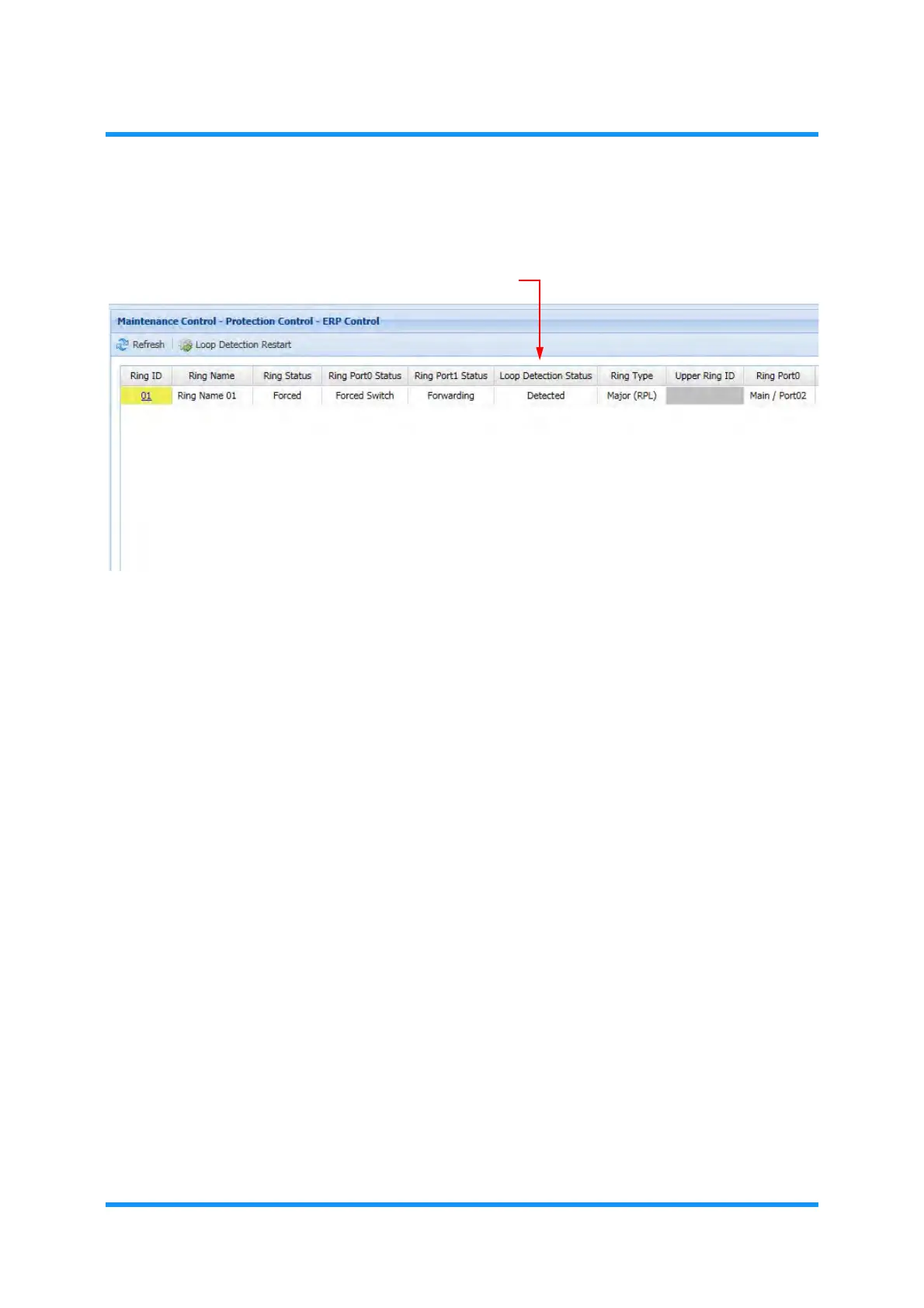
8. Check the result in the Loop Detection Status.
Figure 4-28 ERP Control Window
This field normally indicates None.
If a loop is found, the field indicated
Detected. Check the settings.
9. Exit the Maintenance Mode by clicking the Maintenance button on the
window.
10. Check that the
MAINT indication turns from orange to white.
This step ends the procedure.


 To Next Page