LICENSE AND USER ACCOUNT 2-31
iPASOLINK EX Advanced: SET NETWORK AND SYSTEM PROVISIONING GGS-000547-01E
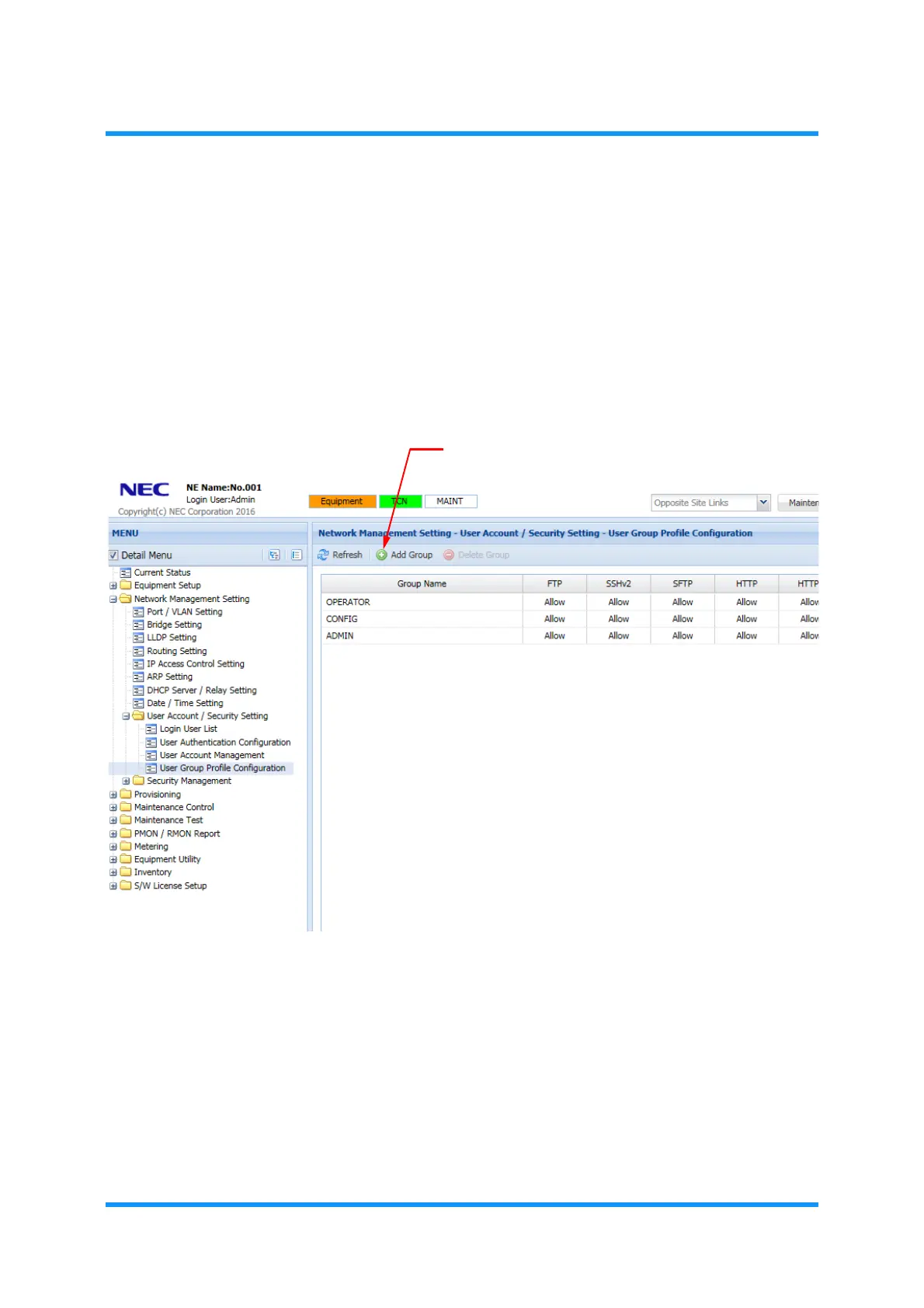
Procedure 2-9 Add User Group
1. Launch and log in to WebLCT.
2. In the
MENU frame on the left, expand Network Management Setting, then its
submenu
User Account / Security Setting to select User Group Profile
Configuration
.
3. The
User Group Profile Configuration window appears. Click Add Group tool
button on the tool bar.
Figure 2-37 User Group Profile Configuration Window
The Group Setting option window appears.



 To Next Page