SECURITY MANAGEMENT 3-57
iPASOLINK EX Advanced: SET NETWORK AND SYSTEM PROVISIONING GGS-000547-01E
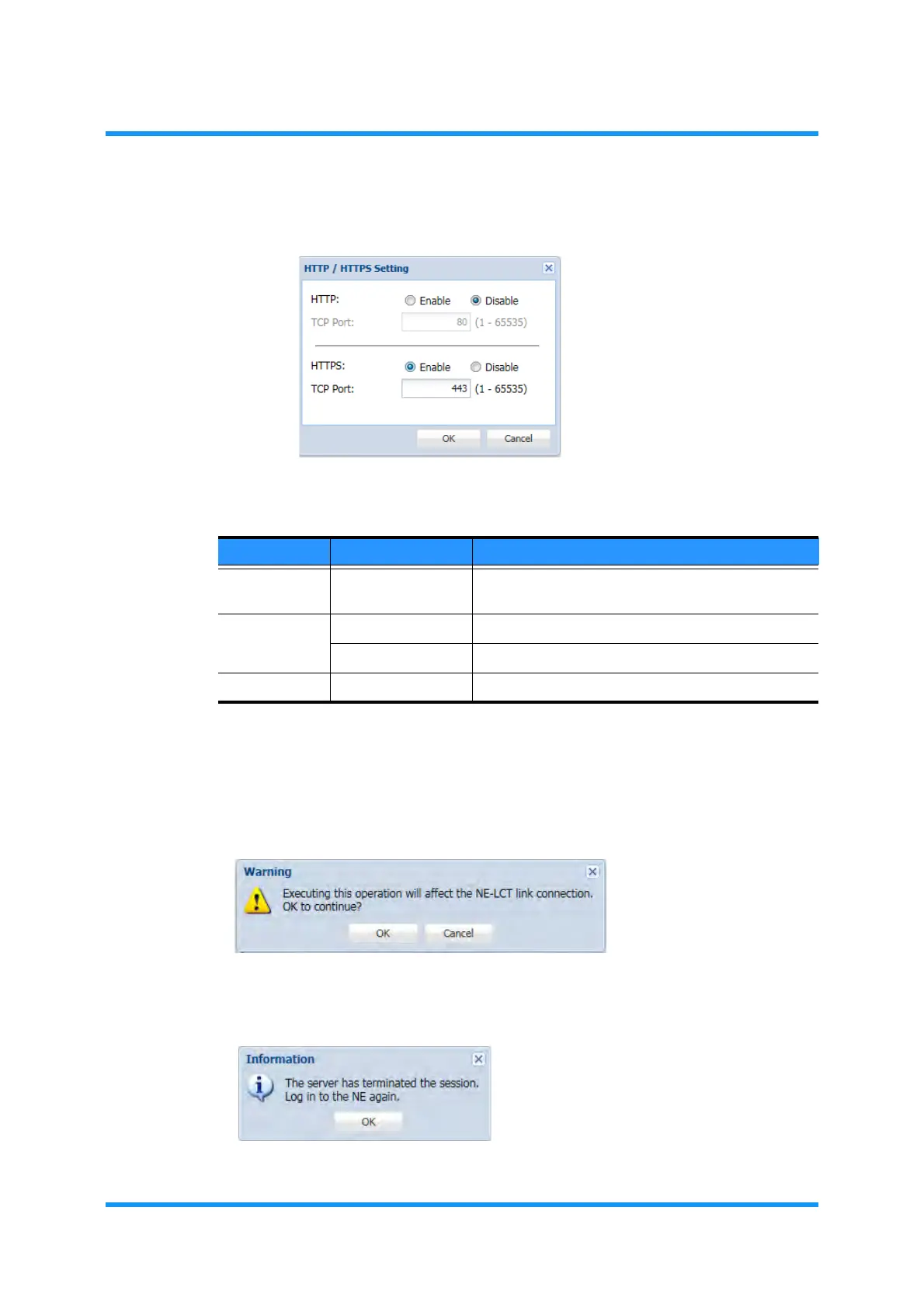
5. Set the appropriate values, then click the OK button.
Figure 3-74 HTTP/HTTPS Setting Option Window
6. Click the OK button when completed.
7.
Warning dialog box appears. Click the OK button to proceed.
Figure 3-75 Waring Dialog Box
8. Information dialog box appears. Click the OK button.
Figure 3-76 Information Dialog Box
Table 3-23 HTTPS Setting Parameters
Parameter Value Description
HTTP
TCP Port
———
See 3.12 HTTP.
HTTPS Enable Puts HTTPS Server into service.
Disable Disables HTTPS service.
TCP Port 1 to 65535 Set TCP Port of HTTPS Server. [default: 443]


 To Next Page
 Loading...

