SECURITY MANAGEMENT 3-61
iPASOLINK EX Advanced: SET NETWORK AND SYSTEM PROVISIONING GGS-000547-01E
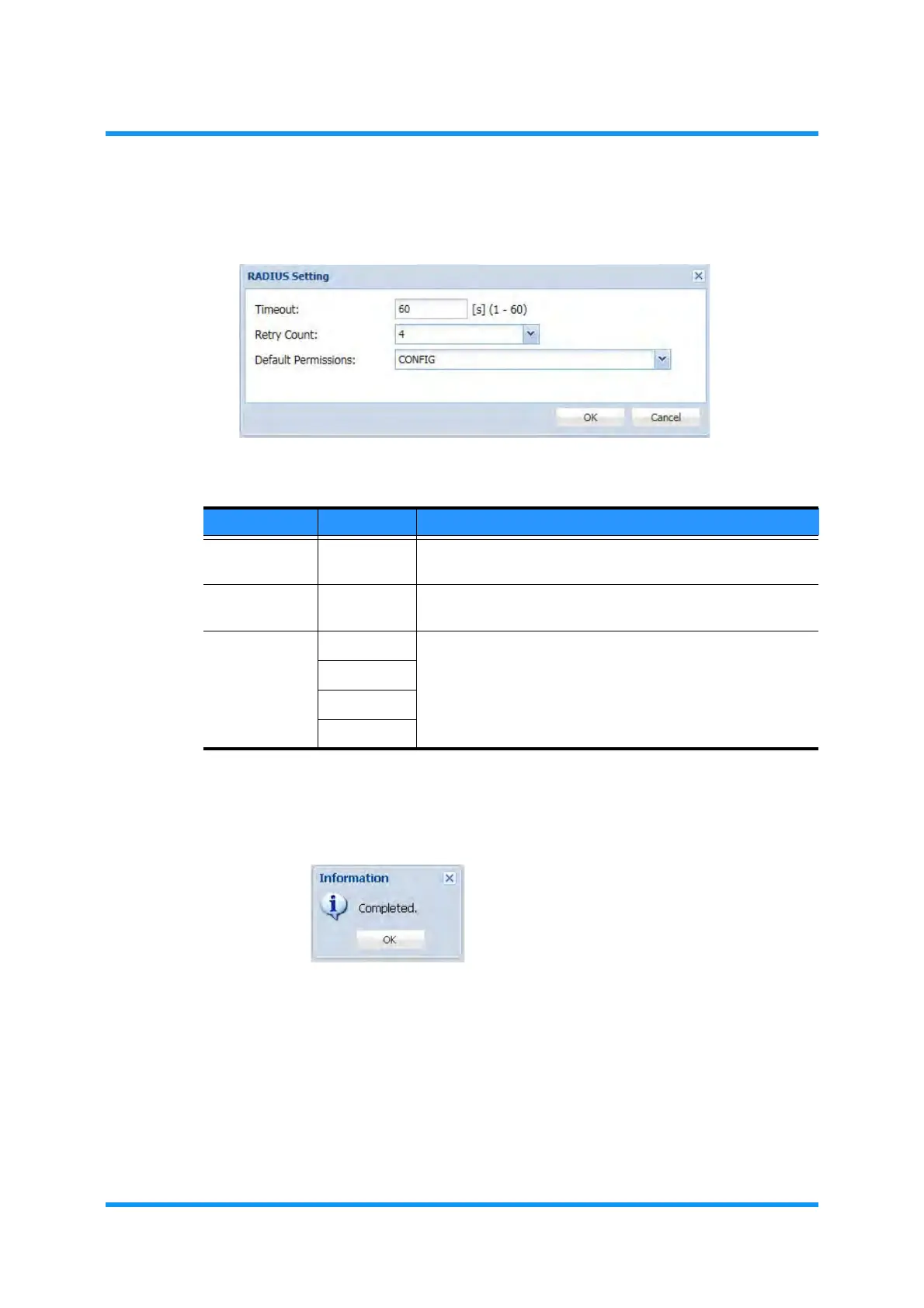
4. Specify the values, then click the OK button:
Figure 3-80 RADIUS Setting Option Window
5. Information dialog box appears. Click the OK button to proceed.
Figure 3-81 Information Dialog Box
The RADIUS Setting window updates the information.
Table 3-24 RADIUS Setting Parameters
Parameter Value Description
Timeout 1 to 60 Specifies a period to expire the Accept-Request message.
[unit: second[
Retry Count 0 to 5 Specifies the number of times to resend the Accept-Request
messages.
Default
Permissions
Operator Specifies the privilege levels to vendor-specific messages that
do not have the authentication information.
CONFIG
ADMIN
Deny Login


 To Next Page