EQUIPMENT SETUP 4-13
iPASOLINK EX Advanced: SET NETWORK AND SYSTEM PROVISIONING GGS-000547-01E
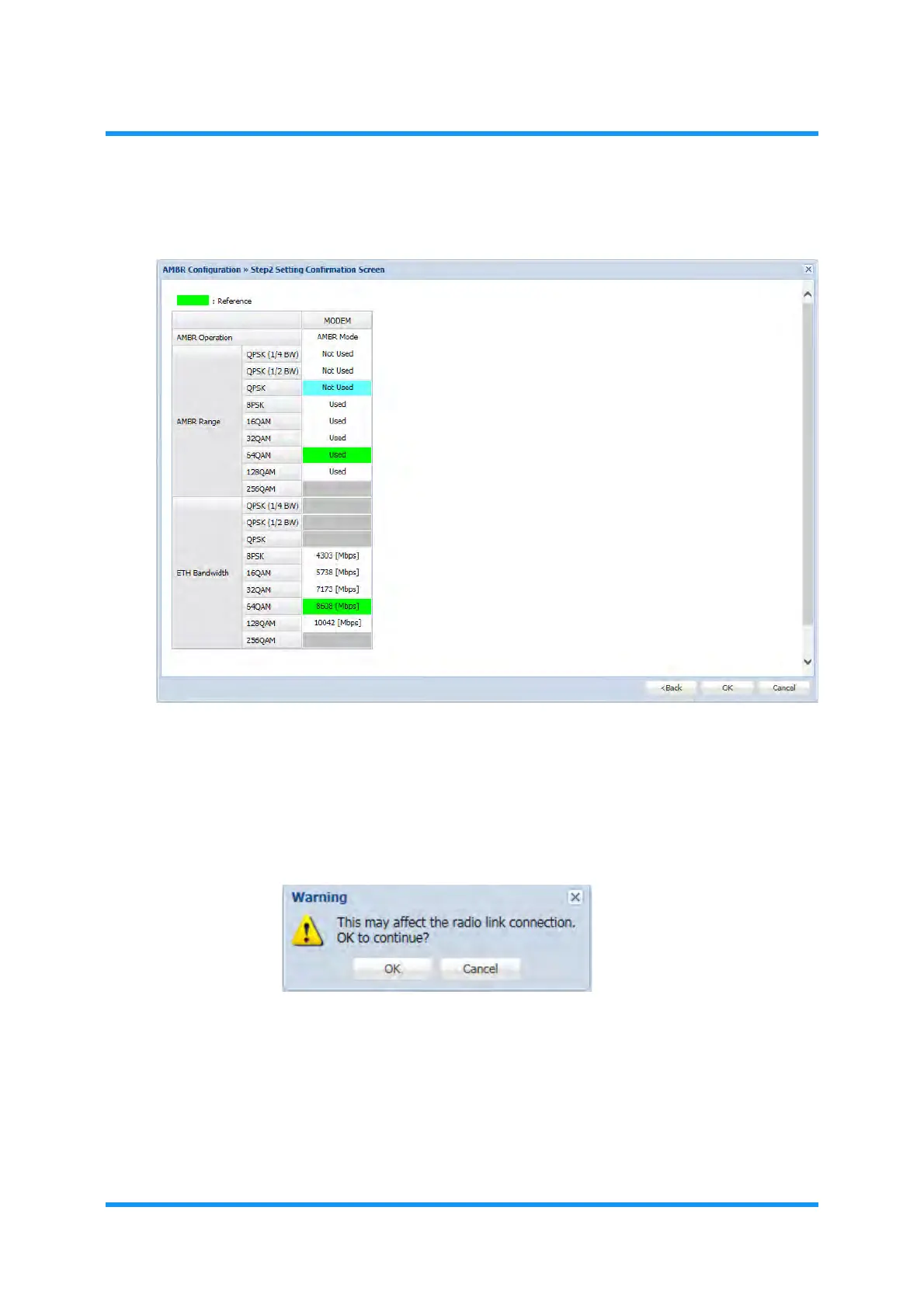
3. AMBR Configuration >> Step2 window appears.
Figure 4-12 AMBR Configuration >> Step2 Window
4. Confirm that the fields of modified parameters change to blue, and then click the OK
button.
5.
Warning dialog box appears. Click the OK button to proceed.
Figure 4-13 Warning Dialog Box
6. Information dialog box appears. Click the OK button.


 To Next Page