NETWORK MANAGEMENT 5-17
iPASOLINK EX Advanced: SET NETWORK AND SYSTEM PROVISIONING GGS-000547-01E
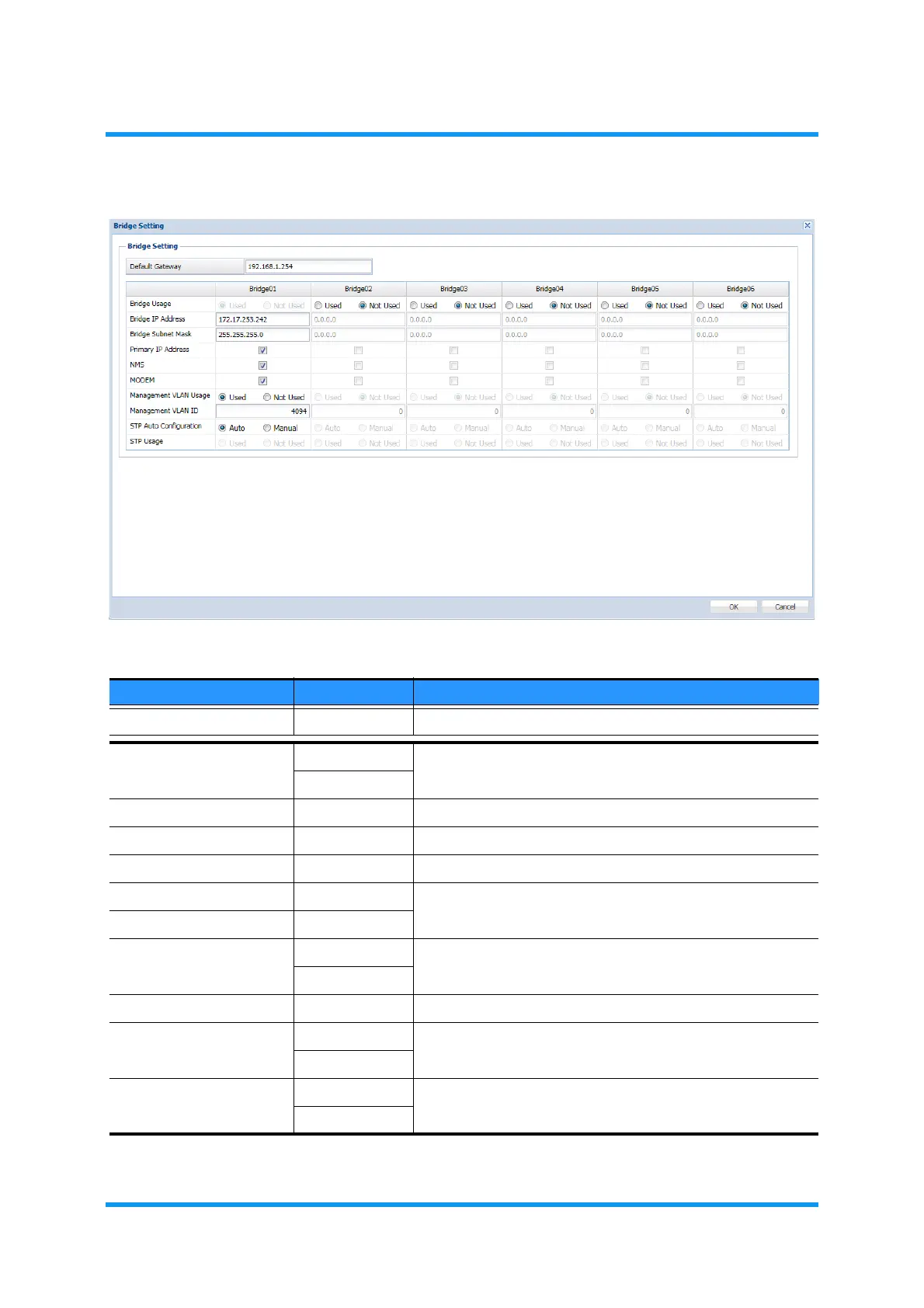
Figure 5-21 Bridge Setting Option Window
Table 5-5 Bridge Setting Parameters
Parameter Value Description
Default Gateway x.x.x.x Enter the address of default gateway.
Bridge Usage Used
To enable the Bridge use, select
Used.
Not Used
Bridge IP Address x.x.x.x Enter the IP Address to assign.
Bridge Subnet Mask x.x.x.x Enter the subnet mask.
Primary IP Address (check box) Tick a box to select a Bridge to assign the Primary IP Address.
NMS (check box) Tick a box to select a port to be accommodate in the Bridge.
MODEM (check box)
Management VLAN
Usage
Used Set to use or not to use the Management VLAN. Selecting
Used enables the Management VLAN ID option below.
Not Used
Management VLAN ID (check box) Enter the VLAN ID.
STP Auto Configuration Auto Select an option to configure STP automatically or manually.
Manual
STP Usage Used Set to use or not to use the STP.
Not Used



 To Next Page