NETWORK MANAGEMENT 5-33
iPASOLINK EX Advanced: SET NETWORK AND SYSTEM PROVISIONING GGS-000547-01E
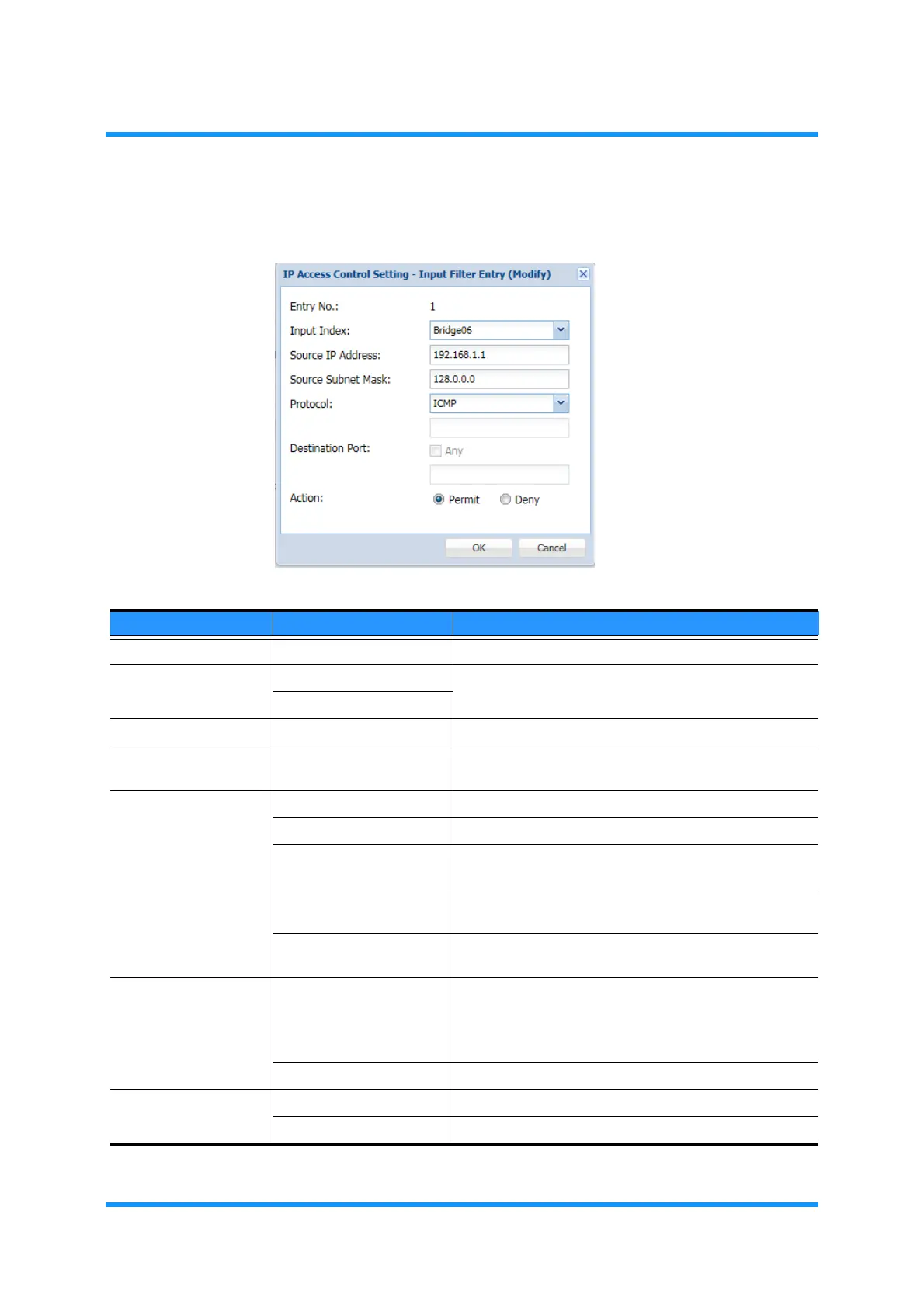
4. Specify the filter condition, then click the OK button.
Figure 5-49 Input Filter Entry (Modify) Option Window
Table 5-10 Input Filter Entry (Modify) Parameters
Parameter Value Description
Entry No. (read only) Indicates the selected Entry No.
Input Index Any Selects the ingress port.
Bridge01 to Bridge06
Source IP Address x.x.x.x Specify the source IP Address of the incoming packets.
Source Subnet Mask x.x.x.x Specify the Subnet Mask of the source IP Address of the
incoming packets.
Protocol Any Selects no specific Protocol.
ICMP Selects Internet Control Message Protocol.
TCP Selects TCP/IP Protocol. Selecting this option enables
the Destination Port option.
UDP Selects User Datagram Protocol. Selecting this option
enables the Destination Port option.
Other Selecting Other enables the field below to set the Port
Numbers.
Destination Port Any (check box)
Check (leave a tick in the check box) to set no specific
port for the destination.
Uncheck (remove a tick from the check box) to specify
the destination port.
1 to 65535 Select a port for the destination.
Action Permit Allows the packets that meet the specified conditions.
Deny Discards the packets that meet the specified conditions.



 To Next Page