NETWORK MANAGEMENT 5-57
iPASOLINK EX Advanced: SET NETWORK AND SYSTEM PROVISIONING GGS-000547-01E
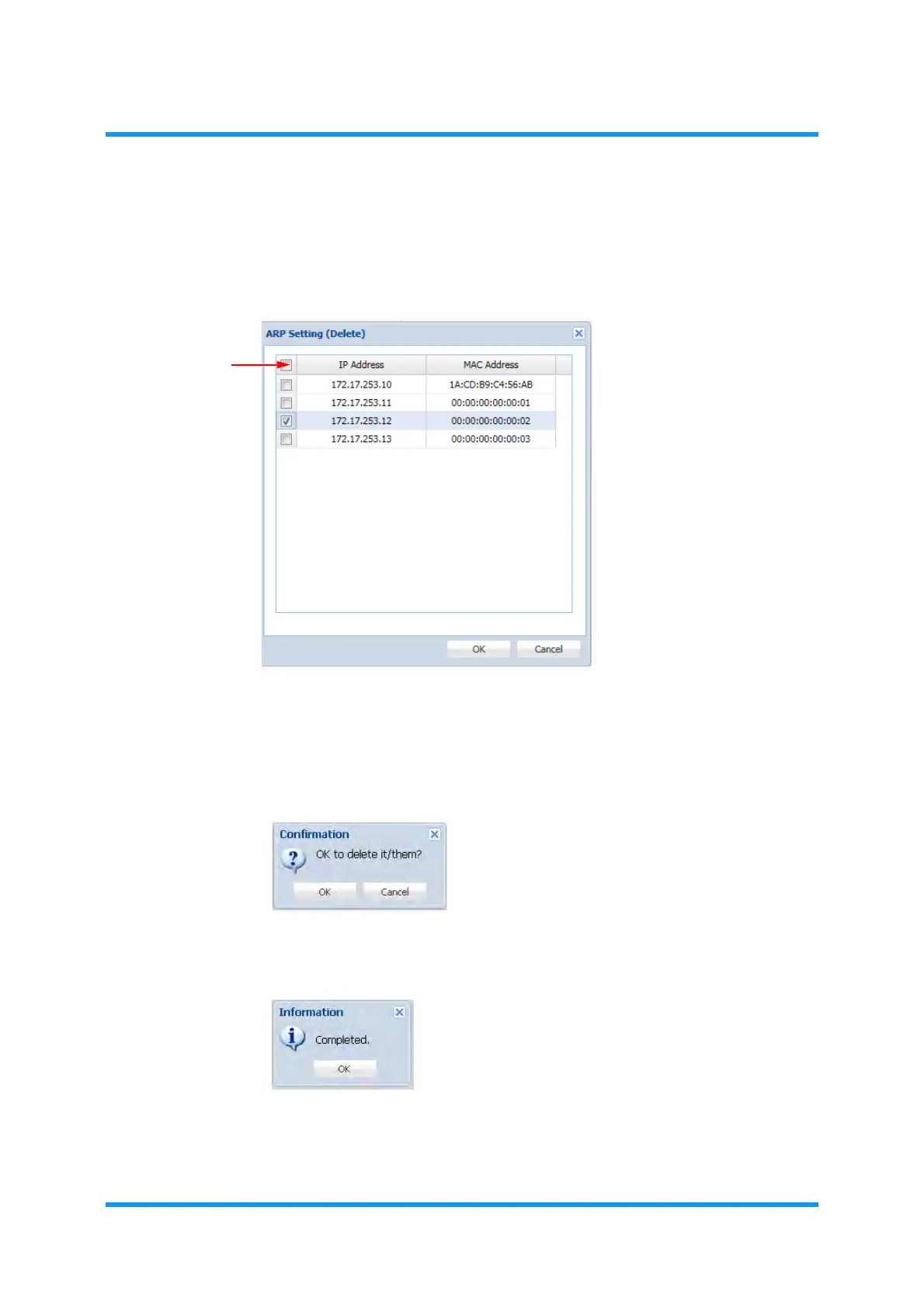
4. Tick a box of target address to remove. Ticking a box on top selects all the
registered addresses.
Figure 5-88 ARP Setting (Delete) Option Window
5. When completed, click the OK button.
6. Confirmation dialog box appears. Click the OK button to proceed.
Figure 5-89 Confirmation Dialog Box
7. Information dialog box appears. Click the OK button to proceed.
Figure 5-90 Information Dialog Box
The ARP Setting window updates the information.
Tick this box
to select all


 To Next Page