Set ETH Function 8-9
iPASOLINK EX Advanced: SET NETWORK AND SYSTEM PROVISIONING GGS-000547-01E
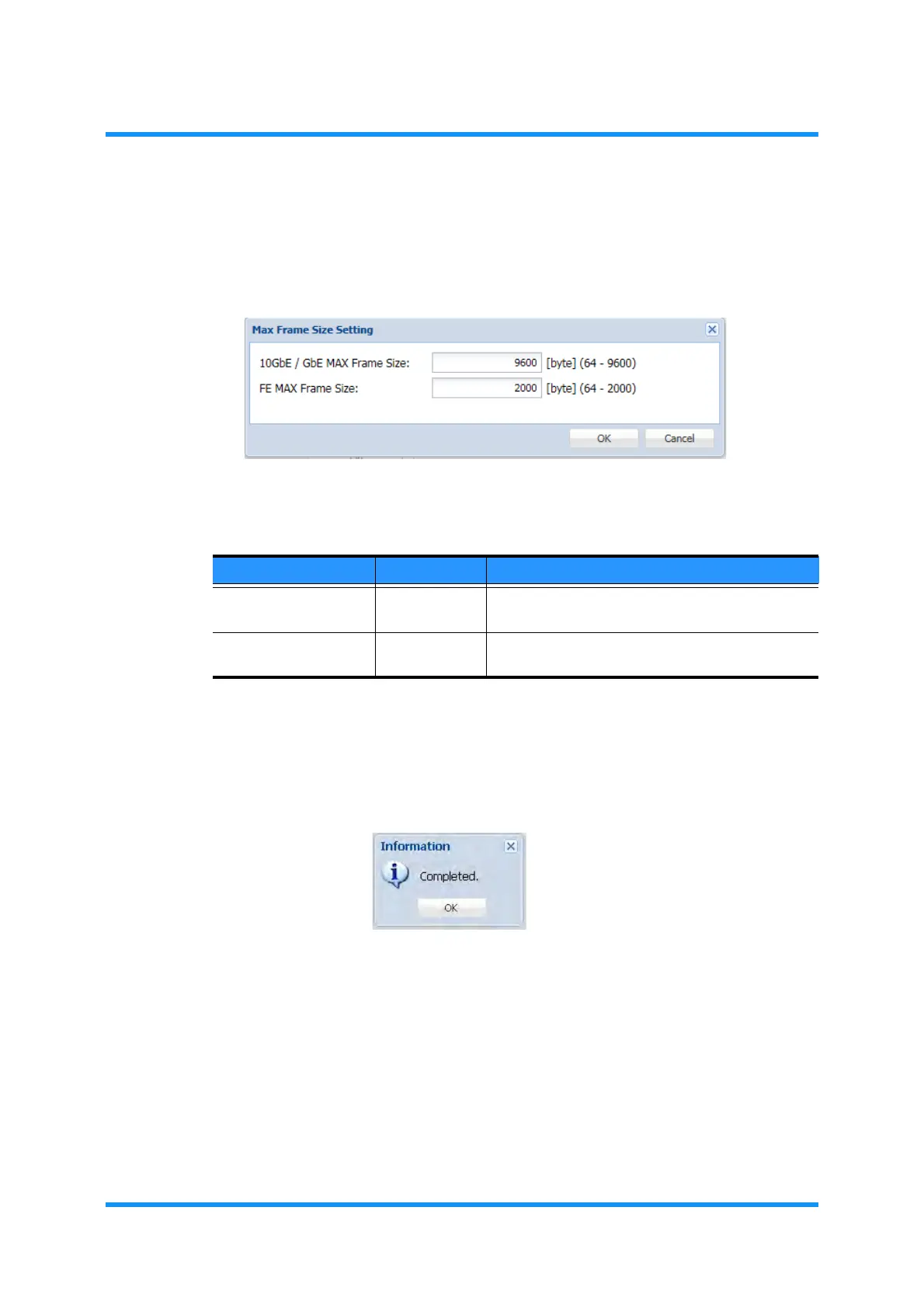
4. Assign the appropriate value to each parameter:
NOTE: For the system using the 802.1ad mode, the S-Tag size plus 4
bytes should be added to the value to be set.
Figure 8-6 Max Frame Size Setting Option Window
5. When completed, click the OK button. Information dialog box appears.
6. Click the OK button to proceed.
Figure 8-7 Information Dialog Box
Table 8-2 Max Frame Size Setting Parameters
Parameter Value Description
10GbE/GbE MAX
Frame Size
64 to 9600 Specifies the maximum frame size for a 10GbE/
GbE (Giga-bit Ethernet) port. [unit: byte]
FE MAX Frame Size 64 to 2000 Specifies the maximum frame size for an FE (Fast
Ethernet) port. [unit: byte]



 To Next Page