8-50 Set ETH Function
GGS-000547-01E iPASOLINK EX Advanced: SET NETWORK AND SYSTEM PROVISIONING
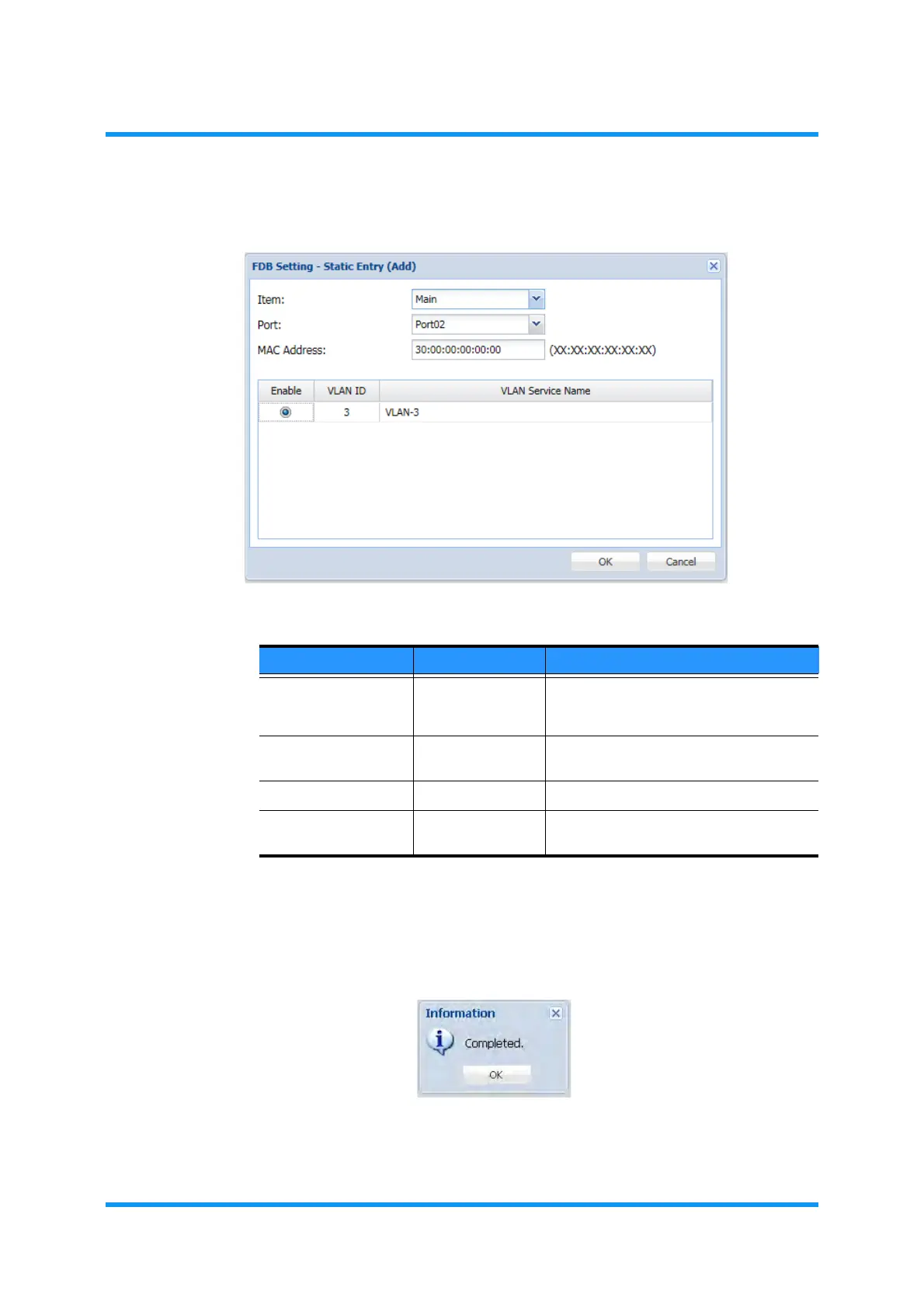
4. Specify the appropriate value to each parameter:
Figure 8-62 Static Entry (Add) Option Window
5. When completed, click the OK button. Information dialog box appears.
6. Click the OK button to proceed.
Figure 8-63 Information Dialog Box
The FDB Setting window updates the information.
Table 8-13 FDB Setting (Static Entry) Parameters
Parameter Value Description
Item (Available part) Names of available (registered) part are
shown in the drop-down list. Select the
target part.
Port (Available port) Available (registered) ports are shown in
the drop-down list. Select the target port.
MAC Address xx:xx:xx:xx:xx:xx Enter the object MAC Address.
Enable (radio button) Tick the check box to assign the port to
the specified VLAN.



 To Next Page