Set ETH Function 8-53
iPASOLINK EX Advanced: SET NETWORK AND SYSTEM PROVISIONING GGS-000547-01E
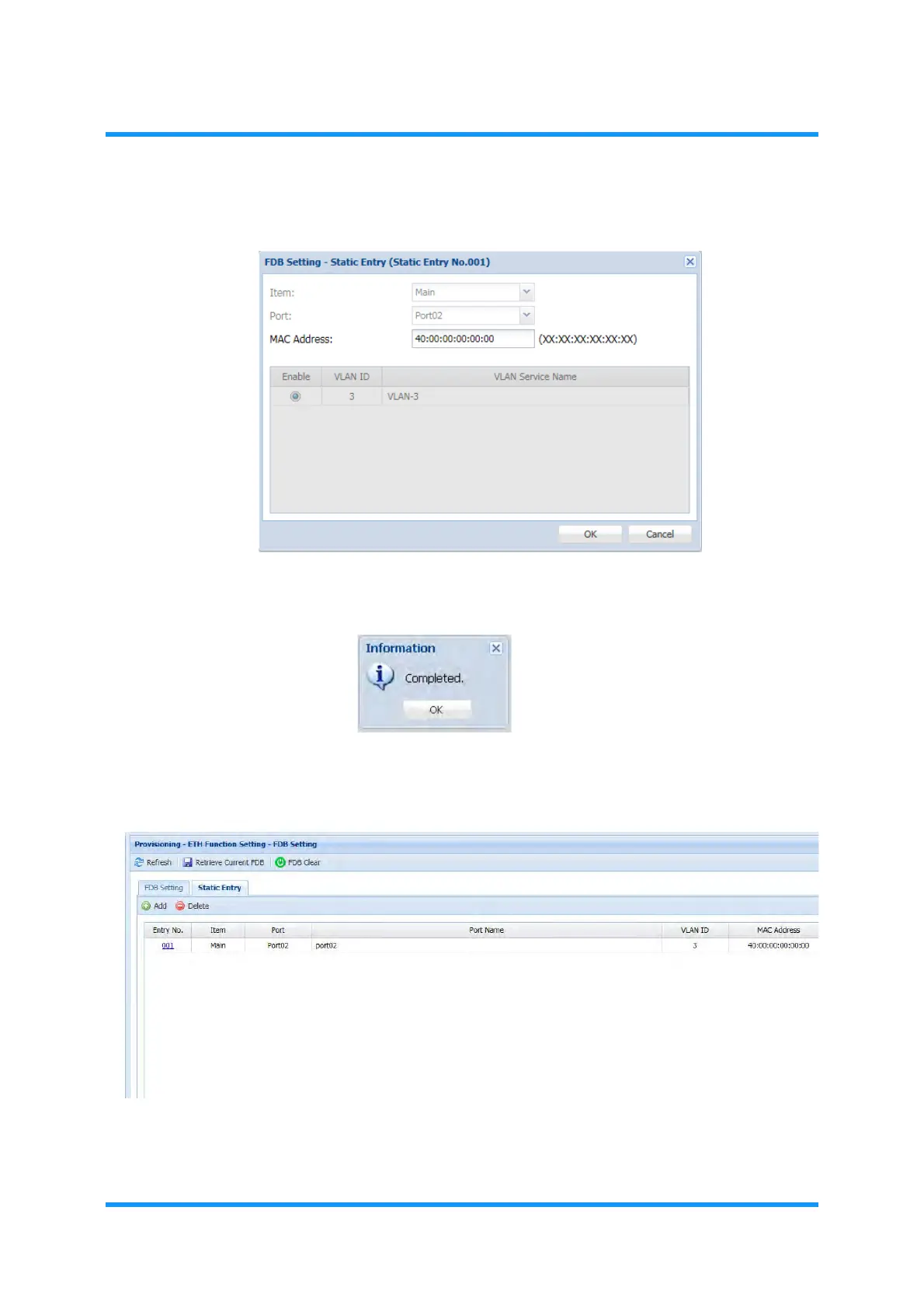
4. Edit the MAC Address, then click the OK button.
Figure 8-66 Static Entry Option Window
5. Information dialog box appears. Click the OK button to proceed.
Figure 8-67 Information Dialog Box
6. The FDB Setting window updates the information. Verify the displayed
information.
Figure 8-68 FDB Setting Window — Static Entry Tab
This step ends the procedure.


 To Next Page