8-66 Set ETH Function
GGS-000547-01E iPASOLINK EX Advanced: SET NETWORK AND SYSTEM PROVISIONING
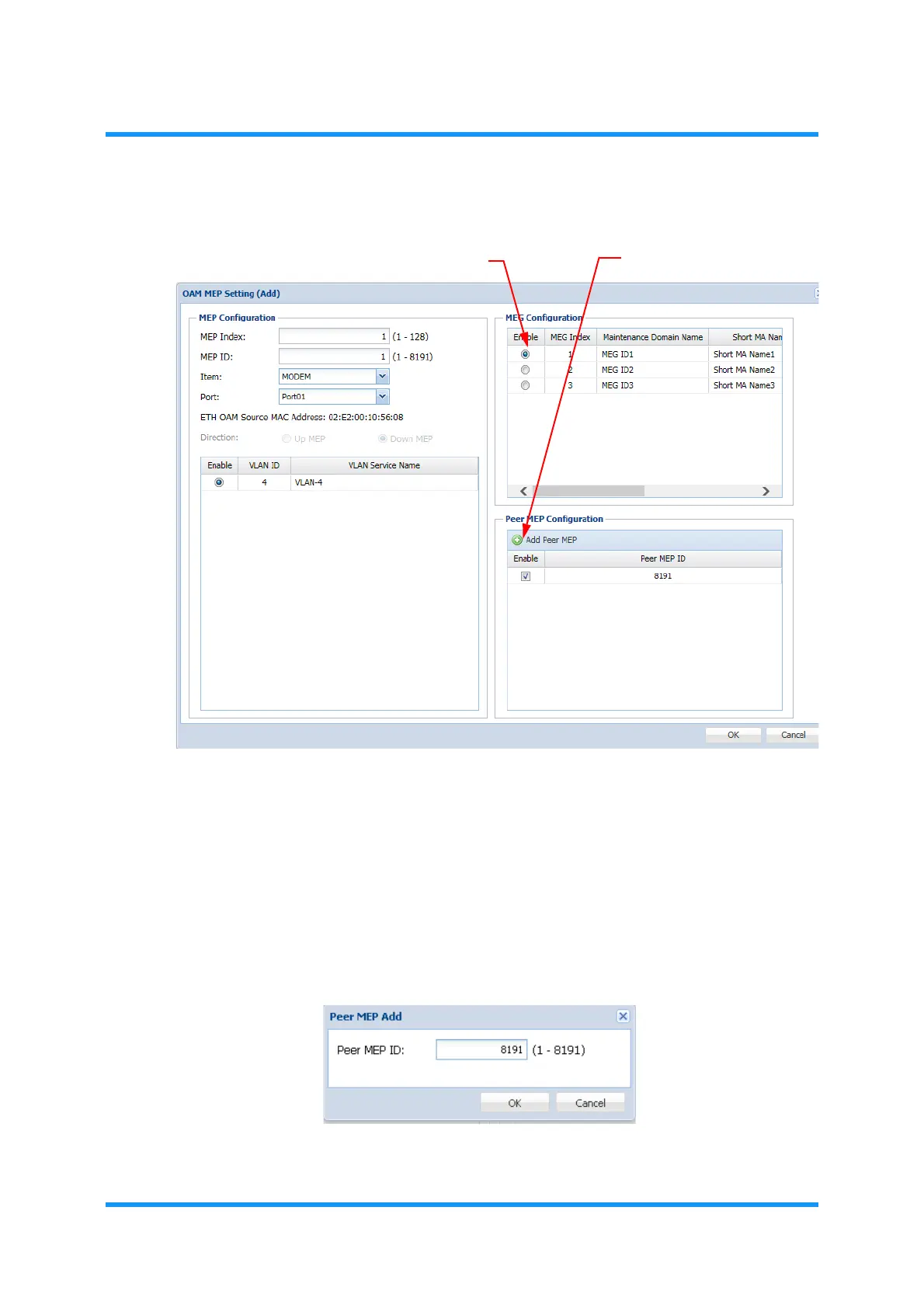
4. Add Peer MEP ID first:
Figure 8-88 OAM MEP Setting (Add) Option Window
i) From the list in the MEG Configuration option box, click the Enable radio
button of the target to select.
ii) Click
Add Peer MEP button in the Peer MEP Configuration option box. The
Peer MEP Add option window appears.
iii) Enter the Peer MEP ID to add.
Figure 8-89 Peer MEP Add Option Box
i) Enable radio buttons
ii) Add Peer MEP button



 To Next Page