5-8 CONNECT CABLES
GGS-000546-01E iPASOLINK EX Advanced: INSTALLATION
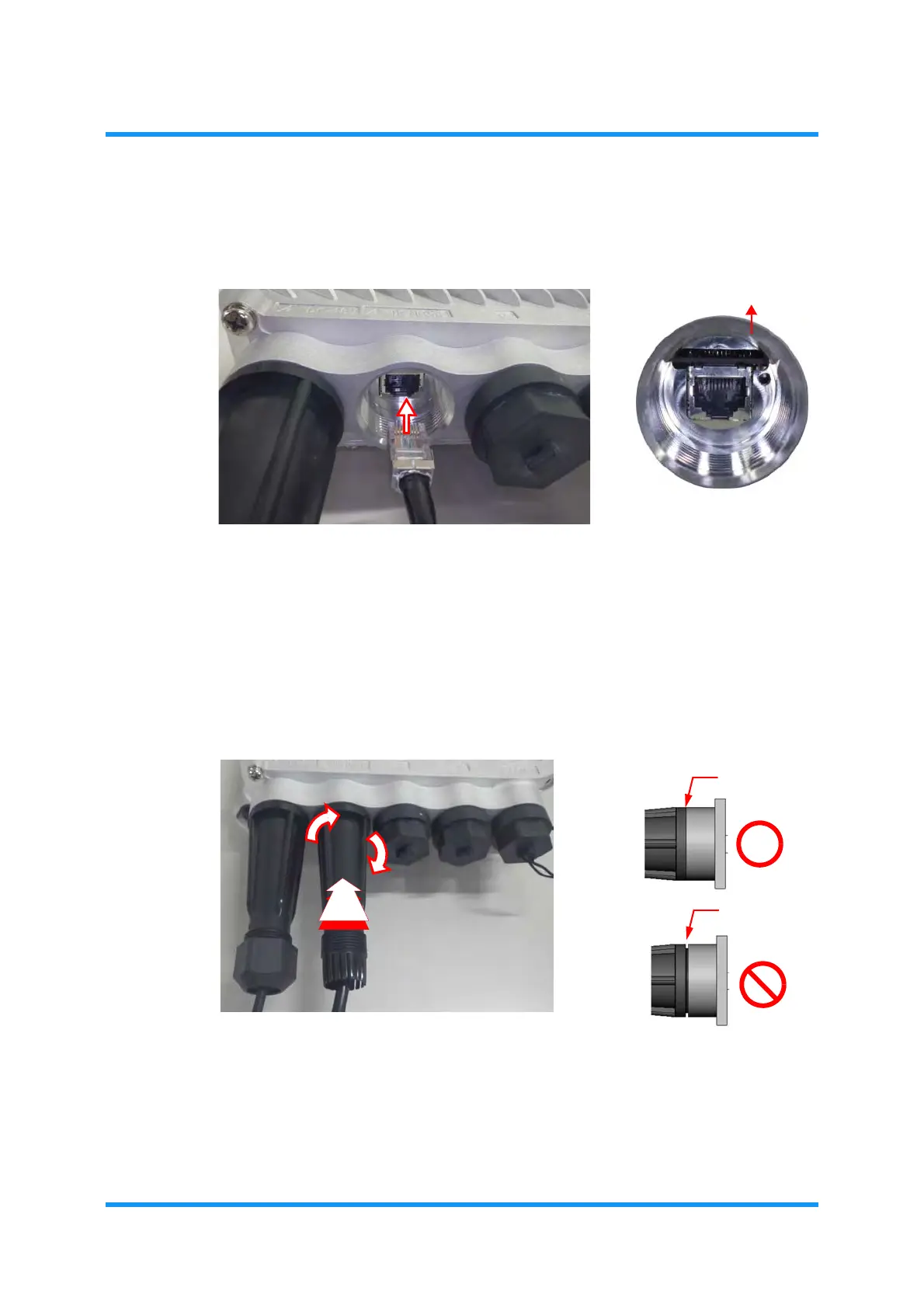
2. Verify the connector shape of the RJ45 Port, then insert the plug of LAN Cable
with waterproofing cap.
Figure 5-10 Connect LAN Cable
3. Place the housing over the RJ45 Connector, and engage it by turning it
clockwise:
Figure 5-11 Engage Housing
Check the shape of connector
RJ45 PORT
(front side)
to insert the plug appropriately.



 To Next Page