Set ETH Function 8-161
iPASOLINK EX Advanced: SET NETWORK AND SYSTEM PROVISIONING GGS-000547-01E
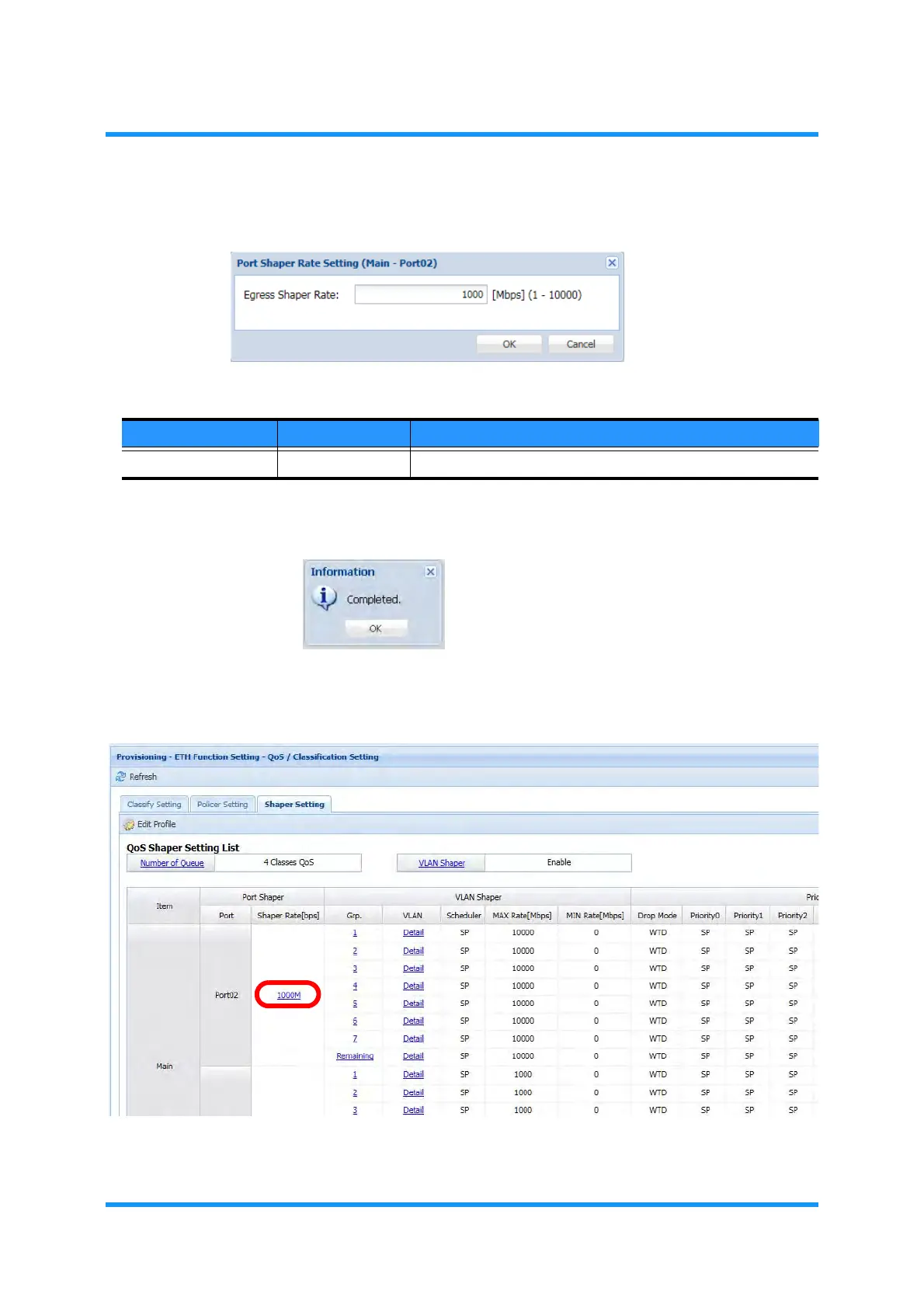
4. Select the rate, then click the OK button.
Figure 8-220 Port Shaper Rate Setting Option Window
5. Information dialog box appears. Click the OK button to proceed.
Figure 8-221 Information Dialog Box
6. The QoS/Classification Setting window updates the Shaper Rate
information.
Figure 8-222 QoS/Classification Setting Window
This step ends the procedure.
Table 8-43 Number of Queue Setting Options
Parameter Value Description
Egress Shaper Rate 1 to 10000 Specify the egress shaper rate. [unit: Mbit/s]



 To Next Page