Set ETH Function 8-163
iPASOLINK EX Advanced: SET NETWORK AND SYSTEM PROVISIONING GGS-000547-01E
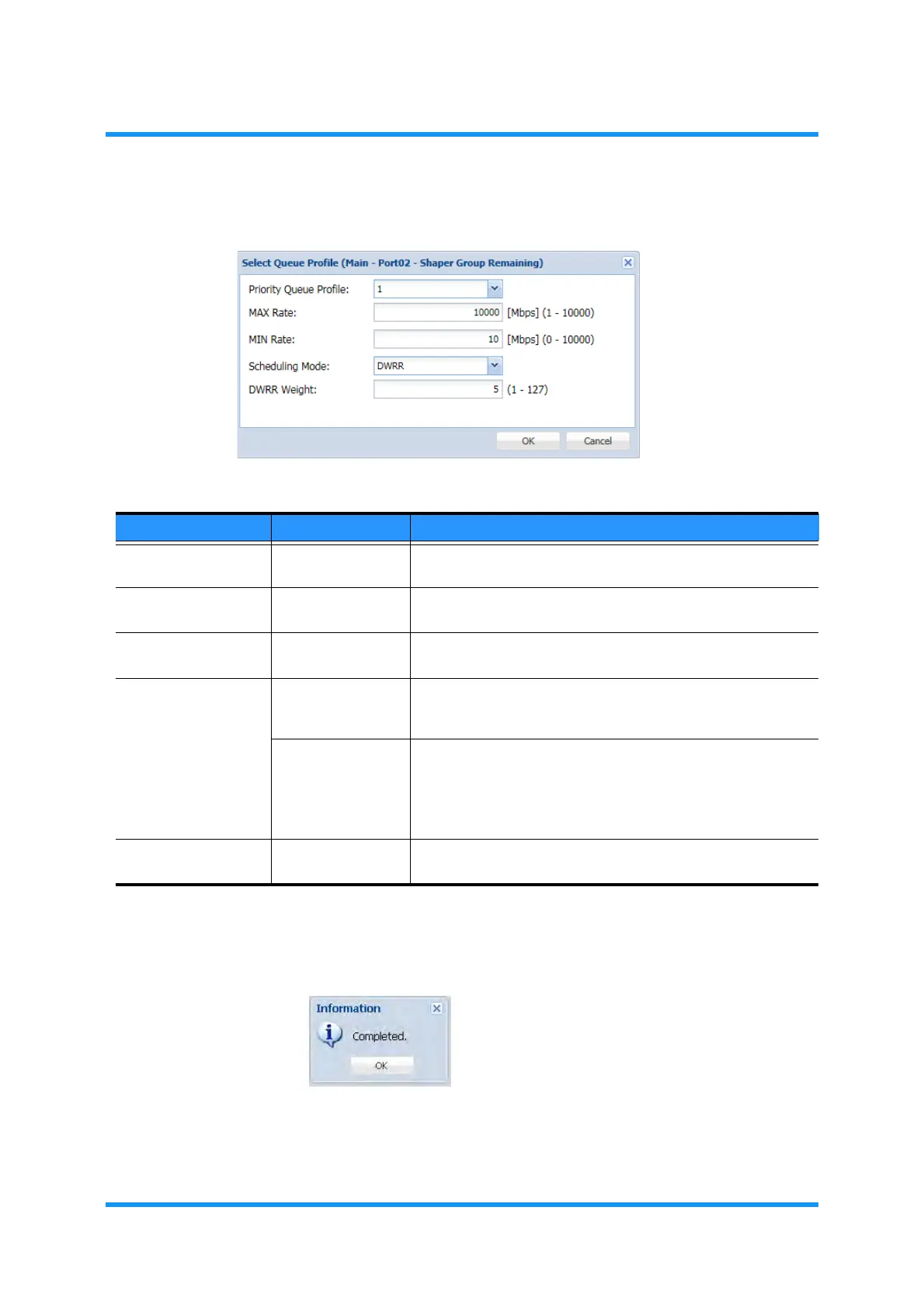
4. Specify the parameters, then click the OK button.
Figure 8-224 Select Queue Profile Option Window
5. Information dialog box appears. Click the OK button to proceed.
Figure 8-225 Information Dialog Box
Table 8-44 Number of Queue Setting Options
Parameter Value Description
Priority Queue
Profile
(available profile #) Select a Priority Queue Profile number to modify.
MAX Rate 1 to 10000 Enter the maximum bandwidths guaranteed rate.
[unit: Mbit/s; default: 1000]
MIN Rate 0 to 10000 Enter the minimum bandwidths guaranteed rate.
[unit: Mbit/s; default: 0]
Scheduling Mode SP Specifies Strict Priority (SP) for Scheduler setting, which gives
prior frame process to target Shaper than that of DWRR
specified Shaper Group. [default]
DWRR Specifies the Deficit Weighted Round Robin (DWRR) for
Scheduler setting. The frame process is carried out according
to the weight rate specified by the DWRR Weight value.
Selecting DWRR enables the DWRR Weight parameter on the
right.
DWRR Weight 1 to 127 Set the priority for DWRR Scheduling Mode. This parameter is
disabled when the Scheduling Mode selects SP.



 To Next Page