Set ETH Function 8-169
iPASOLINK EX Advanced: SET NETWORK AND SYSTEM PROVISIONING GGS-000547-01E
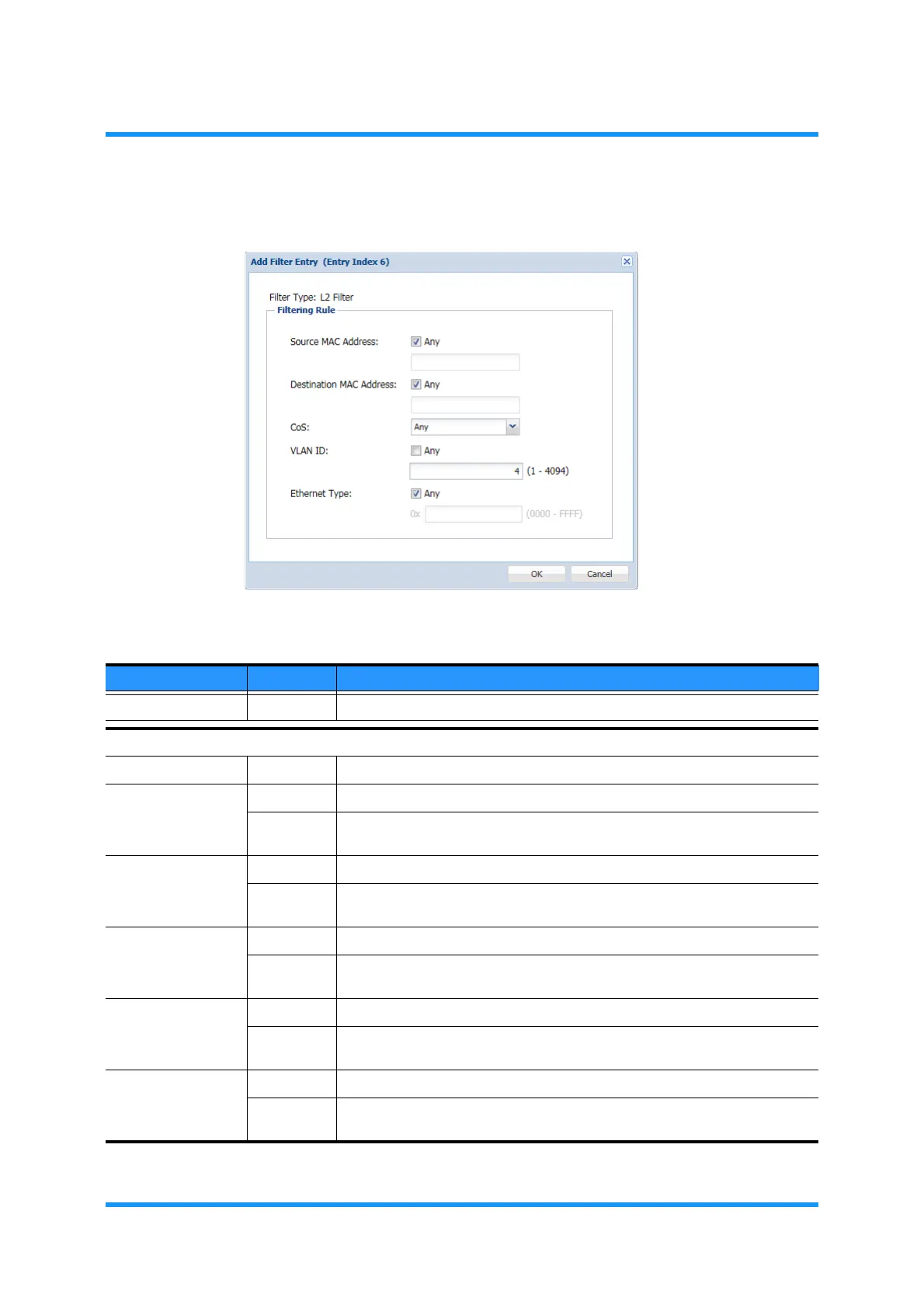
4. Specify the filter conditions, then click the OK button.
Figure 8-233 Add Filter Entry Option Window
Table 8-46 Add Filter Entry Parameters
Parameter Value Description
Filter Type (read only) Indicates the filter type.
Filtering Rule
Filtering Mode (read only) Indicates the filtering mode.
Source MAC
Address
Any Selecting Any specifies no particular source MAC address to filter.
(text field) Unticking (removing a tick from) the Any check box enables the text field
below. Enter the Source MAC Address (xx:xx:xx:xx:xx:xx) to filter.
Destination MAC
Address
Any Selecting Any specifies no particular destination MAC address to filter.
(text field) Unticking (removing a tick from) the Any check box enables the text field
below. Enter the Destination MAC Address (xx:xx:xx:xx:xx:xx) to filter.
CoS Any Selecting Any specifies no particular CoS value to filter.
0 to 7 Unticking (removing a tick from) the Any check box enables the text field
below. Enter the CoS value to filter.
VLAN ID Any Selecting Any specifies no particular VLAN ID to filter.
1 to 4094 Unticking (removing a tick from) the Any check box enables the text field
below. Enter the VLAN ID to filter.
Ethernet Type Any Selecting Any specifies no particular Ethernet Type to filter.
0x0000 to
0xFFFF
Unticking (removing a tick from) the Any check box enables the text field
below. Enter the Destination MAC Address to filter.



 To Next Page