Set Equipment Clock and Synchronization 9-15
iPASOLINK EX Advanced: SET NETWORK AND SYSTEM PROVISIONING GGS-000547-01E
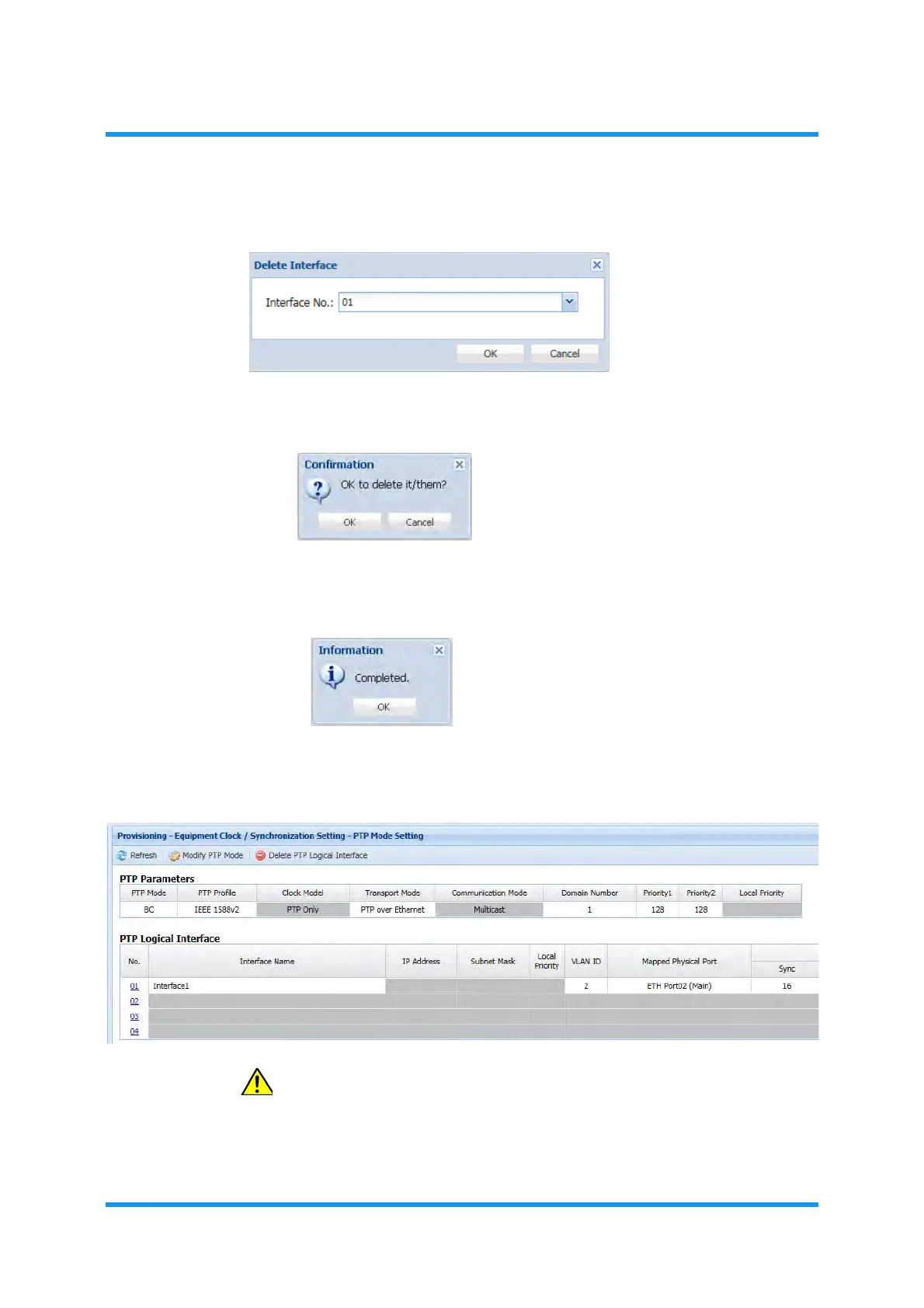
4. Select the interface number to remove, then click the OK button.
Figure 9-17 Delete Interface Option Window
5. Confirmation dialog box appears. Click the OK button to proceed.
Figure 9-18 Confirmation Dialog Box
6. Information dialog box appears. Click the OK button of the dialog box to
proceed.
Figure 9-19 Information Dialog Box
7. The PTP Mode Setting window updates the PTP Logical Interface information.
Verify the displayed information.
Figure 9-20 PTP Mode Setting Window
CAUTION: In order to apply the values properly, CPU must be
rebooted when parameter(s) is/are changed.
This step ends the procedure.


 To Next Page