11-14 Assign PMON/RMON Settings
GGS-000547-01E iPASOLINK EX Adanced: SET NETWORK AND SYSTEM PROVISIONING
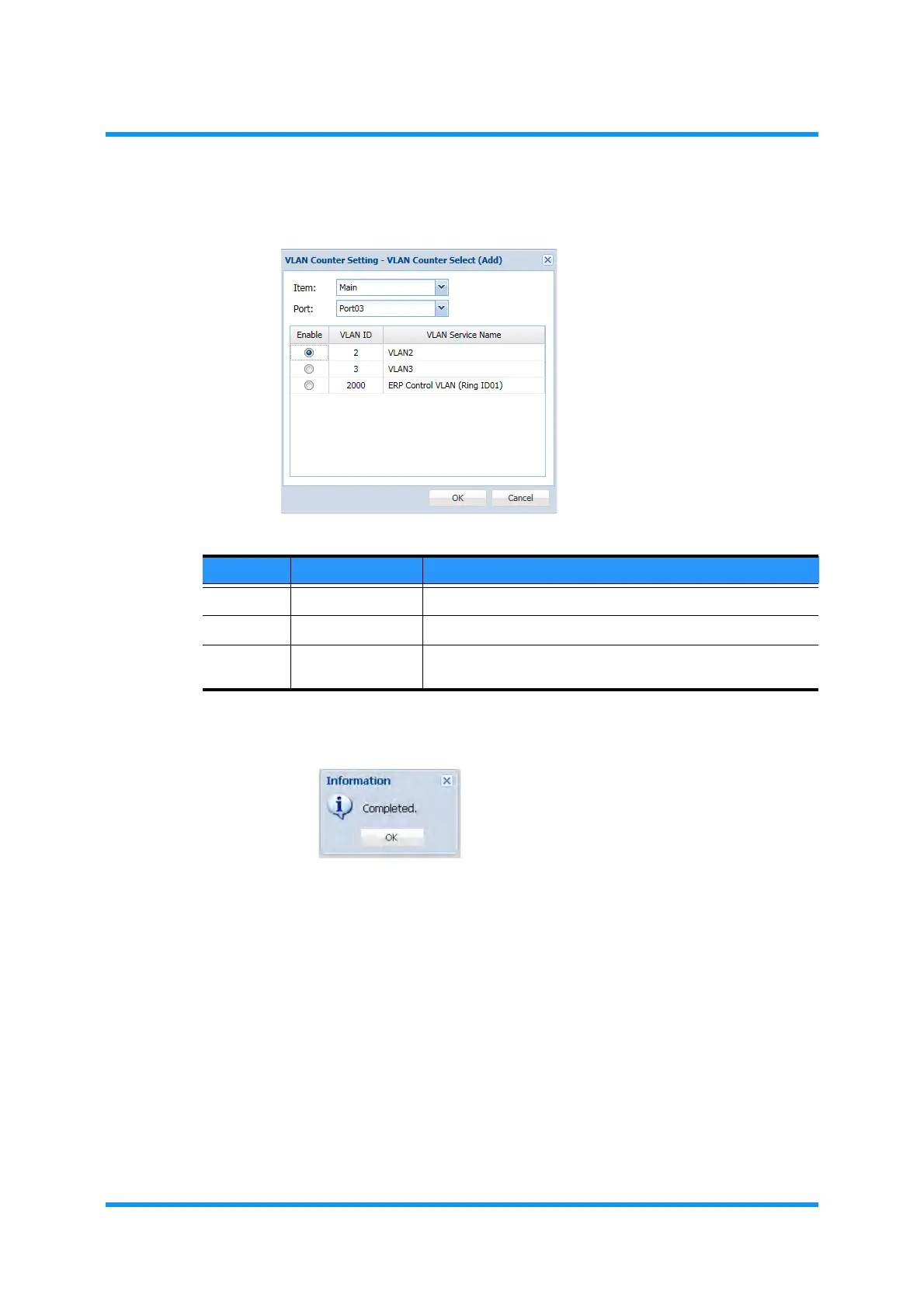
4. Assign the appropriate settings, then click the OK button:
Figure 11-18 VLAN Counter Select (Add) Option Window
5. Information dialog box appears. Click OK button of the dialog box to proceed.
Figure 11-19 Information Dialog Box
The VLAN Counter Setting window updates the information.
Table 11-5 VLAN Counter Select Parameters
Parameter Value Description
Item (available Part) Select a target part to specify.
Port (available Port) Select a target port to specify.
Enable (radio button) Clicking the radio button enables to count the frames that
pass through the selected VLAN.


 To Next Page