4-24 CONTROL ITEMS
GGS-000548-01E iPASOLINK EX Advanced: Operation & Maintenance
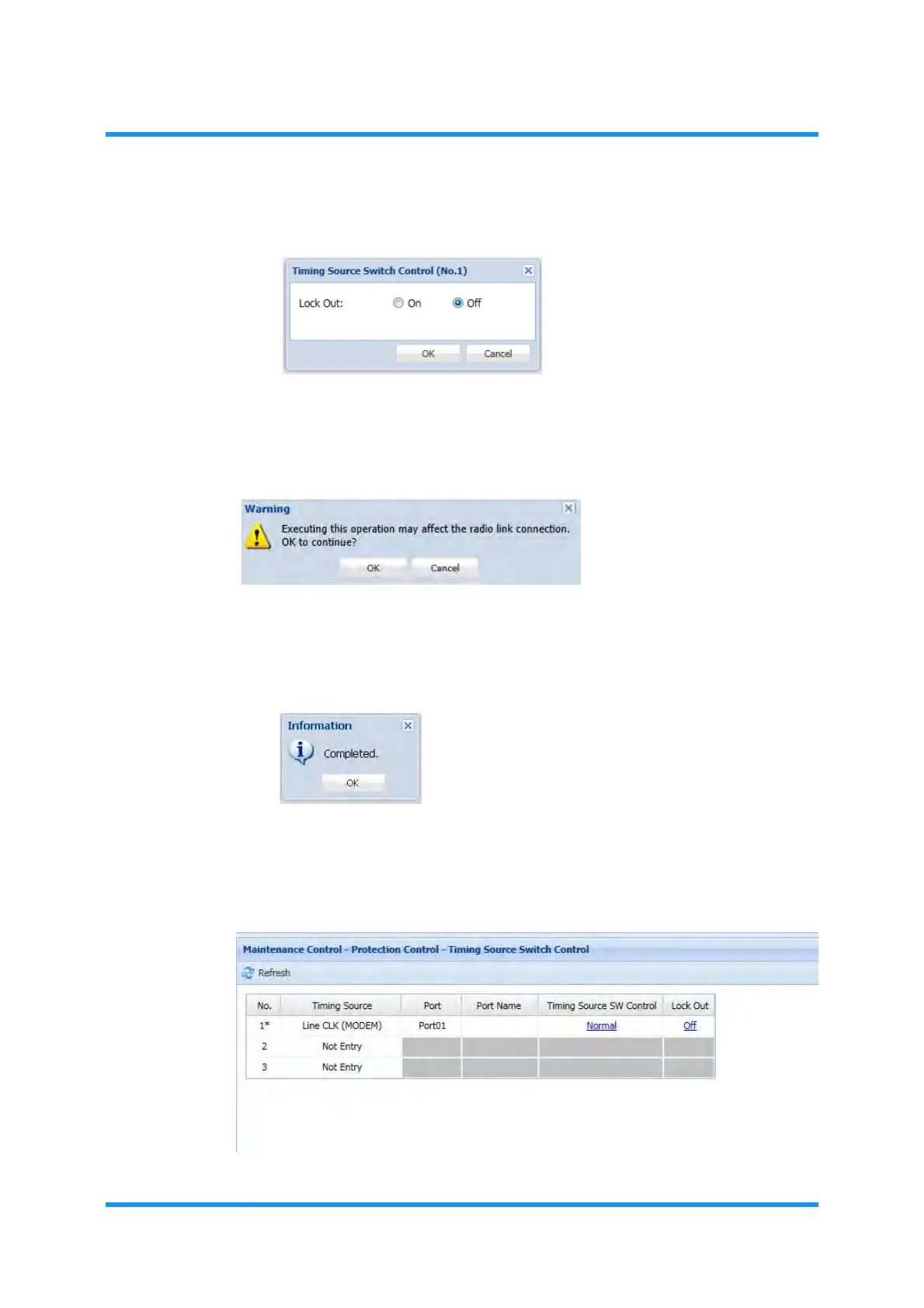
5. Click the Off radio button, then click the OK button.
Figure 4-34 Timing Source Switch Control Option Window
6. Warning dialog box appears. Click the OK button of the dialog box.
Figure 4-35 Warning Dialog Box
7. Information dialog box appears. Click the OK button of the dialog box to
proceed.
Figure 4-36 Information Dialog Box
8. The Timing Source Switch Control window updates the information. Verify that
the
Lock Out status of the target object indicates Off now.
Figure 4-37 Timing Source Switch Control Window



 To Next Page