CONTROL ITEMS 4-37
iPASOLINK EX Advanced: OPERATION & MAINTENANCE GGS-000548-01E
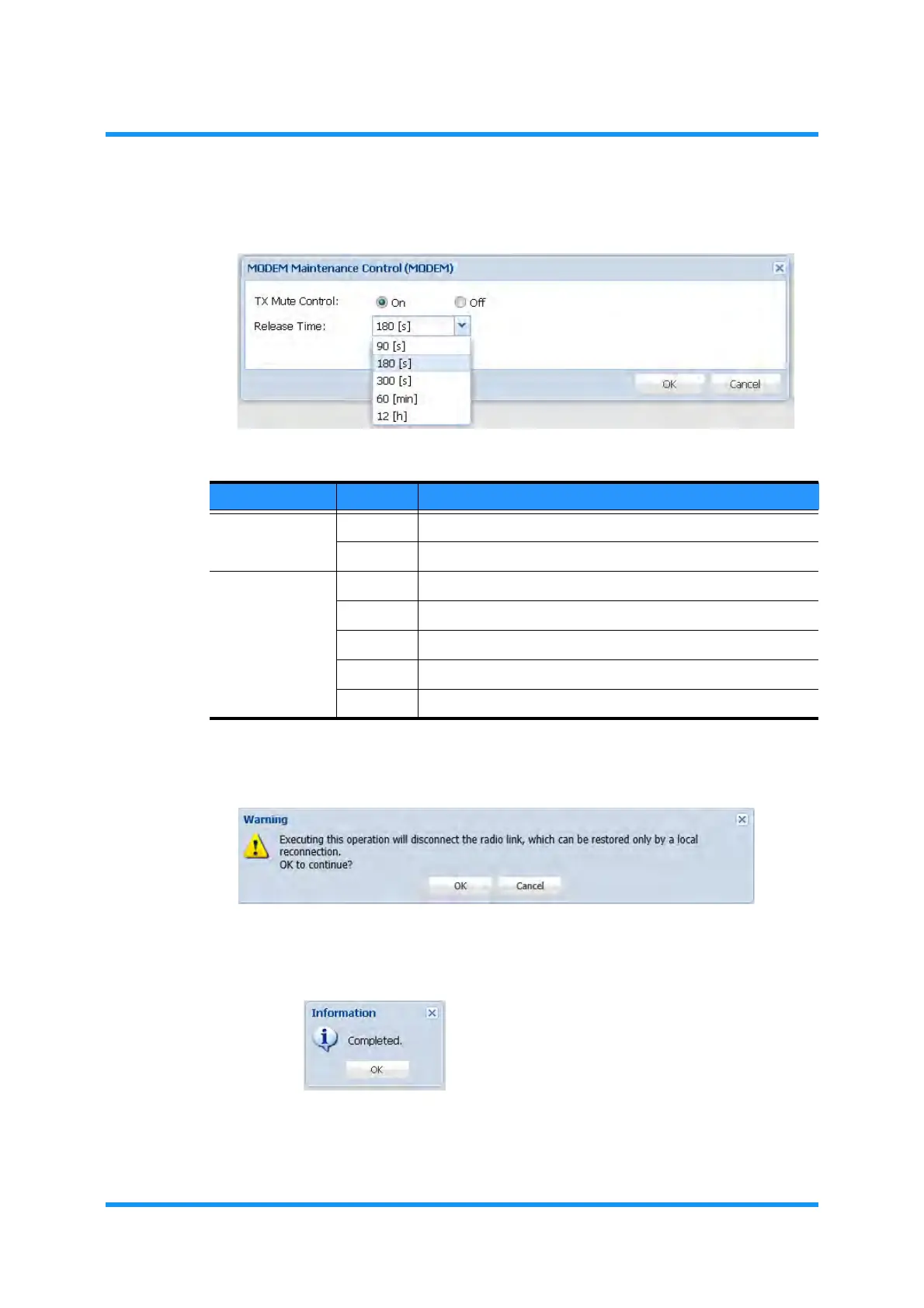
4. Set the appropriate values, then click the OK button.
Figure 4-54 MODEM Maintenance Control Box
5. Warning dialog box appears. Click the OK button.
Figure 4-55 Warning Dialog Box
6. Information dialog box appears. Click the OK button.
Figure 4-56 Information Dialog Box
The MODEM Maintenance Control window updates the information.
Table 4-5 TX Mute Control
Parameter Value Description
TX Mute Control On Executes the forced mute.
Off Releases the forced mute. [default]
Release Time 90 [s] Provides 90 seconds before executing the auto-recovery.
180 [s] Provides 180 seconds before executing the auto-recovery.
300 [s] Provides 300 seconds before executing the auto-recovery.
60 [min] Provides 60 minutes before executing the auto-recovery.
12 [h] Provides 12 hours before executing the auto-recovery.



 To Next Page