4-52 CONTROL ITEMS
GGS-000548-01E iPASOLINK EX Advanced: Operation & Maintenance
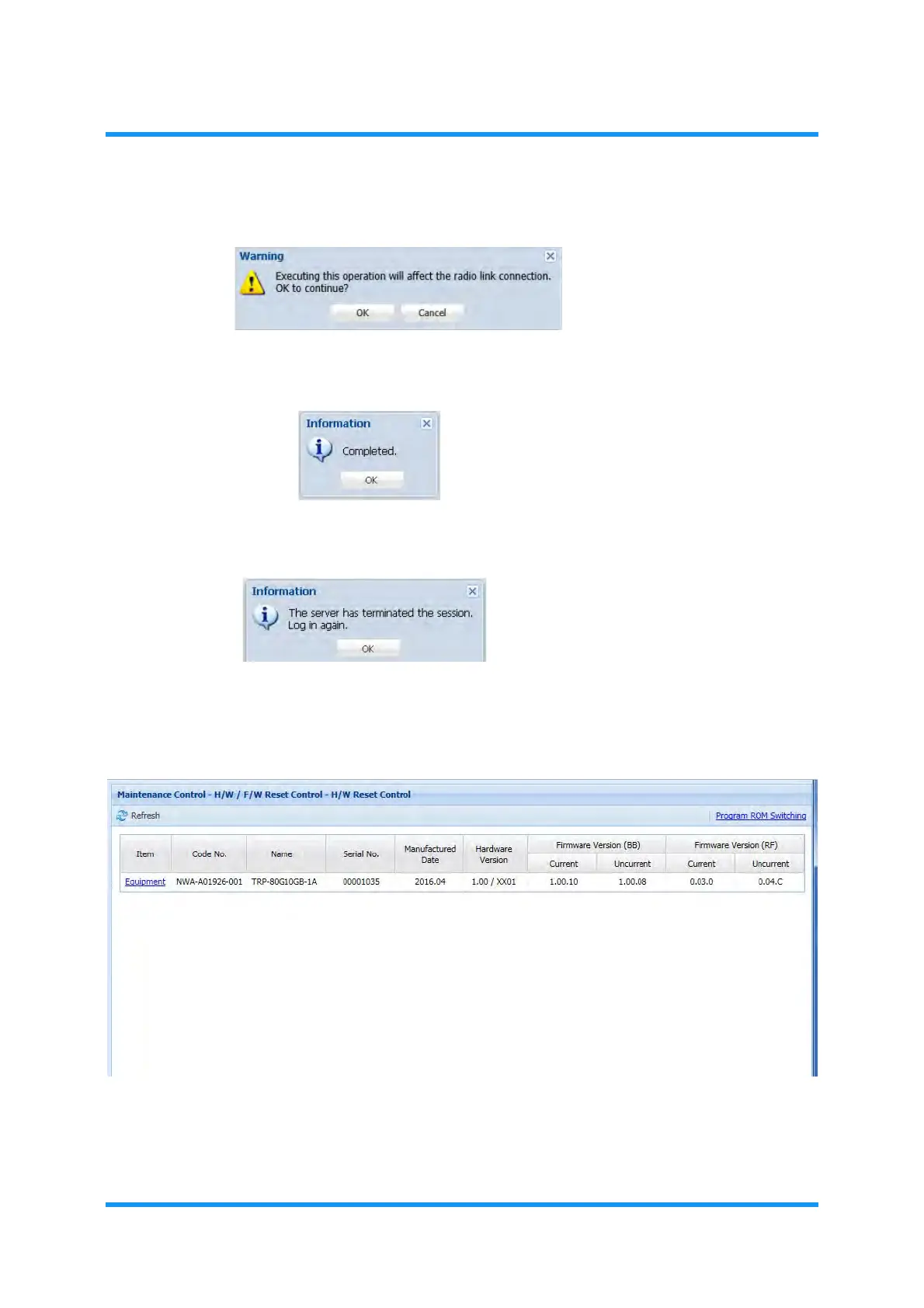
5. Warning dialog box appears. Click the OK button.
Figure 4-79 Warning Dialog Box
6. Information dialog box appears. Click the OK button.
Figure 4-80 Information Dialog Box
7. Another Information dialog box appears. Click the OK button to proceed.
Figure 4-81 Information Dialog Box
8. When the system is ready, launch the WebLCT, then log in to the system.
9. Open the H/W Reset Control window, and verify the information.
Figure 4-82 H/W Reset Control Window
10. Release the Maintenance Mode if necessary.
This step ends the procedure.



 To Next Page