4-92 CONTROL ITEMS
GGS-000548-01E iPASOLINK EX Advanced: Operation & Maintenance
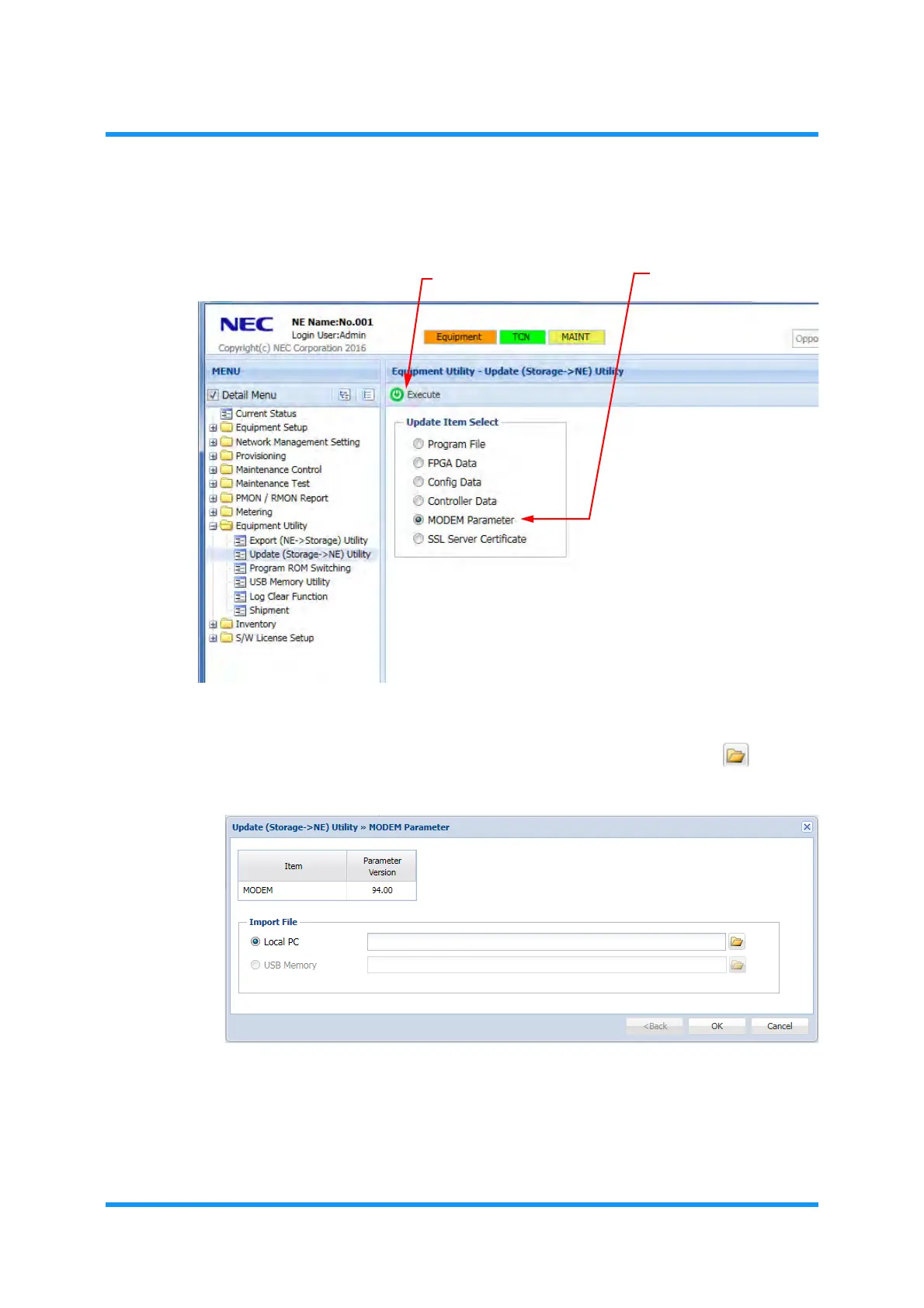
3. Select MODEM Parameter by clicking its radio button, and then click the
Execute tool button.
Figure 4-151 Update (Storage -> NE) Utility Window
4. The MODEM Parameter option window for selecting source appears. In the
Import File option box, select the media (Local PC or USB Memory) from
which the file is transferred, and then click the file icon button ( ).
Figure 4-152 MODEM Parameter Option Window
5. An option window for selecting a file appears. Select the MODEM Parameter
file (see below for the file name), and then click the
Open (or OK) button.
MODEM Parameter file name: MDxxxxxx.mdp
MODEM Parameter
Execute tool button



 To Next Page