1-4 OPERATE WebLCT
GGS-000547-01E iPASOLINK EX Advanced: SET NETWORK AND SYSTEM PROVISIONING
1.6 Recommended Settings for Browsing Software
Following are the recommended settings for the browsing software (browsers)
available to operate LCT. (Examples use the Windows® 7.)
1.6.1 Microsoft® Internet Explorer 11
Procedure 1-1 Set Tabbed Browsing Option
Tabbed Browsing option is recommended.
1. Start up the Internet Explorer 11.
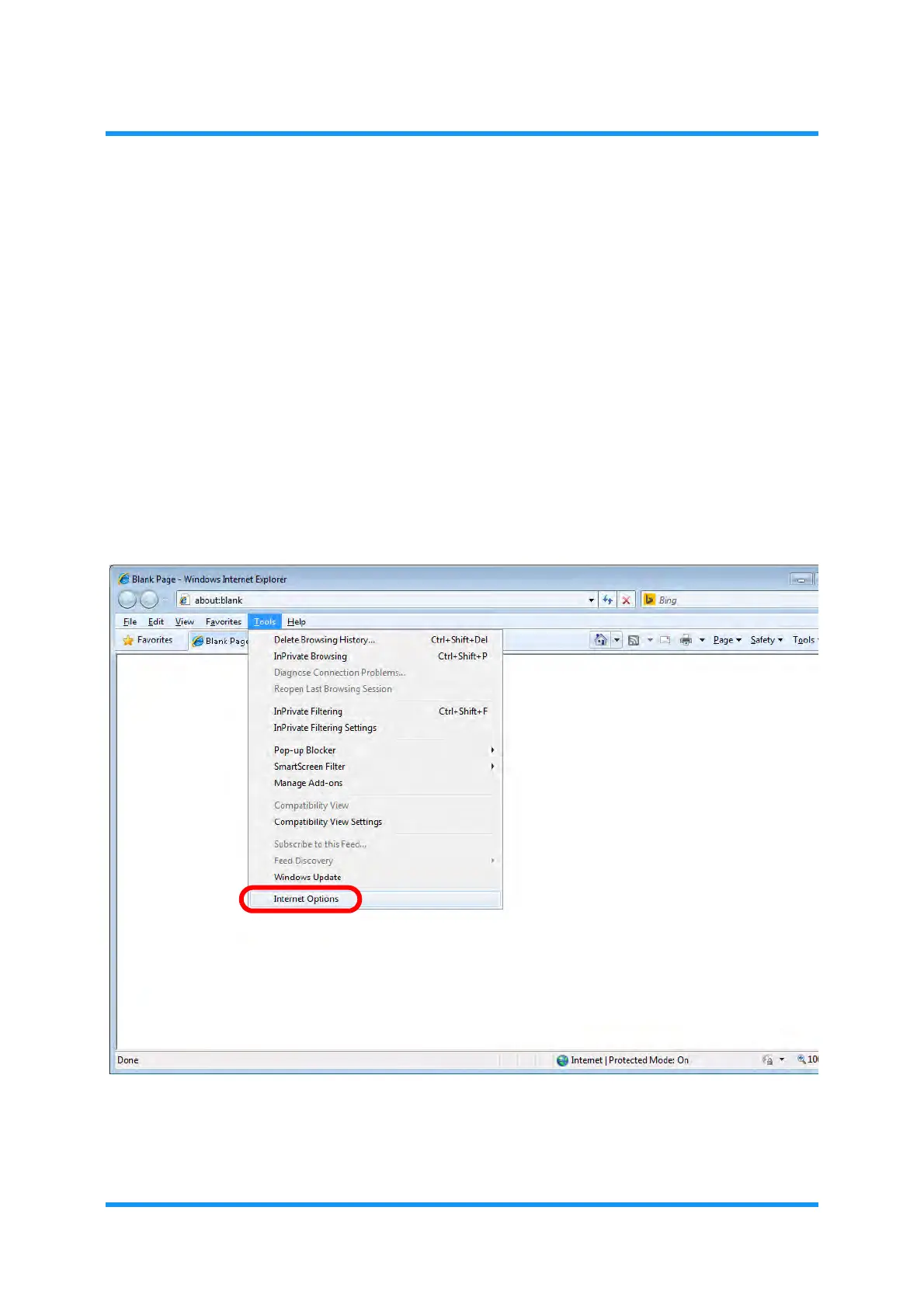
2. Click
Tools on the menu bar or the command bar, and select Internet
Options
. Following example is selecting Tools on the menu bar.
Figure 1-2 Internet Explorer — Select Internet Options
The Internet Options window appears.



 To Next Page