Tungsten™ E2 Handheld 117
CHAPTER 6 Managing Your Contacts
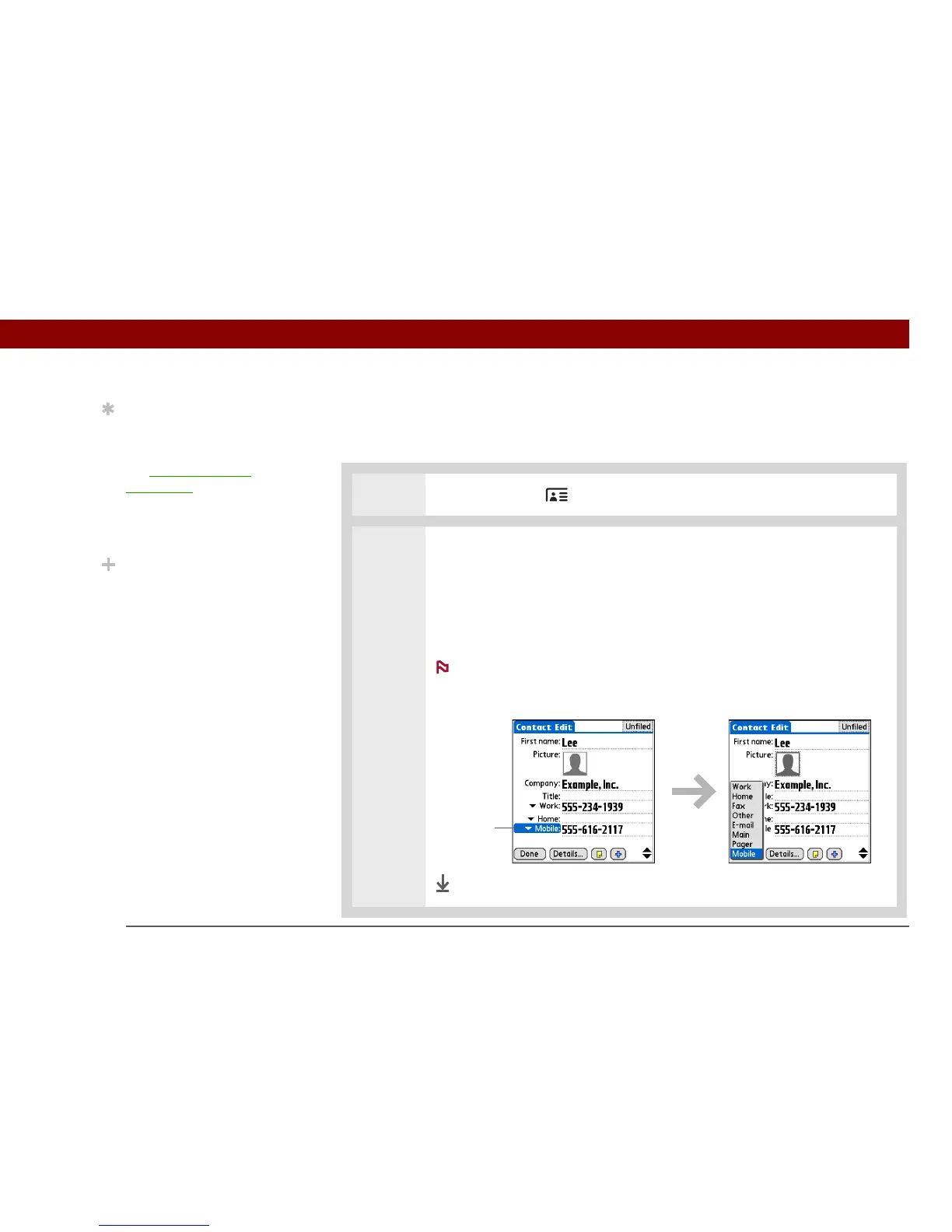
Selecting contact field types
You can select the types of phone numbers (work, home, mobile, pager, and so on), as well as
specify the instant messenger (IM) account, that you associate with a contact.
0
1 Press the Contacts button.
2 Customize the contact field type:
a. Select the contact you want, and then select Edit.
b. Select the pick list next to the field you want to change, and select the new
field type you want. Available fields include phone number, email address,
and instant messenger (IM) fields.
You must set up an instant messenger account with a service
provider and download instant messaging software to use instant messaging
on your handheld.
Done
Tip
Any changes you make to
field types apply only to
the current contact. You
can duplicate contact
information if you need to
apply the same contact
fields to multiple
contacts.
Did You Know?
The email address field
type is located on the
same pick list as the
phone number fields. IM
field types are located on
a separate pick list.
NOTE
Select
triangle



 To Next Page