Tungsten™ E2 Handheld 453
CHAPTER 21 Performing Calculations
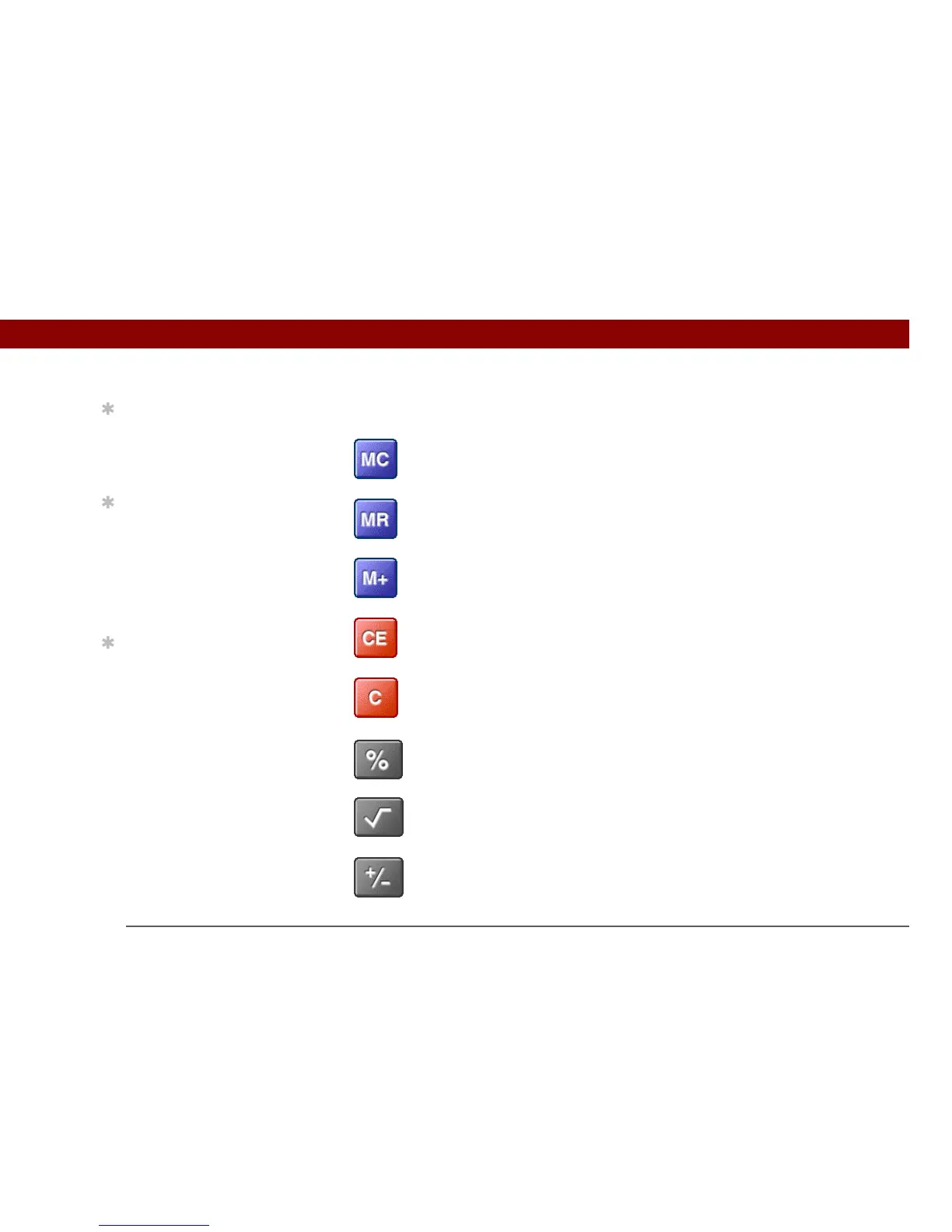
Calculator buttons
0
Clear any value in the Calculator memory.
Recall the stored value from the memory and enter it into the current
calculation.
Place the current number into memory. The current number is added
to the total that is already in the memory. Tapping this button does
not affect the current calculation; it just places the value in memory.
Clear the last number you entered.
Clear the entire calculation so that you can start over.
Enter a number, and then select this button to change it to a
percentage.
Enter a number, and then select this button to calculate the square
root of the number.
Enter a number, and then select this button to make it negative.
Tip
Use the memory buttons
to store and recall a
number you enter in
multiple calculations.
Tip
If you make a mistake
entering a number in the
middle of a calculation,
use the CE button to
re-enter the number
without starting the
calculation over.
Tip
Open the Options menu
and select Advanced
Mode to display a
scientific calculator.



 To Next Page