EasyManua.ls Logo

palmOne Tungsten E2 - Dialing a Number; Entering a Number

palmOne Tungsten E2
653 pages
Print Icon
To Next Page IconTo Next Page
To Previous Page IconTo Previous Page
Loading...
Tungstenā„¢ E2 Handheld 421
CHAPTER 18 Dialing Phone Numbers from Your Handheld
Dialing a number
Tapping out a number on your handheld is sometimes easier than using your mobile phone.
Entering a number
0
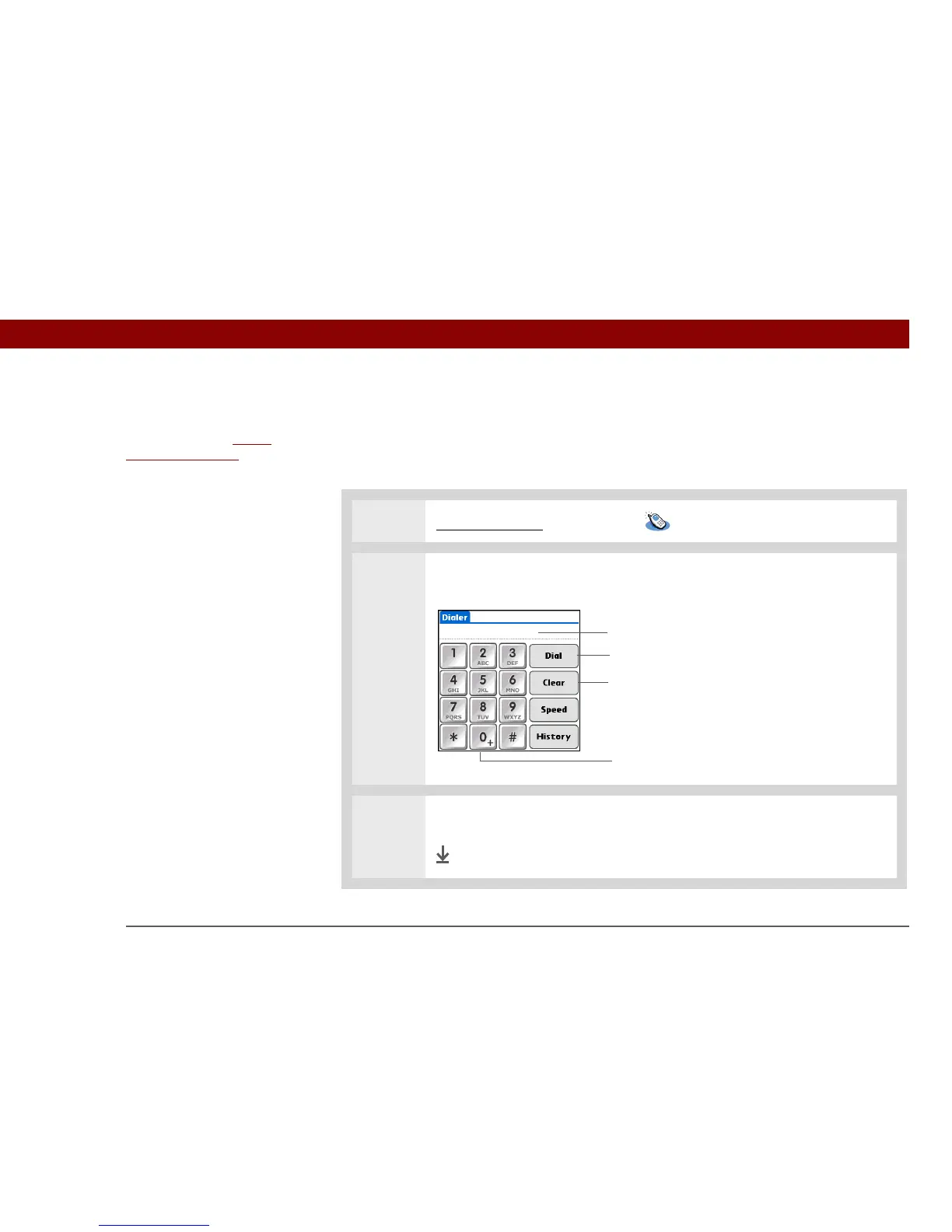
1 Go to Applications and select Dialer .
2 Tap the telephone number on the keypad.
3 Tap Dia l .
Done
Before You Begin
[ ! ]
Before you can dial a
number, you must set up
a phone connection on
your handheld.
Tap and hold the 0 key to add a + (plus) to the
number sequence
Digits appear in the numeric display
Enter phone number and tap Dial
Tap Clear to delete last digit from numeric display.
Tap and hold to clear entire numeric display

Table of Contents

Other manuals for palmOne Tungsten E2

Related product manuals