Tungsten™ E2 Handheld 285
CHAPTER 15 Sending and Receiving Email Messages
Deleting an email account
When you delete an account in the VersaMail application, the account is removed from your
handheld. The account still exists on the server. For example, deleting your Yahoo! account from
the VersaMail application deletes the account only from your handheld. Your email account still
exists at Yahoo.com.
You can delete all but one of your email accounts; you must have at least one account.
0
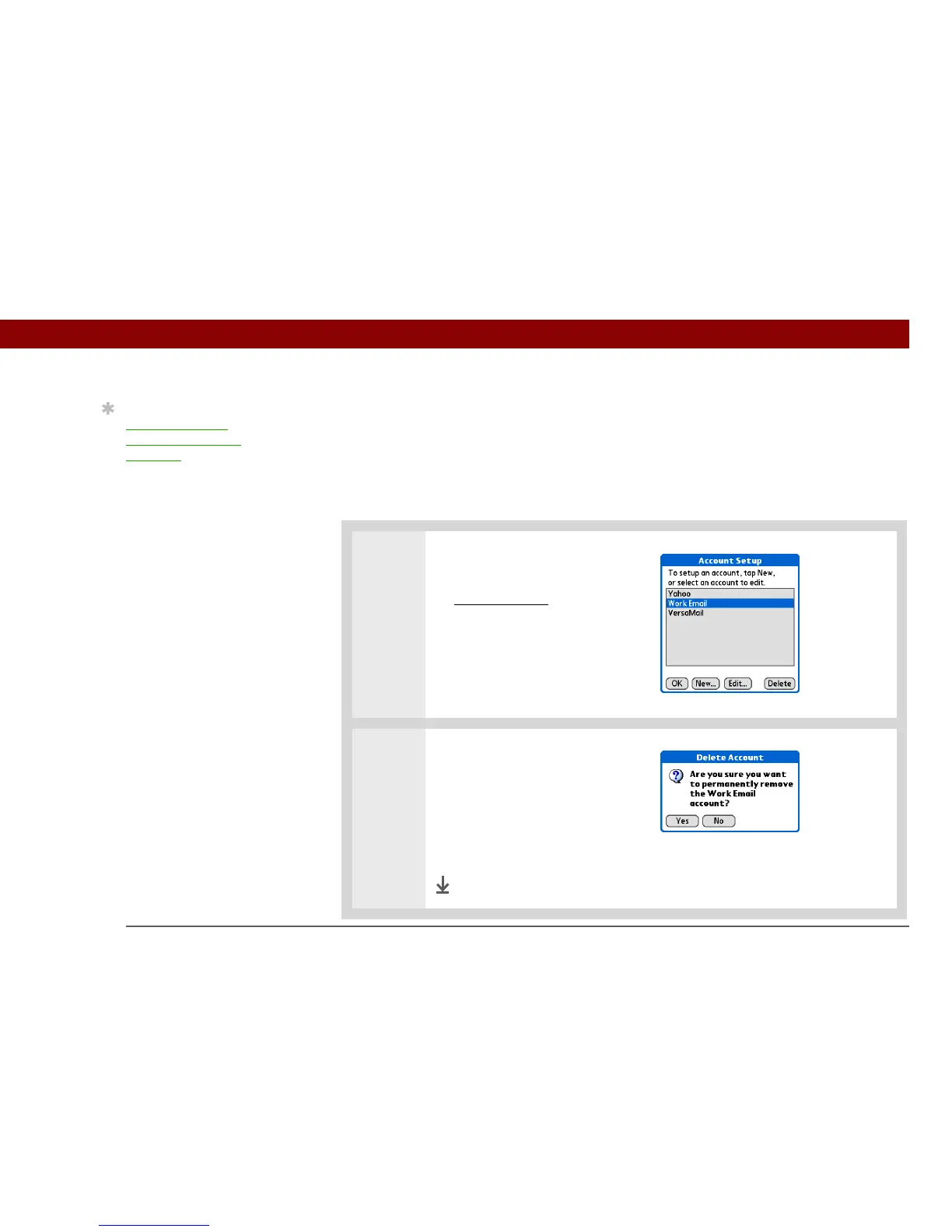
1 Select the account you want to
delete:
a. Open the menus
.
b. Select Accounts, and then
select Account Setup.
c. Select the name of the
account to delete, and then
select Delete.
2
Delete the account:
a. Select Yes in the Delete
Account dialog box to delete
the account and all associated
email messages.
b. Select OK.
Done
Tip
Synchronize your
handheld with your
computer to free up the
memory associated with
an account after you
delete it.



 To Next Page