Tungsten™ E2 Handheld 180
CHAPTER 9 Viewing Photos and Videos
Viewing a slide show
By default, both photos and videos in an album are displayed during a slide show. To view photos
only, select Preferences from the Options menu, and then uncheck the Show videos in Slide Show
box.
0
0
1 Go to Favorites and select Photos & Videos .
2 Select the pick list in the upper-right corner and select the location on your
handheld or an expansion card of the photos or videos you want to view.
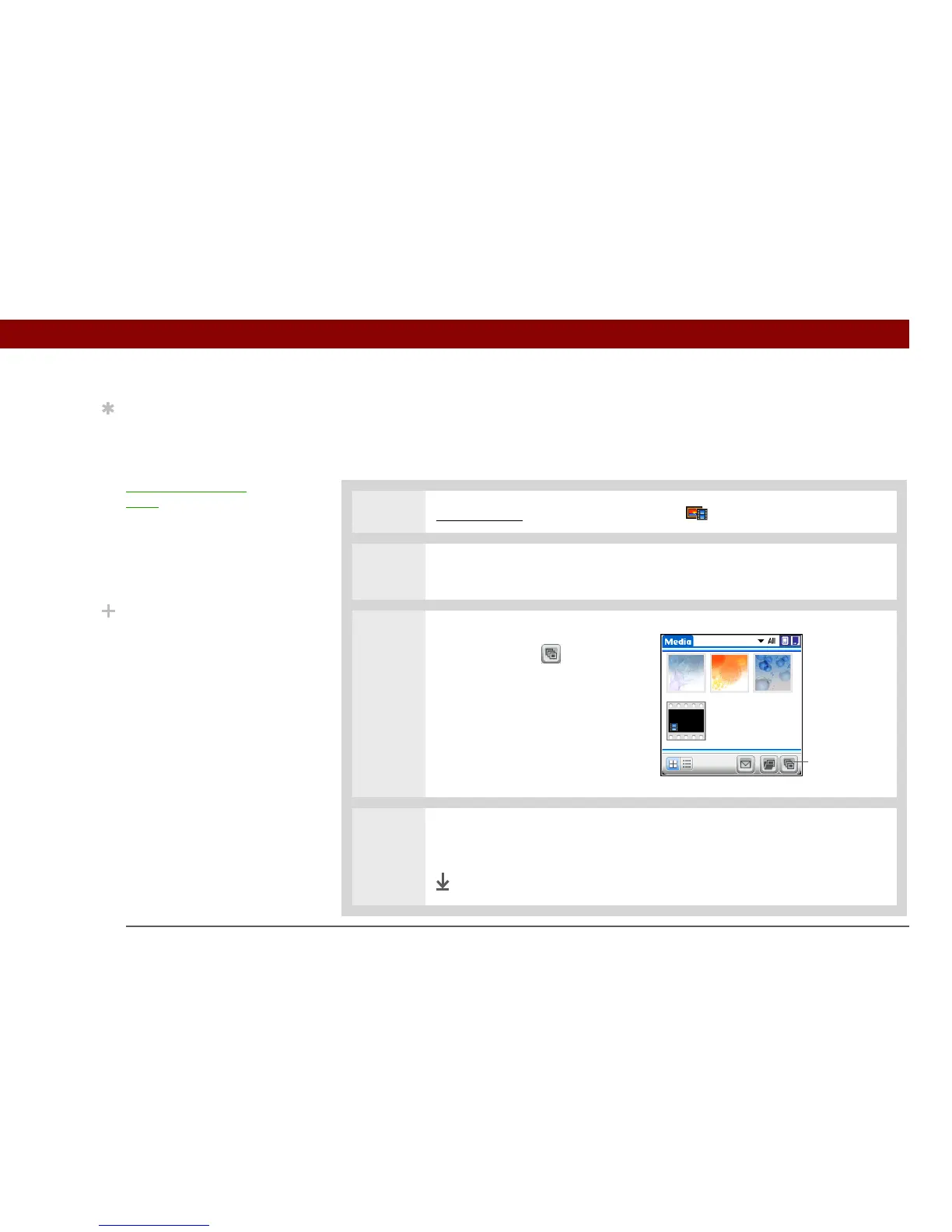
3 In the Thumbnail or List View,
select Slide Show .
4 Press Center or tap a photo or video to stop the slide show and return to the
Thumbnail or List View.
Done
Tip
You can set how long a
photo is displayed in slide
show mode before the
next item appears by
opening the
Options
menu, selecting Options,
selecting Preferences,
and then selecting a time
interval from the Slide
Show Delay pick list. The
default is 3 seconds.
Did You Know?
In a slide show, videos
play through in their
entirety before the next
item appears.
Slide Show



 To Next Page