Tungsten™ E2 Handheld 407
CHAPTER 17 Browsing the Web
Returning to a web page you recently visited
Using the Back and Forward icons to browse through the pages you recently visited, one page at a
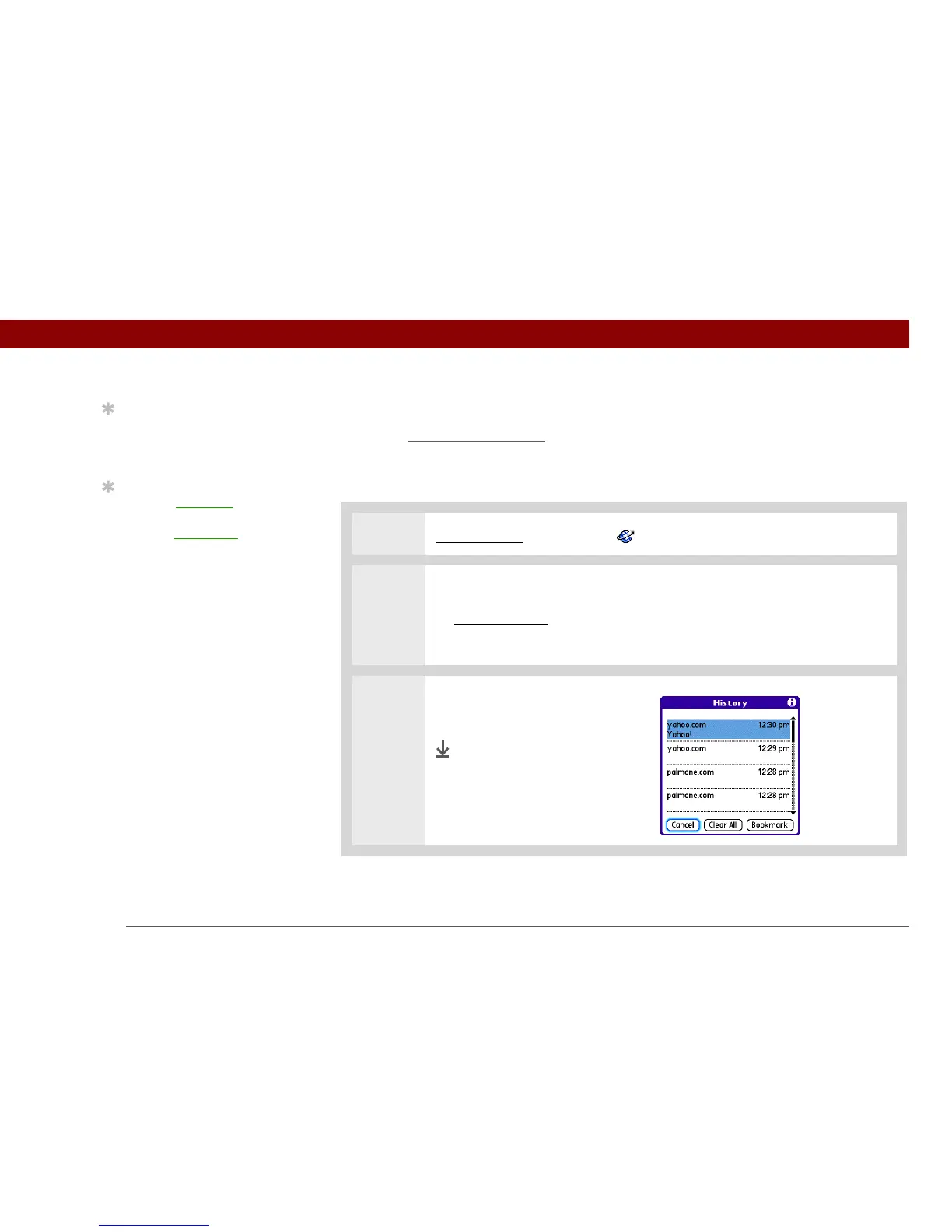
time, can be tedious. Instead, open the History list to go to a page you recently visited. You can go
back to a page you remember visiting but did not bookmark. Use the History list to jump directly to
that page. Items in the History list are sorted chronologically.
0R
1 Go to Favorites and select Web .
2 Open the History dialog box:
a. Open the menus
.
b. Select Page, and then select History.
3
Select the web page you recently
visited.
Done
Tip
You can delete all pages
saved in the History list
by selecting Clear All.
Tip
Create a bookmark to
save the location, or
create a saved page
to
save the content of a web
page indefinitely.



 To Next Page