Tungsten™ E2 Handheld 308
CHAPTER 15 Sending and Receiving Email Messages
Entering an address using Smart Addressing
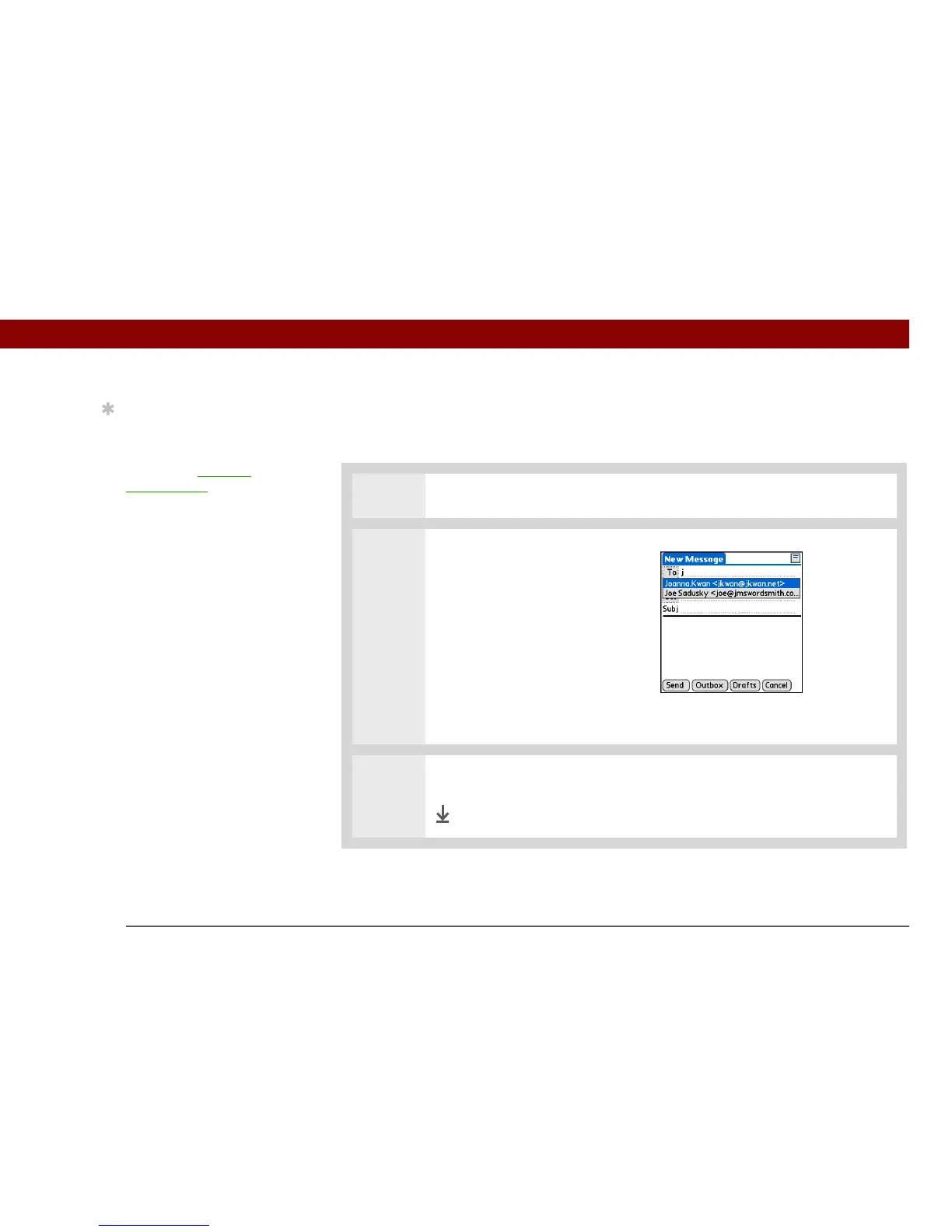
Smart Addressing completes a recognized email address. Smart Addressing automatically fills in
fields when the recipient’s name and email address are in your Contacts list.
0
1
On the New Message screen, tap in the To field.
2 Start entering the person’s name,
such as Joe Smith.
Once the name is recognized
from your Contacts list, the name
and email address are
automatically completed on the
recipient list. For example, if you
have a Joe Smith and a Joan
Smith in Contacts (and no other
names starting with J), once you
type “Joe,” the entry “Joe
Smith” is completed with the
correct email address.
3 Select the name when it appears.
Done
Tip
Smart Addressing is
turned on by default. To
turn off Smart
Addressing, open the
Options menu, select
Preferences, and then
check the Advanced tab.
Deselect the Enable
Smart Addressing box.



 To Next Page