Tungsten™ E2 Handheld 476
CHAPTER 22 Keeping Your Information Private
Limiting the number of password attempts
You can set the number of incorrect password attempts that are allowed before selected
information is deleted from your handheld. This feature, called intrusion protection, protects
sensitive information from an intruder who uses an automated means to try every possible
combination until the password is found. Use intrusion protection if you keep highly confidential
information on your handheld.
If you limit the number of password attempts, be sure to use Key
lock to prevent
accidental password attempts while your handheld is in a purse or pocket.
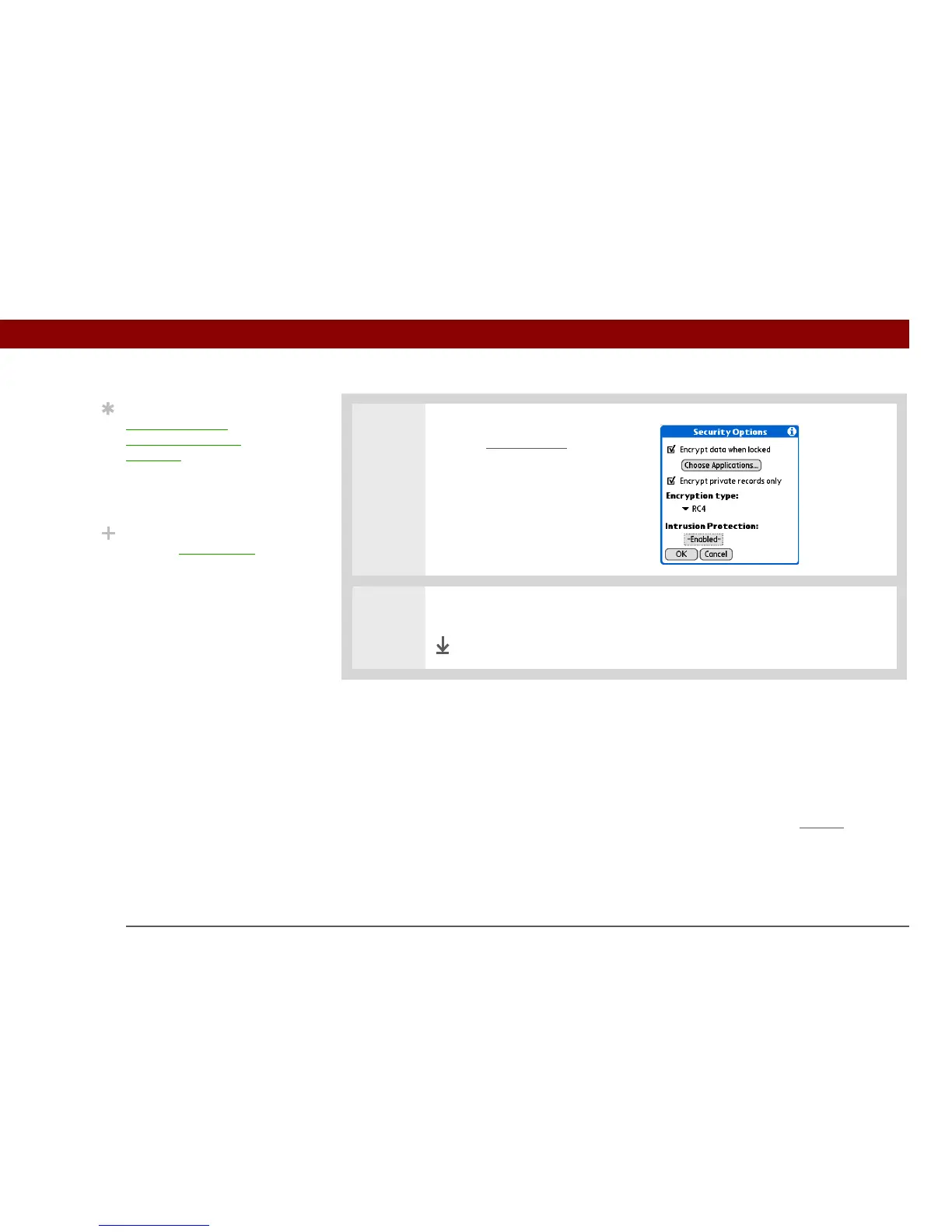
4 [ & ] OPTIONAL To encrypt
only the private entries
in the
applications you selected, check
the Encrypt private records only
box.
5 Select OK, and then select Done.
Done
Tip
Synchronize your
handheld with your
computer frequently to
prevent loss of
information if intrusion
protection is triggered.
Did You Know?
Incorrect Quick Unlock
attempts are not included
in the intrusion protection
counter.
IMPORTANT
[
! ]



 To Next Page