Tungsten™ E2 Handheld 477
CHAPTER 22 Keeping Your Information Private
0
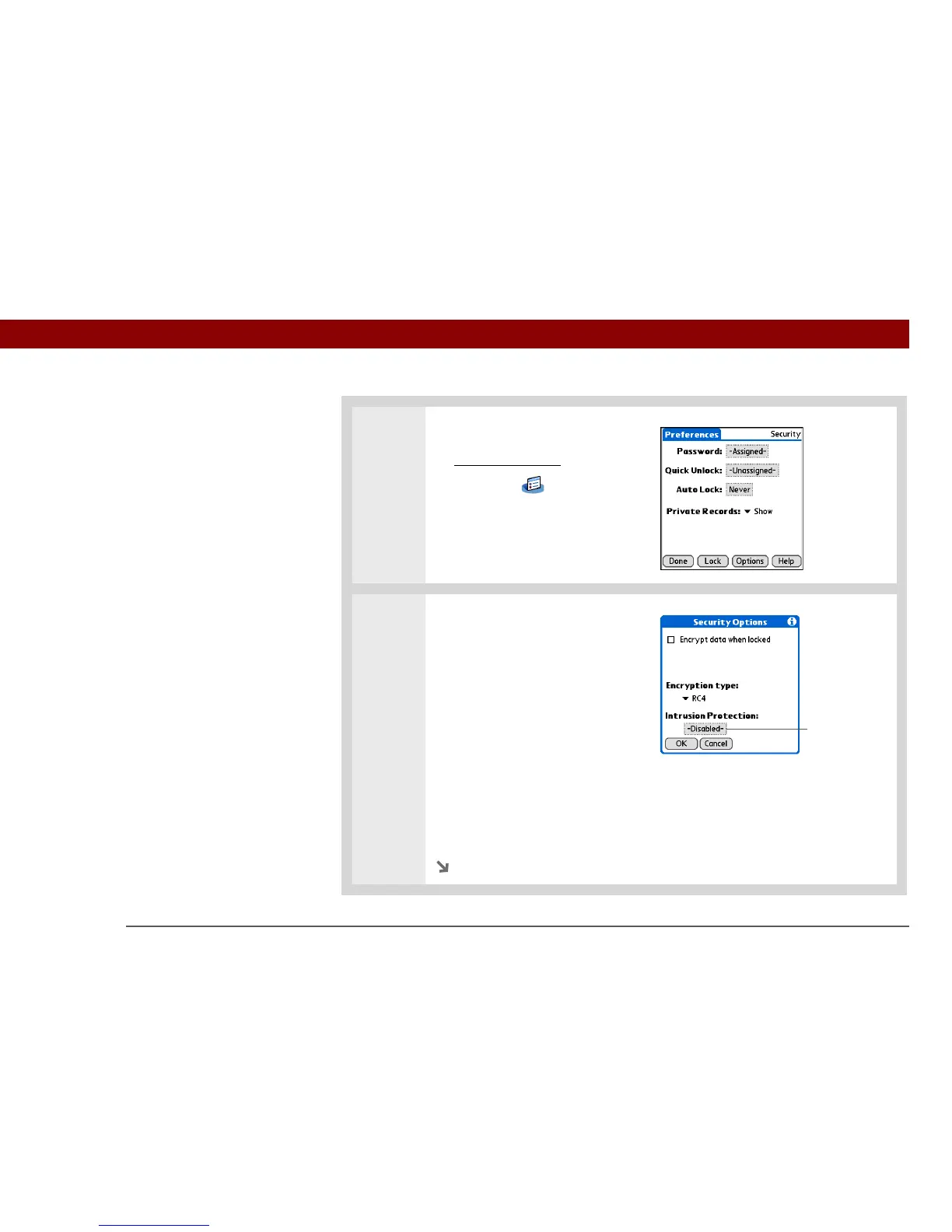
1 Open Security:
a. Go to Applications
, and then
select Prefs .
b. Select Security.
2 Set the number of password
attempts:
a. Select Options.
b. If necessary, enter your
password, and then select OK.
c. Select the Intrusion Protection
box.
d. Enter the number of
password attempts that are
allowed before selected
information on your handheld
is deleted.
Continued
Intrusion
Protection box



 To Next Page