Tungsten™ E2 Handheld 369
CHAPTER 15 Sending and Receiving Email Messages
Setting advanced account preferences
0
1 Open the Advanced Preferences screen:
a. In the Inbox or on another folder screen, open the menus
.
b. Select Options, and then select Preferences.
c. Select the Advanced tab.
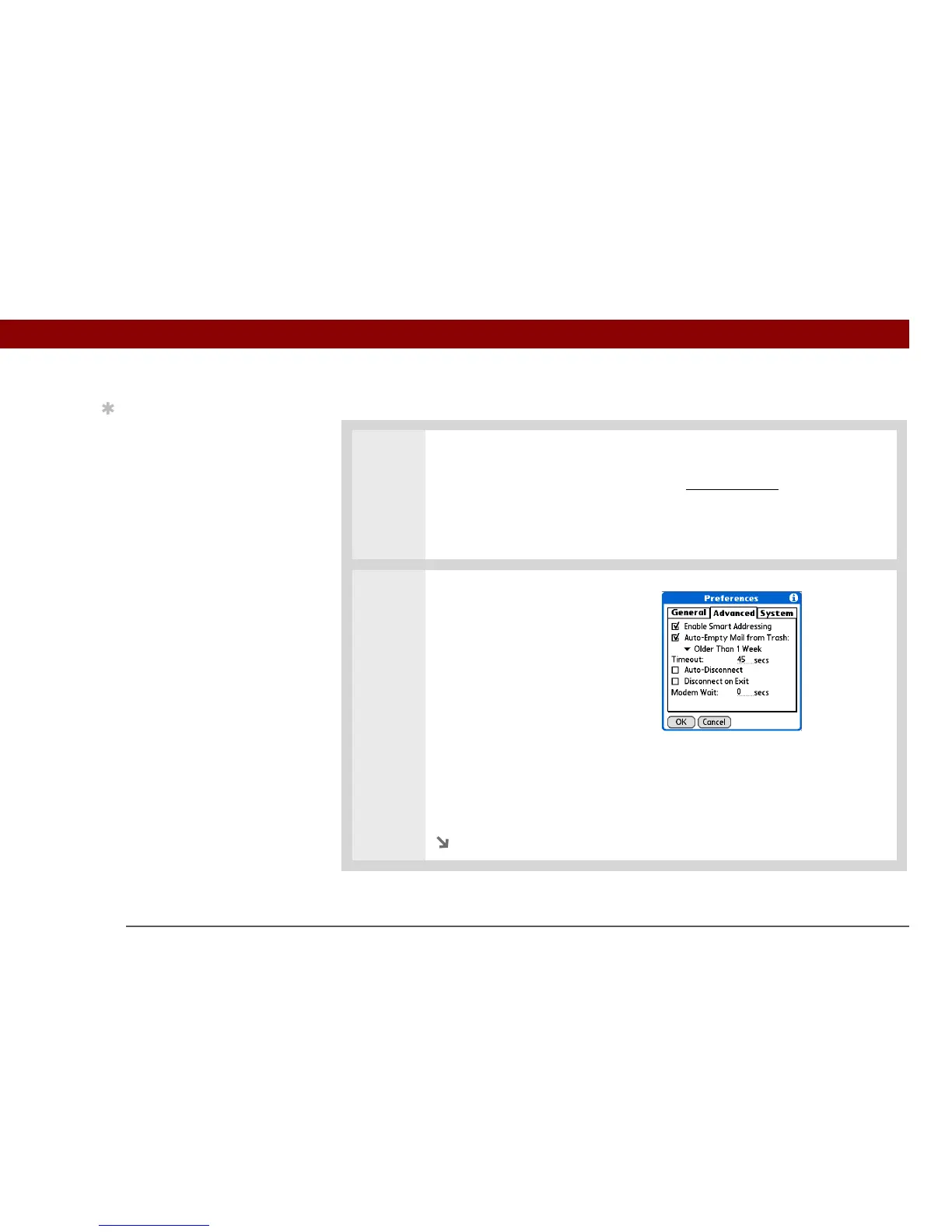
2 Select any of the following
preferences:
Enable Smart Addressing
Displays a list of addresses that
match the letters you enter in the To
field. You can select the address
you want from the list.
Auto-Empty Mail from Trash
Determines how often email
messages in the trash are
automatically deleted.
Timeout Sets the number of seconds to try to connect before timing out. To
change, tap the Timeout field and enter a new value.
Continued
Tip
Any advanced
preferences you set are
account-specific; they
apply only to the account
you are currently
viewing.



 To Next Page