Tungsten™ E2 Handheld 540
CHAPTER 25 Customizing Your Handheld
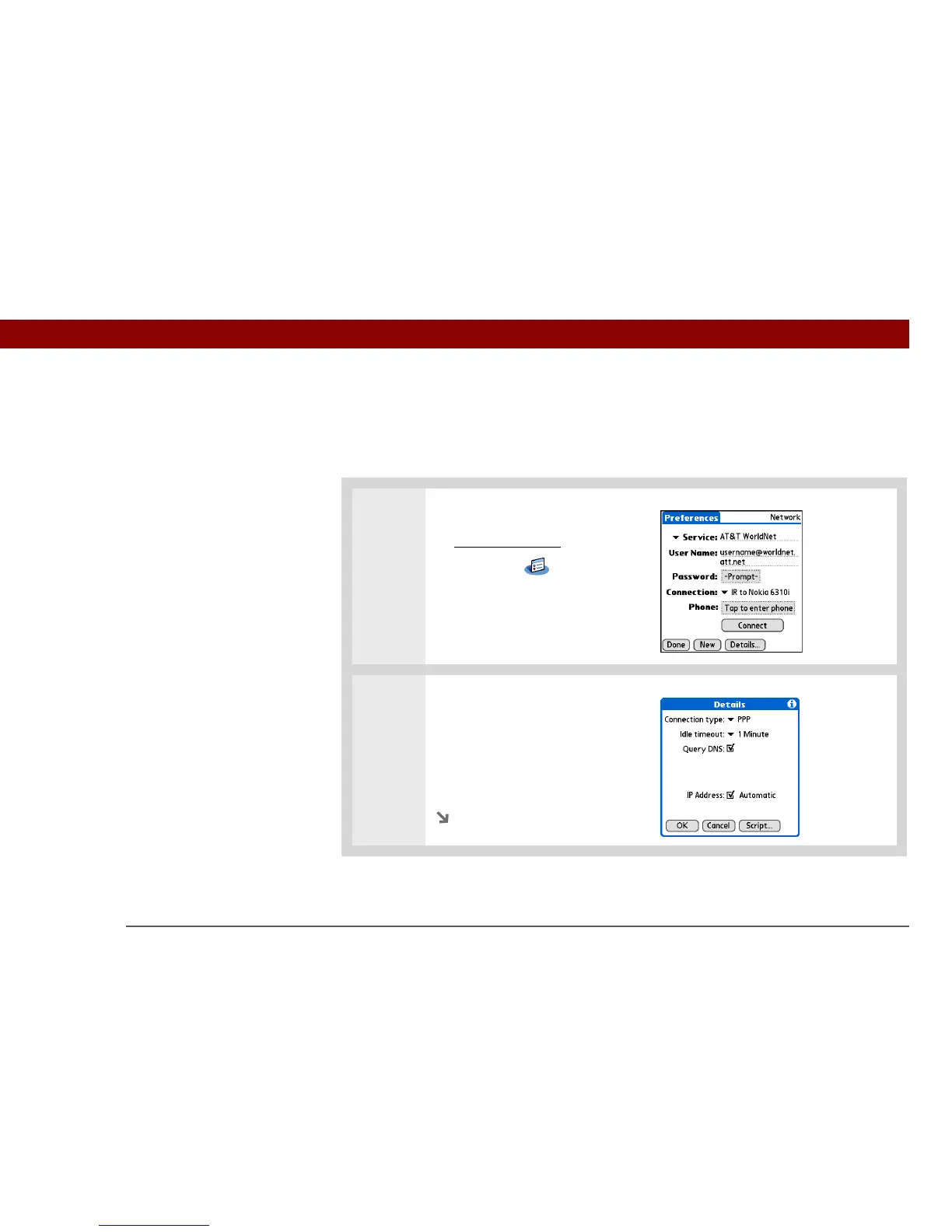
Adding details to a service profile
If you’re using one of the predefined service profiles, you probably need to enter only your
username, password, and telephone number. If you’re creating a new service profile, you may
need to use the Details dialog box to add more information to your service profile.
0
1 Open Network Preferences:
a. Go to Applications
.
b. Select Prefs .
c. Select Network.
2
Open the Details dialog box:
a. Select the Service pick list and
select the service you want to
add details to.
b. Select Details.
Continued



 To Next Page