Tungsten™ E2 Handheld 515
CHAPTER 25 Customizing Your Handheld
Selecting formats for dates, times, and numbers
Would you rather see the time displayed in a 24-hour format, or dates that begin with the month or
year? Use the Formats Preferences screen to change these settings and to apply them to all the
applications on your handheld.
You can quickly choose the preset formats based on geographic regions where you might use
your handheld. For example, in the United Kingdom, time often is expressed using a 24-hour
clock. In the United States, time is expressed using a 12-hour clock with an AM or PM suffix. You
can use the original preset formats or change them based on your personal preferences.
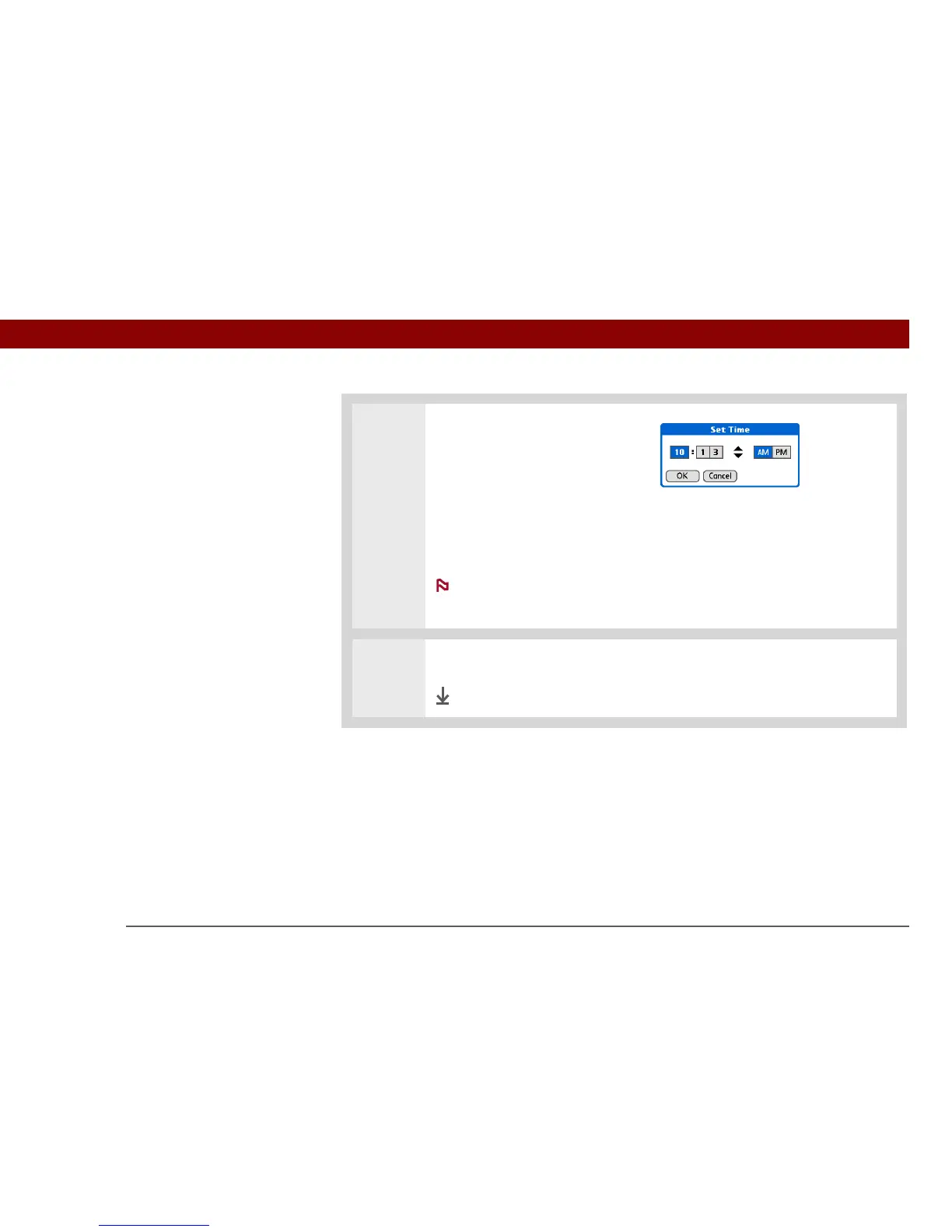
4 Set the time:
a. Select the Set Time box.
b. Select the hour and minute
boxes, and then select the
arrows to change them.
c. Select AM or PM, and then
select OK.
If you’re using a
24-hour clock format, you won’t
see the AM and PM options.
5 Select Done.
Done
NOTE



 To Next Page