Tungsten™ E2 Handheld 40
CHAPTER 3 Moving Around in Applications
Finding information
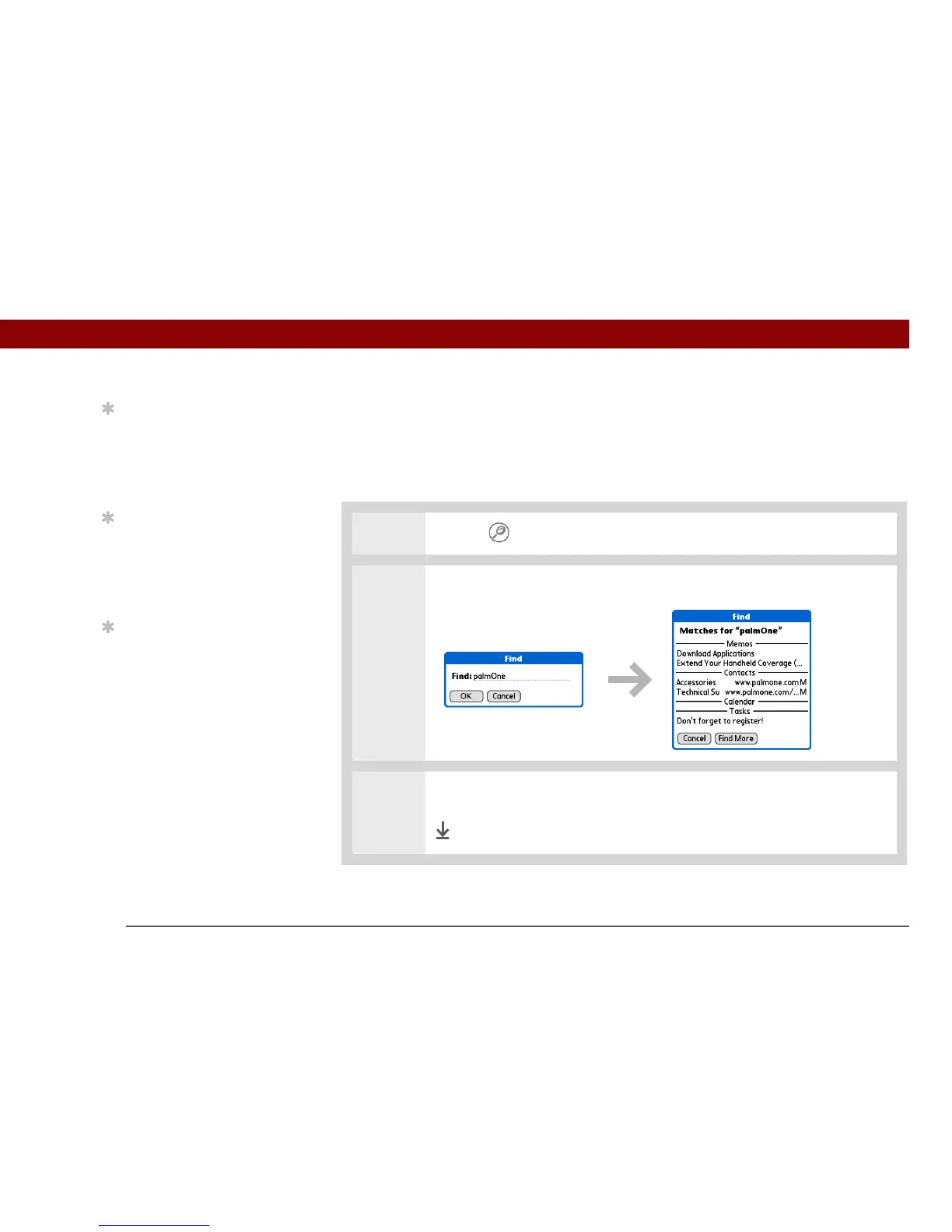
You can use Find to locate any word or phrase in any application on your handheld.
Find locates any words that begin with the text you enter, and it is not case-sensitive. For example,
searching for “plane” finds “planet” but not “airplane.” Searching for “bell” also finds “Bell.”
0
1 Tap Fi nd .
2 Enter the text that you want to find, and then select OK.
3 Select the text that you want to review.
Done
Tip
If you select text in an
application before you
tap Find, the selected text
automatically appears in
the Find dialog box.
Tip
Open an application
before you tap Find to
display results from that
application at the top of
the results list.
Tip
Want to stop searching?
Select Stop at any time
during a search. To
continue the search,
select Find More.



 To Next Page