Tungsten™ E2 Handheld 520
CHAPTER 25 Customizing Your Handheld
Customizing Graffiti 2 strokes
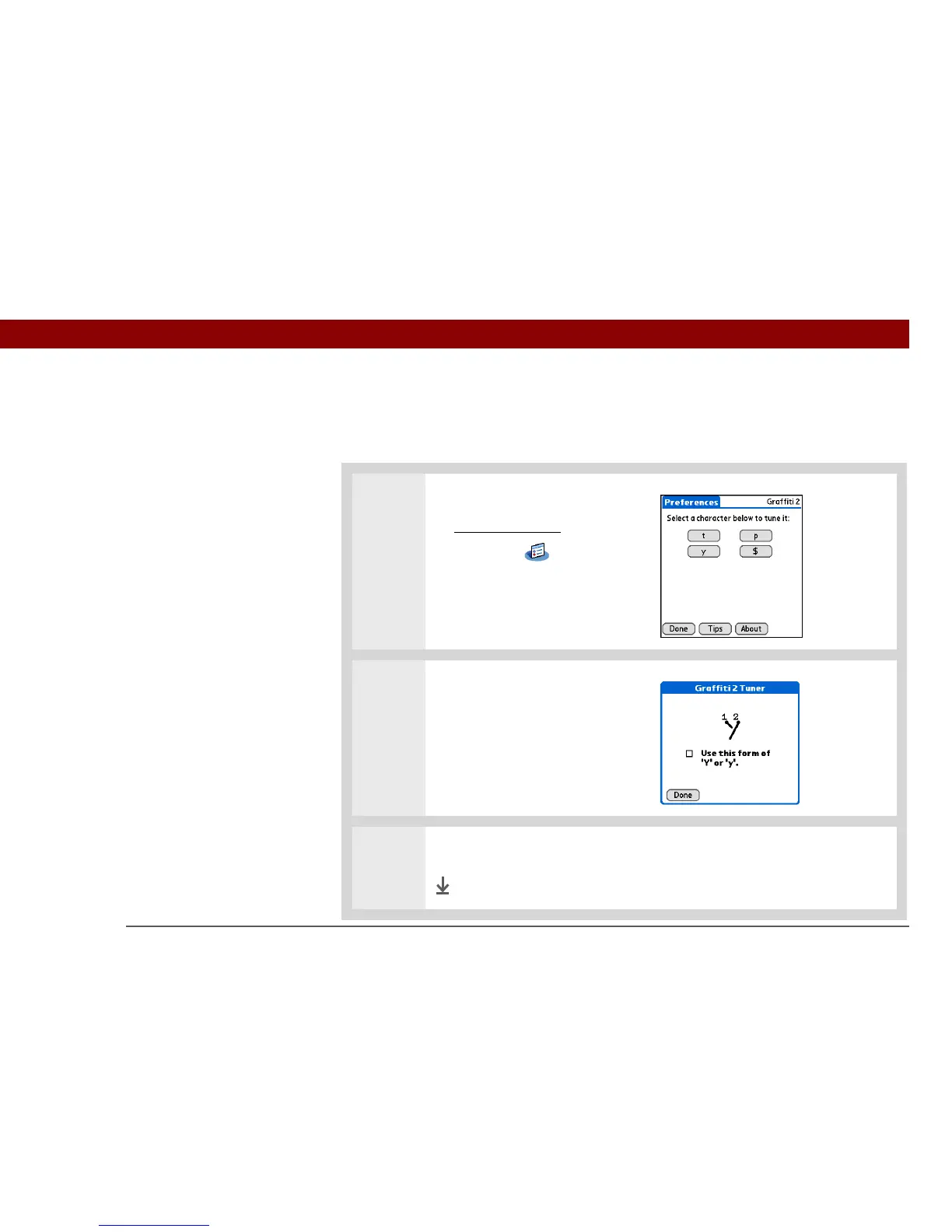
There is more than one way to write certain Graffiti 2 characters. Use the Graffiti 2 Preferences
screen to select an alternate stroke shape for these characters.
0
1 Open Graffiti 2 Preferences:
a. Go to Applications
.
b. Select Prefs .
c. Select Graffiti 2.
2 Select alternate strokes:
a. Tap a character to view its
alternate stroke.
b. Check the box to use the
alternate stroke, and then
select Done.
3 Repeat step 2 for each stroke you want to reassign, and then select Done.
Done



 To Next Page