Tungsten™ E2 Handheld 138
CHAPTER 7 Managing Your Calendar
Scheduling a repeating event—unusual interval
Some events don’t fit neatly into the preset repeat intervals, so you need to set up your own
repeat intervals. For example, set aside time for a trip to the gym every other day, schedule a class
that meets on the 1st Wednesday of each month, or enter annual holidays that occur during a
particular time of month such as the 1st Monday in September or the 3rd week of November.
0
1 Press Calendar .
2 Enter the event you want to repeat, and then select the event description.
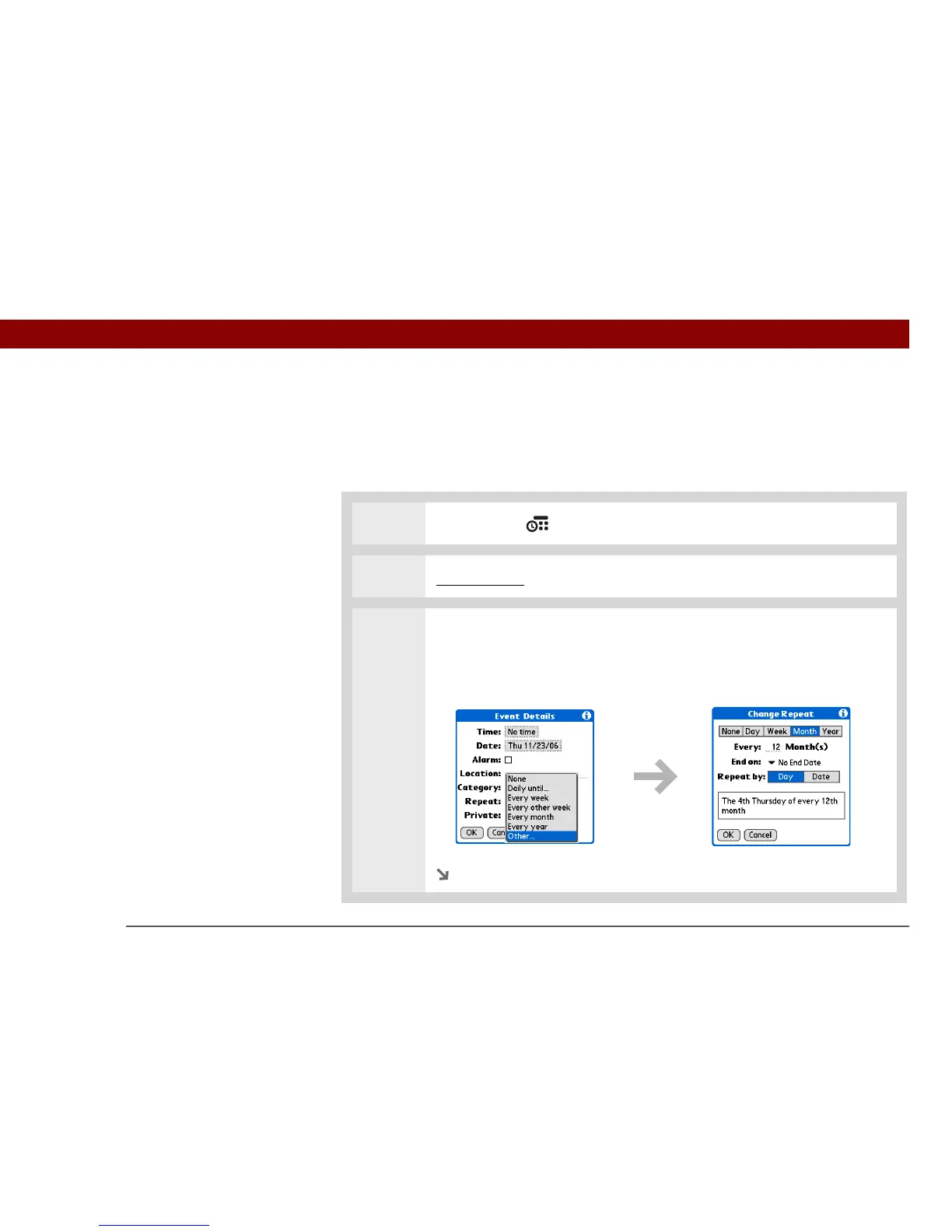
3 Open the Change Repeat dialog box:
a. Select Details.
b. Select the Repeat pick list and select Other.
Continued



 To Next Page