Tungsten™ E2 Handheld 257
CHAPTER 14 Making Bluetooth Wireless Connections
Setting up a connection for Bluetooth synchronization
WINDOWS ONLY
0
1 Go to Favorites and select Bluetooth .
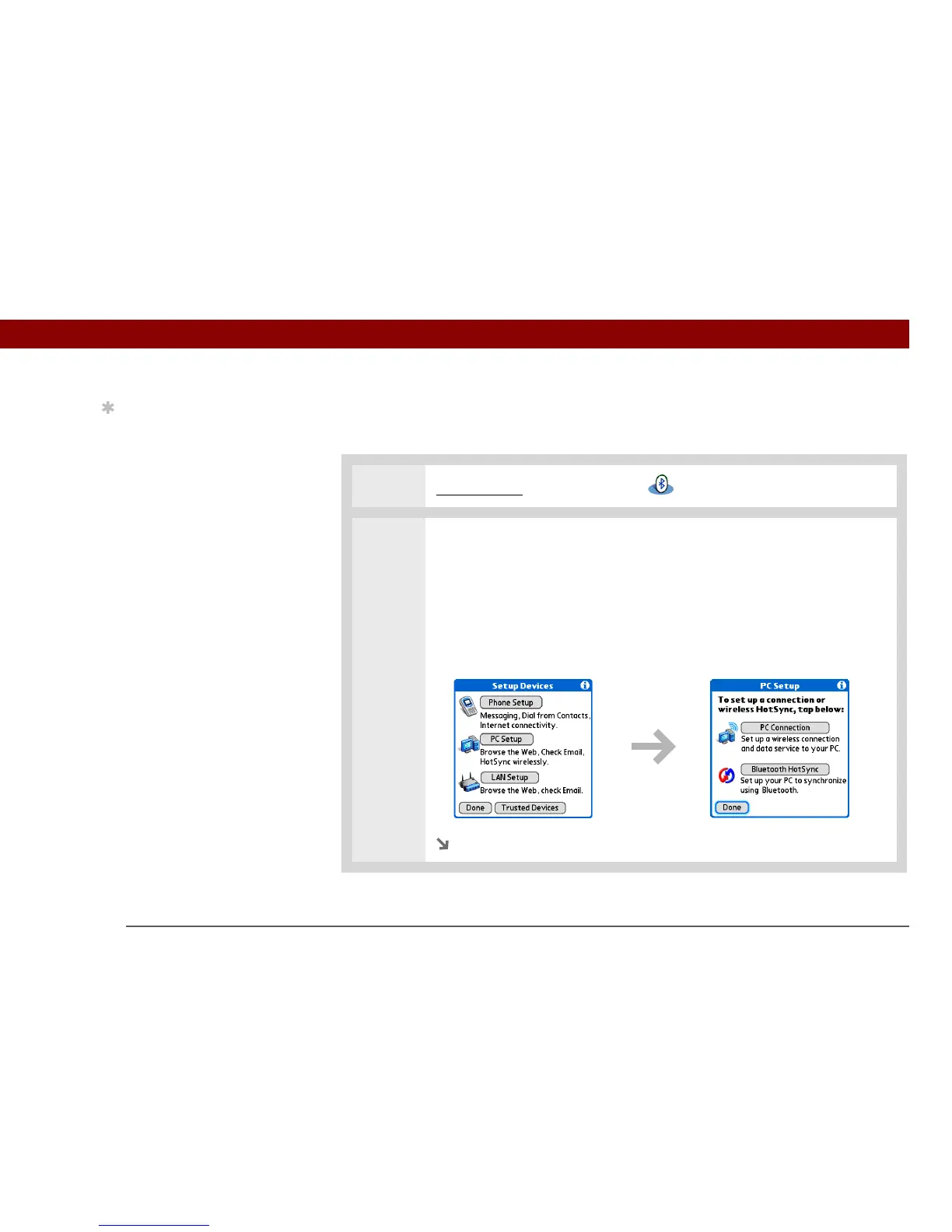
2 Open the PC Setup dialog box:
a. Select Setup Devices.
b. Select PC Setup.
c. Select Bluetooth HotSync.
d. Select Next.
.
Continued
Tip
After the first time you set
up a connection and
wirelessly synchronize
with a computer, you can
synchronize with that
computer at any time by
choosing its device name
from the Service pick list
and tapping Connect.



 To Next Page