Tungsten™ E2 Handheld 475
CHAPTER 22 Keeping Your Information Private
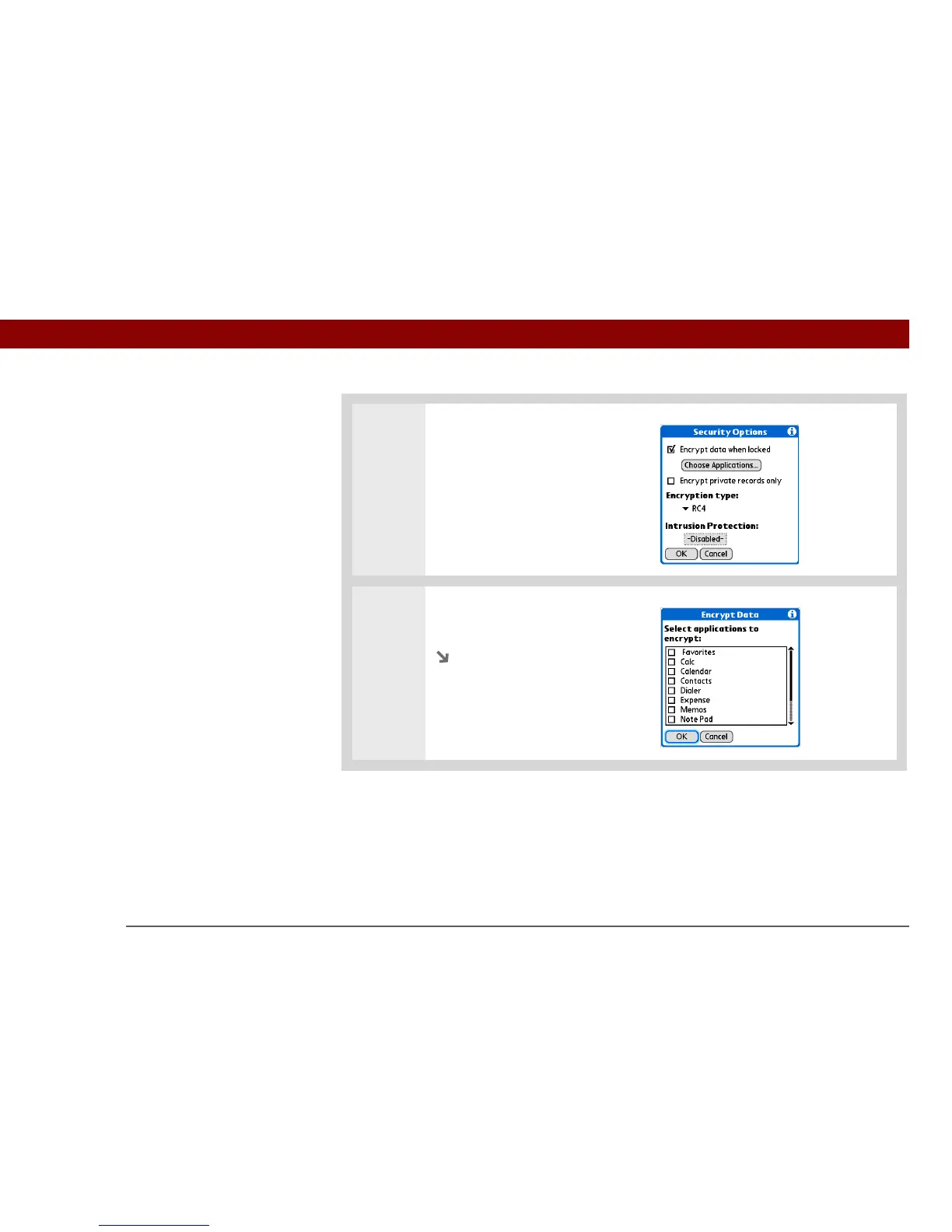
2 Open the Encrypt Data dialog
box:
a. Select Options.
b. Check the Encrypt data when
locked box.
c. Select Choose Applications.
3 Select the applications you want
to encrypt, and then select OK.
Continued



 To Next Page